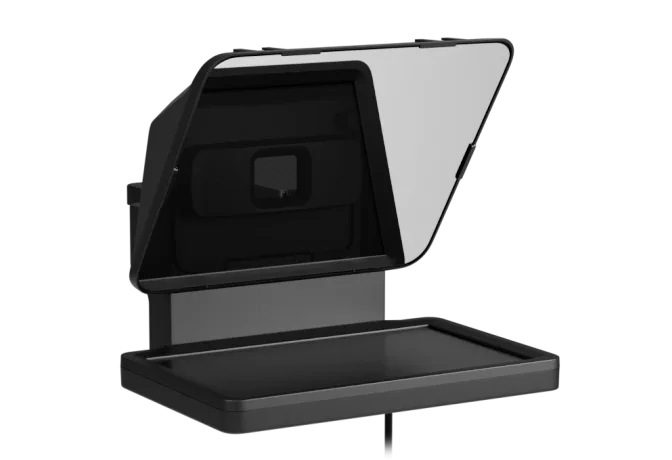
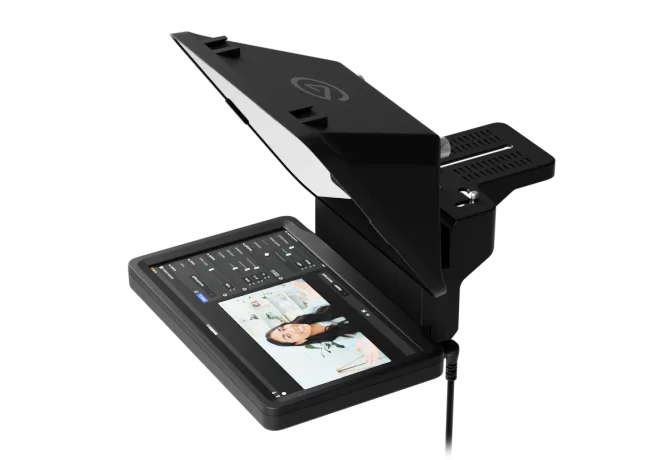
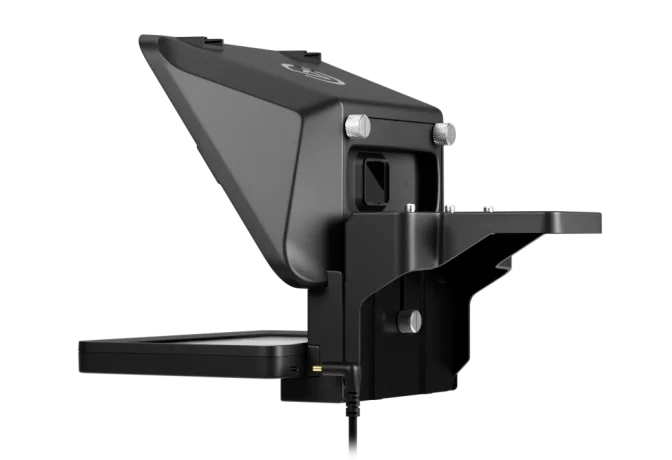
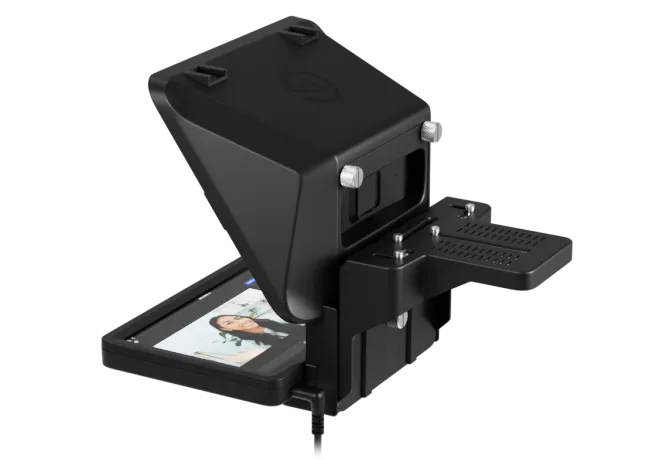
The first of its kind with a built-in display, Prompter lets you project not only text, but apps and windows too. It transforms your video workflows—helping you maintain eye contact, present clearly, and make content faster than ever.
Awarded by AVTechnology at InfoComm
AT A GLANCE
Create at
Superspeed
Drag & Drop
Built-in display
Works with Stream Deck
Ultra-Compatible
Meet
Eye-to-eye
Until now, teleprompters didn't quite fit into most video setups. They were either too big and expensive, or a real pain to get ready. We set out to fix that, designing an everyday tool for both work and content creation. The result is Prompter—a compact, easy-to-use teleprompter with all the flexibility of a second monitor. Once you try it, you'll wonder how you managed without it.
CREATE AT SUPERSPEED
When it's time to record, Prompter keeps you on point, helping you get the perfect take sooner. Fewer mistakes means less cleanup and editing later, making post-production a breeze. You'll be turning out videos faster and easier than ever.
CAMERA HUB
Free on PC and Mac, Camera Hub software has the tools you need to nail your delivery.
Easily paste in notes and outlines, or use speech to text. Add as many scripts as you like, with autosaving to keep your progress.

SCROLL WITH YOUR VOICE
With the magic of Voice Sync, Prompter scrolls as you speak, changing pace when you do and even pausing if you go off-script.
! Voice Sync requires an NVIDIA RTX 2060 GPU or newer, or Apple Silicon (M1 or newer)
MAKE MEETINGS
MORE HUMAN
Prompter makes virtual meet-ups feel almost like the real thing. Bring up your apps, from video calls and presentations to Discord hangouts. Then connect with colleagues, customers, and friends as you look directly into the camera.
SEE EYE-TO-EYE
No matter where you meet, Prompter makes eye contact easy. It helps others feel seen and heard, like you're talking directly to them—not to your screen.
Without Prompter
With Prompter
ULTRA-COMPATIBLE
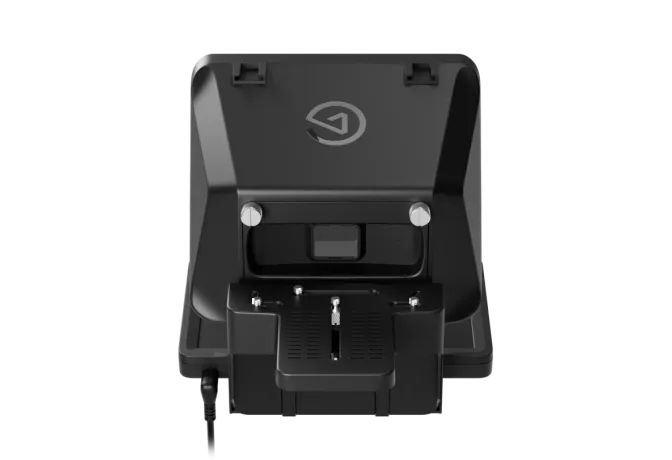
An all-in-one teleprompter should handle all kinds of cameras, not just DSLRs or mirrorless. That's why Prompter has multiple mounting options, supporting everything from webcams to smartphones.
MADE LIKE NO OTHER
Get a closer look at Prompter's compact, first-of-its-kind build.
Beamsplitter glass
Part reflective, part transparent, it's specially crafted to deliver crystal-clear picture.
TELEPROMPTING MADE EASY
ONE-TOUCH CONTROL
With a Stream Deck, managing your teleprompter is fast and easy. It's like having a full production crew, right at your fingertips.
Learn more
SIMPLE SETUP
Get up and running on PC or Mac with a single USB cable—no phones or iPads needed
DRAG AND DROP
Move any app or window onto Prompter's display, like an extra monitor.
REAL-TIME MONITORING
Preview your shot right on Prompter, even under your script.
Learn more
HELLO, CHAT
Connect your Twitch channel and show viewer messages right on Prompter.
DIVE DEEP
From setup tips to comparisons, get the most out of Prompter XL and master your workflow.
What is a teleprompter?
Ever wonder how presenters deliver scripts without missing a beat? Learn how a teleprompter works and how it could change the way you record.
Which Prompter Fits Your Setup?
See how Prompter XL meets the demands of larger setups, longer viewing ranges, and pro-level camera support compared to our original Prompter.
Tech Specs
Download Quick Start Guide
WEIGHT
690 g | 1.52 lb (without accessories)INTERFACE
USB-CDISPLAY
9" 1024 x 600 pxSTEP-UP RINGS
49, 52, 55, 58, 62, 67, 72, 77, 82 mmDIMENSIONS
W 224 x H 219 x D 282 mm / W 8.88 x H 8.62 x D 11.10 in (with universal bracket)In The Box
Prompter with display, DSLR/Mirrorless backplate, 9x DSLR/Mirrorless step-up rings, Facecam 4K backplate, Universal shroud backplate, Universal bracket, Mounting screws, USB-C to USB-A 3.0 cable (200 cm | 78.7 in), Cleaning cloth, Quick start guideSKU: 10WAD9901

Conscious Packaging
Our goal is to be 100% plastic-free. We're at 95% and counting. Since launching our first capture device in 2012, we’ve taken impressive strides not only in advancing our technology but also our packaging. Learn More
System Requirements
OS
Windows 11 or newer, Intel or AMD CPU
Connection
USB 3.0 Type A
Voice Sync
Voice Sync requires NVIDIA RTX 2060 GPU newer
OS
macOS 13.3 Ventura or newer, Intel or Apple CPU
Connection
USB 3.0 Type A
Voice Sync
Voice Sync requires Apple M1 CPU or newer
Software
DisplayLink (installs automatically at setup)