AT A GLANCE
FOUR BOLD COLORS
ULTRA-SMOOTH
4K
UP TO 60 FPS
CINEMATIC EFFECTS
DSLR-LIKE CONTROL
OPTIMIZED FOCUS AREA
SUPPORTS LENS FILTERS
QUALITY YOU'VE GOT
TO SEE TO BELIEVE
4K60 FOR ALL
NOT ALL 4K IS CREATED EQUAL


THE FINISHING TOUCH
LENS FILTERS
NO LONGER JUST FOR CAMERAS
ECOSYSTEM
Compare
Basic info
Hardware
11.8 – 47.2 in
11.8 – 47.2 in
Software
Compatibility
DIVE DEEP

Get the Best from Facecam 4K
Discover how to fine-tune settings in Camera Hub and capture the sharpest, most detailed image possible with Facecam 4K.
/Facecam-_General_---Explorer---Article-4.jpg)
Use Your Webcam with Nintendo Switch
Learn how to connect and set up your webcam for live reactions, video calls, and streaming directly from your Nintendo Switch.

Fine-Tune Your Image
Discover how Facecam 4K’s lens filters enhance contrast and color for a cleaner, more professional look straight from the camera.

Facecam 4K Specifications
Take a closer look at Facecam 4K’s technical specs — from sensor and resolution to frame rates and lens details that power every pixel.

Choose Your Look
Explore three bold new finishes that let you match your setup and express your style — without compromising performance.

What's the difference between Facecam 4K and Facecam Pro
Learn how Facecam 4K and Facecam Pro differ in specs, performance, and price — helping you choose the perfect camera for your setup.

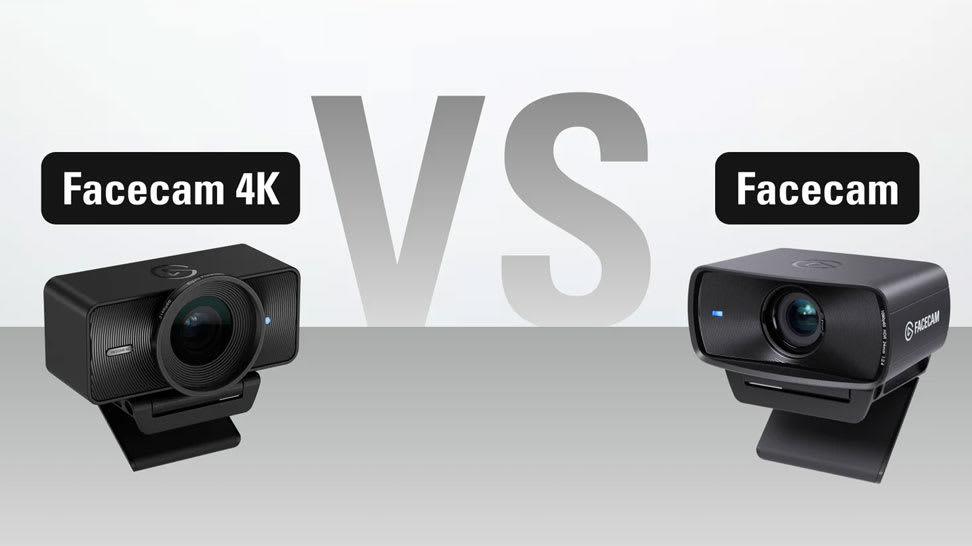
What's the difference between Facecam 4K and Facecam
Learn how Facecam 4K and Facecam differ in specs, performance, and price — helping you choose the perfect camera for your setup.

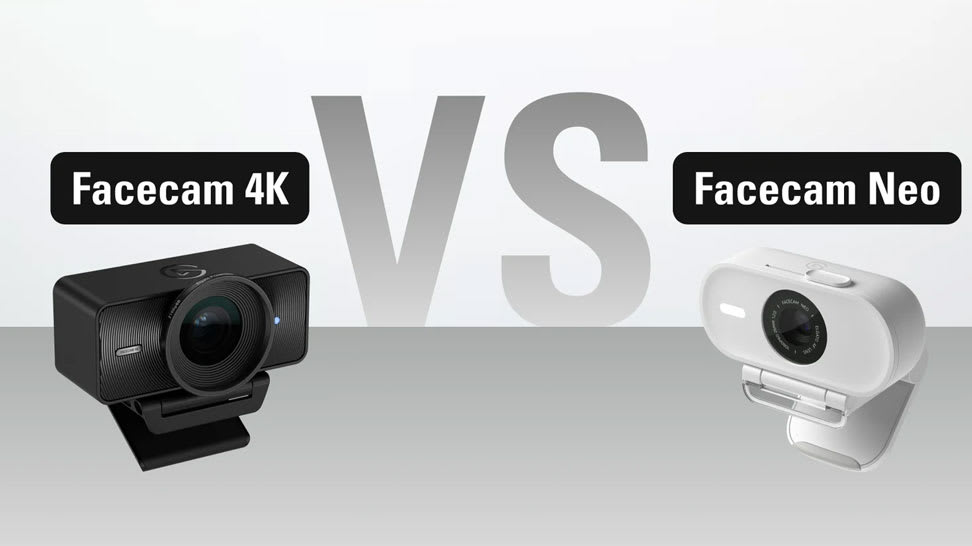
What's the difference between Facecam 4K and Facecam Neo
Learn how Facecam 4K and Facecam Neo differ in specs, performance, and price — helping you choose the perfect camera for your setup.
/Facecam-_General_---Explorer---Article-1.jpg)
Bring Out Every Detail
Learn how to balance highlights and shadows with Camera Hub’s Dynamic Range control for crisp, detailed video in any lighting.
/Facecam-_General_---Explorer---Article-2-.jpg)
Sharper Image, Less Grain
Learn how to reduce image grain with Camera Hub’s Noise Reduction feature for cleaner, sharper video.
/Facecam-_General_---Explorer---Article-3-.jpg)
Shine in Any Light
See how Camera Hub’s Low Light Mode automatically adjusts your Facecam settings to deliver bright, detailed video — even after dark.
FAQ
Do I need any special lighting?
What resolutions are available?
Is there a built-in microphone?
Is it fixed focus or autofocus?
What's the field of view (FOV)?
What type of USB port do I need?
Does it include a mount?
Do I need any special software?
Do my settings stay saved?
Does it support uncompressed video?
Does it support HDR?
Does it support Windows Hello?
Where can I buy 49-mm lens filters?
What does the LED indicate?
Tech Specs
IMAGE SENSOR
SONY® STARVIS 2 CMOS sensor 1/1.8"OPTICS
Elgato Prime LensAPERTURE
f/4.0FOCUS TYPE
FixedFOCAL LENGTH
21 mmFOCUS RANGE
30 – 120 cm (11.8 – 47.2 in) at 4K resolution25 cm (9.8 in) – infinity at 1080p resolutionFIELD OF VIEW
90°VIDEO ENCODING*
YUY2NV12MJPG*When connected by USB 3.0, otherwise MJPEG onlyVIDEO RESOLUTIONS (USB 3.0)
2160p60 (MJPG only), 2160p30 (NV12/MJPG only), 1440p60 (NV12/MJPG only), 1440p30, 1080p60, 1080p30, 720p60, 720p30, 540p60, 540p30VIDEO RESOLUTIONS (USB 2.0)
1080p60, 1080p30, 720p60, 720p30, 540p60, 540p30HDR-SUPPORTED RESOLUTIONS
2160p30, 1440p30, 1080p30, 720p30, 540p30DIMENSIONS
W 104 x H 54 x D 52 mm | 4.1 x 2.1 x 2.0 in (without mount)WEIGHT
112 g | 0.25 lb (without mount and cable)MOUNTING POINT
1/4-inch threadSUPPORTED FILTERS
49 mmCONNECTION
USB Type-CUSB VIDEO CLASS
UVC standard v1.5In The Box
SKU: 10WAF9901
/In%20The%20Box/Facecam-4K-In-The-Box-Shot.png)
Conscious Packaging
Our goal is to be 100% plastic-free. We're at 95% and counting. Since launching our first capture device in 2012, we’ve taken impressive strides not only in advancing our technology but also our packaging. Learn More