Skip to Main content
£119.99

XLR Dock MK.2

Mic Interface For Stream Deck +

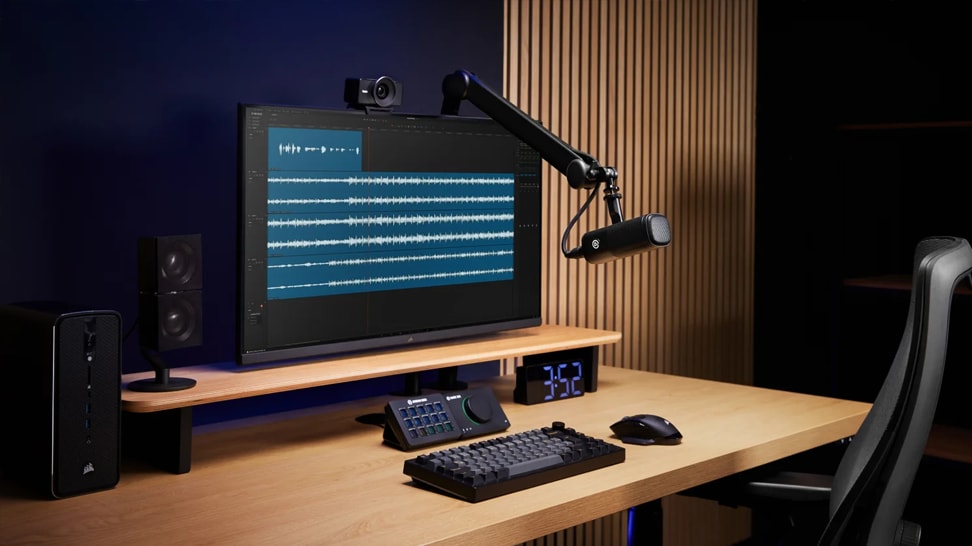
Fitted with XLR Dock MK.2*, Stream Deck + becomes a uniquely powerful audio station with unparalleled capabilities. Plug in your mic for pristine sound powered by Wave FX Processor. Customize keys and dials to trigger effects, switch mixes, and loads more. It's all your audio in one place, saving you focus and desk space.

*Not compatible with Stream Deck + XL

ACCESSORIES

XLR Cable
£19.99
Wave DX
£99.99
Stream Deck +
£199.99
Stream Deck + White
£199.99
🔥 Save up to 15%

BUILD YOUR SETUP

Mix and match audio gear from across the Wave ecosystem—the more you bundle, the more you save.

Start building

Subtotal

£119.99

SO YOU CAN SUPERCHARGE YOUR SETUP, FREE UP DESK SPACE, AND DO EVEN MORE FROM ONE DEVICE

TOGETHER AS ONE

MINI PROFILE
BIG-TIME SOUND

Not to be underestimated, XLR Dock does everything a professional audio interface can do—and then some.
STUDIO PREAMP
Sound loud and clear without boosters or lifters
PHANTOM POWER
Brings condenser microphones to life with 48 V
UNCLIPPABLE VOICE
Even when you shout, Clipguard 2.0 prevents distortion
ZERO-LATENCY MONITORING
Hear yourself in real time, even with effects*
ONE CONNECTION
Everything’s powered by a single USB cable
*Zero-latency monitoring applies to onboard DSP effects. VST effects may introduce latency depending on your setup.

It's your mixer. Soundboard. Sampler.

And so much more

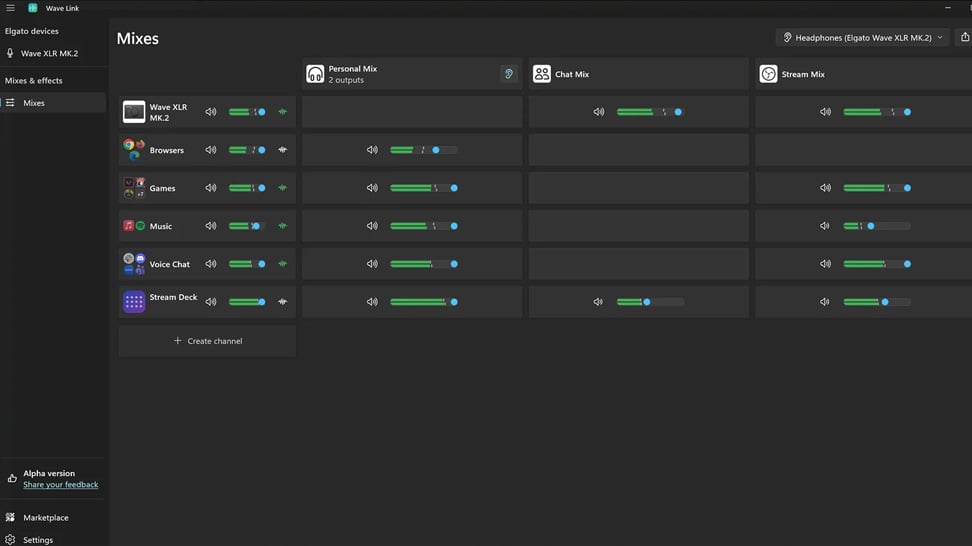
Stream Deck + and XLR Dock bring all your audio controls together—not just hardware, but also your apps. Turn to adjust effects or push to talk in Discord. Tap to adjust headphone volume. Even monitor audio in real time. Everything is customizable and it’s all in one place.

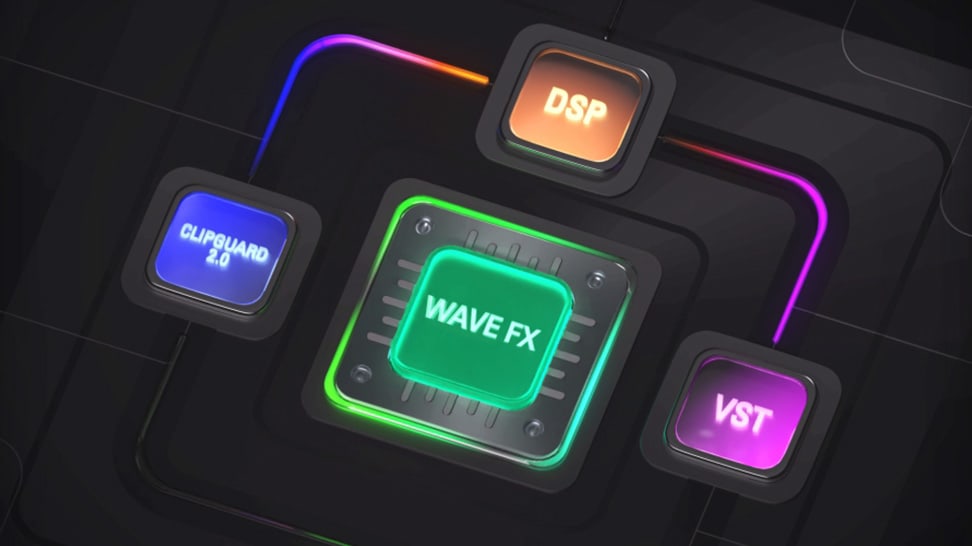
WAVE FX

The Pro in the Processor

Your voice flows through Clipguard, onboard DSP, and VST effects in one continuous signal path. So you get studio-grade sound with super-responsive monitoring, but none of the routing complexity.

A snap to assemble

Short on DIY skills? No problem. XLR Dock installs in a few easy steps using only a Phillips screwdriver.

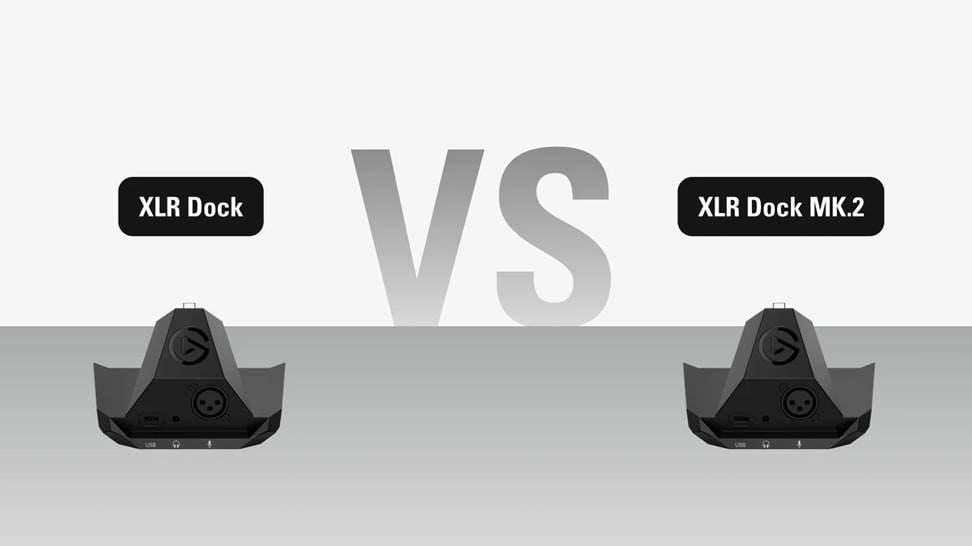
COMPARE MIC INTERFACES

Professional audio, your way. Choose the Wave mic interface that works best in your setup.

FROM THE BLOG

Explore tips and techniques to help you get the most from XLR Dock.
Pro Audio and Beyond

Pro Audio and Beyond

Designed for dynamic and condenser microphones, XLR Dock MK.2 adds 80 dB of ultra-low-noise gain, phantom power, and integrated Wave Link software to Stream Deck +.XLR Dock MK.2 slots into Stream Deck + to handle your mic, effects, and monitoring without adding another device. Here's how it all works.

Which XLR Microphones Work With It

Which XLR Microphones Work With It

XLR Dock MK.2 works with any XLR microphone, from gain-hungry dynamics to studio condensers, with 80 dB of clean gain and 48V phantom power.

Software Overview

Software Overview

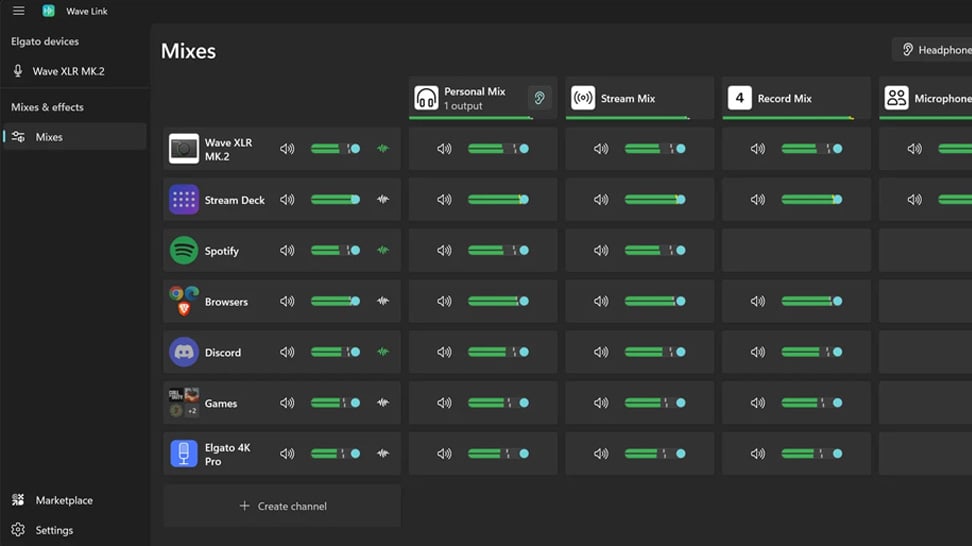
Mix, route, and apply effects to all your audio with Wave Link 3.0. Free for Windows and macOS and works with any mic.

Wave FX: Studio-grade sound from your mic

Wave FX: Studio-grade sound from your mic

Learn what Wave FX does for your audio. Clipguard 2.0, onboard DSP effects, and VST Inserts deliver consistent sound across all apps.

What Is Clipguard 2.0? How Elgato Prevents Audio Clipping

What Is Clipguard 2.0? How Elgato Prevents Audio Clipping

Learn how Clipguard 2.0 prevents audio distortion at the hardware level, so your stream or recording stays clean no matter what.

How to Install and Use Audio Effects from Marketplace

How to Install and Use Audio Effects from Marketplace

Learn which USB microphones, XLR setups, and audio interfaces are compatible with Wave Link—and how to start mixing right away.

Wave Link 3.0: Soundboard and Music for Voice Chat and Gaming

Wave Link 3.0: Soundboard and Music for Voice Chat and Gaming

Learn how to play music and sound effects through in-game VOIP with Wave Link. Route any audio into proximity chat. Free on Windows and macOS.

Wave Link 3.0: How to use it for Streaming

Wave Link 3.0: How to use it for Streaming

Learn how Wave Link 3.0 can improve your stream audio with independent mixes, voice effects, and app grouping. Free for any mic or setup.

Wave Link 3.0: How to use it for Productivity

Wave Link 3.0: How to use it for Productivity

Organize meetings, music, and notifications into separate channels you control. Wave Link 3.0 is free and works with any mic.

Wave Link Plugin for Stream Deck: Hands-On Control for Your Audio Mix

Wave Link Plugin for Stream Deck: Hands-On Control for Your Audio Mix

Control your entire audio mix from Stream Deck. Adjust volume, mute channels, toggle effects, and switch outputs with Wave Link plugin.

Voice Tune: What It Is and How to Use It

Voice Tune: What It Is and How to Use It

Voice Tune makes your audio sound more consistent and polished. Learn how it works and how to adjust it on compatible Wave devices.

What is VST Insert? Audio Effects That Work in Every App

What is VST Insert? Audio Effects That Work in Every App

Learn how VST Insert integrates audio effects into your hardware signal flow so every app gets the same processed mic audio.

Upgrading from Wave Link 2.0 to Wave Link 3.0

Upgrading from Wave Link 2.0 to Wave Link 3.0

Moving from Wave Link 2.0 to 3.0? Here's what to expect, what to set up again, and how to get running quickly.

What does a compressor actually do?

What does a compressor actually do?

Learn how compression balances your audio by reducing loud peaks and boosting quieter sounds—so your voice stays clear, consistent, and professional.

What is a Cloudlifter?

What is a Cloudlifter?

Learn how a Cloudlifter boosts low-output microphones with clean gain—giving you stronger, clearer audio without added noise.

Play sounds through your mic

Play sounds through your mic

Trigger sound effects, memes, or voice clips directly through your microphone using Stream Deck—perfect for streams, chats, and calls.