


輸入裝置的新紀元
數十年來,鍵盤不斷變得更快、更順暢,卻從未真正變得更聰明。按下按鍵,得到的總是相同結果——直到現在。內建 Stream Deck 的 Galleon,將深度控制與洞察力直接帶到您的指尖,貫穿所有操作。直覺、靈活,並持續進化,這是史上最聰明的鍵盤,
也是全新時代的開端。
也是全新時代的開端。
向下捲動查看


了解 Galleon 100 SD,以及內建 Stream Deck 控制如何重新塑造你的設備。

看看 Galleon 100 SD 如何將 Stream Deck 直接整合至設計中,無需額外硬體即可實現無縮控制。

看看 Stream Deck 如何解鎖遠超標準 WASD 操作的進階指令。
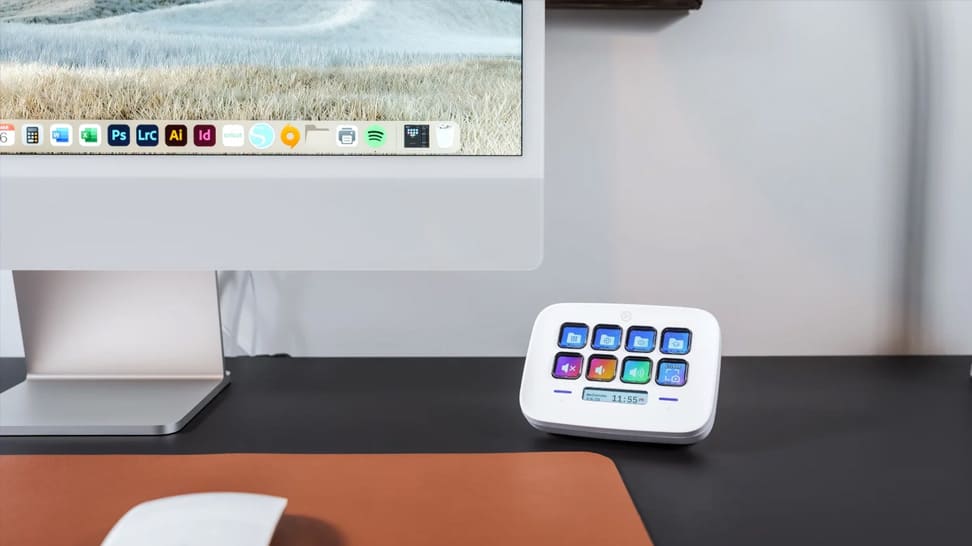
利用 Stream Deck 的可自訂按鍵與設定檔案,打造更智慧的數字鍵盤。

透過 Stream Deck 調整 CORSAIR 鍵盤設定。在遊戲中切換 FlashTap、Game Mode、回報率、燈效與設定檔。
是否支援 macOS 或 Linux?
是否需要額外的軟體?會影響效能嗎?
顯示螢幕是否支援觸控操作?
如何變更顯示螢幕的背景?
可以建立多少個操作指令?
如何在同一個旋鈕中切換不同操作?
旋鈕是否可以更換?
是否一定要在此鍵盤上使用 Stream Deck?
是否需要建立 Marketplace 帳戶?
可以同時使用其他 Stream Deck 裝置嗎?
可以將 Stream Deck 按鍵當作數字鍵盤使用嗎?
採用哪種軸體?是否支援熱插拔?
是否支援可調觸發點或 Rapid Trigger?
可以透過 Stream Deck 控制鍵盤設定嗎?
是否能連接滑鼠或其他 USB 裝置?
是否支援 Windows 動態燈光?