Both Wave:3 and Wave:3 MK.2 are USB condenser microphones built for clean, reliable audio without a complex setup. They share the same core goal, but Wave:3 MK.2 introduces hardware-based processing that changes how and where your audio is handled.
If you already use Wave Link and are happy shaping audio in software, Wave:3 still delivers excellent results. If you want effects, clipping protection, and monitoring handled directly on the microphone itself, Wave:3 MK.2 is the upgrade.
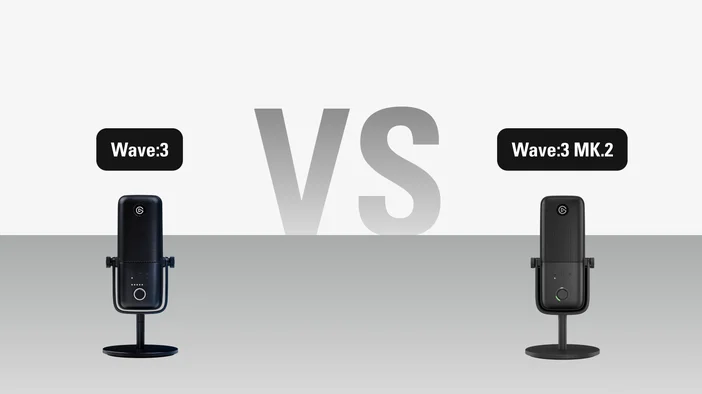
At a glance
| Feature | Wave:3 | Wave:3 MK.2 |
| Capsule | 17 mm | 16 mm |
| Polar pattern | Cardioid | Supercardioid |
| Sample rate | 48 / 96 kHz | 48 kHz |
| Resolution | 24-bit | 24-bit |
| Dynamic range | 95 dB | 110 dB |
| Max SPL | 120 dB | 130 dB |
| Sensitivity | -25 dBFS (min gain), 15 dBFS (max gain) | -20 dBFS |
| USB connection | USB-C | USB-C |
| Pop filter | Internal (external sold separately) | Internal |
| Clipguard | Clipguard 1.0 | Clipguard 2.0 |
| Wave FX Processor | — | ✅ |
| Onboard DSP effects | — | ✅ |
| VST inserts | — | ✅ |
| Real-time monitoring | System, voice | System, voice (with onboard DSP) |
| Capacitive mute | ✅ | ✅ |
| Visual feedback on dial | — | ✅ |
| Dial control | Gain, headphone volume, monitor mix | Gain, Voice Tune, headphone volume, monitor mix |
| Auto Gain Wizard | — | ✅ |
| Works with Stream Deck | ✅ | ✅ |
| Accessories Sold separately |
Wave Shock Mount, Wave Pop Filter, Wave Extension Rods | Wave Shock Mount |
What you get with Wave:3
Wave:3 is a USB condenser microphone paired with Wave Link, Elgato's audio mixing software. It works well if you want to:
- Mix multiple audio sources in Wave Link and create up to five independent mixes
- Apply VST effects through Wave Link on any input channel
- Keep your setup simple and flexible
- Record at 96 kHz for higher-resolution audio capture
It relies on your computer for audio processing, which works well for anyone who already manages audio inside OBS Studio or Wave Link. Clipguard 1.0 protects against distortion by running a secondary signal path at a lower gain alongside the primary one. If levels peak, the mic switches to the cleaner backup to keep your audio clean.
What Wave:3 MK.2 brings to the table
Wave:3 MK.2 builds on that foundation by moving critical audio processing onto the microphone itself using Wave FX Processor, a custom chip developed with LEWITT Audio.
That means:
- Five onboard DSP effects (low-cut filter, expander, compressor, EQ, and Voice Tune) that run directly on the mic with zero latency and no CPU load
- Clipguard 2.0 with a layered architecture using stacked ADC converters, 32-bit floating-point internal processing, and digital limiters to make clipping virtually impossible
- VST/AU plugins integrated into the hardware signal path via Wave Link, so effects work in every app without virtual microphones or routing workarounds
- Headphone monitoring with onboard DSP applied in real time, so you hear your processed voice as you speak
- Voice Tune is accessible directly from the mic's dial for quick broadcast-style warmth adjustments
- Auto Gain Wizard that analyzes your voice and sets the right gain level in seconds
- Audio settings are stored directly on the microphone, so your sound stays consistent when switching between devices
This makes Wave:3 MK.2 especially useful if you stream, record, and take calls across multiple apps or devices and want consistent sound everywhere.
Clipguard 1.0 vs Clipguard 2.0
Both microphones include clipping protection, but the approach is different.
Wave:3 uses Clipguard 1.0, which runs a secondary signal path at a lower gain alongside the primary one. If levels peak, the mic intelligently switches to the cleaner backup signal to prevent distortion. It works well for typical use, but it's a single safeguard.
Clipguard 2.0 on Wave:3 MK.2 uses a layered architecture with multiple stages of protection. Stacked ADC converters capture the signal across multiple ranges to prevent overload at the source. Internal 32-bit floating-point processing provides massive headroom so volume spikes never hit the digital ceiling. Digital limiters then smooth out any remaining peaks before the signal reaches your system. The result is audio that stays clean even in extreme situations.
Is Wave:3 MK.2 worth the upgrade
If your Wave:3 setup works well and you're happy managing audio in Wave Link, there's no rush. Wave:3 still sounds great and continues to work with Wave Link.
The upgrade makes the most sense if you:
- Want a full DSP effects suite and upgraded clipping protection handled at the mic level
- Switch between apps or devices frequently and want your sound to follow you
- Need unclippable audio with DSP-processed monitoring
Ready to upgrade?
Wave:3 MK.2 picks up right where Wave:3 left off, with Wave FX processing that puts you in control of your sound from the start. Pair it with Wave Link for full mixing and routing capabilities, and browse Elgato Marketplace for audio effects that install directly into Wave Link in a few clicks.
If you use Stream Deck, Wave:3 MK.2 integrates with Wave Link for hands-on audio control right from your desk.
PRODUCTS IN ARTICLE