Discord is where gaming sessions, team calls, and community conversations happen. But managing mute, volume, channels, and screen sharing while you are focused on something else usually means clicking through menus or remembering keyboard shortcuts. Discord plugin for Stream Deck puts those controls on physical keys, so voice chat stays managed without pulling your attention away.
Discord plugin is available for free on Elgato Marketplace and works on macOS and Windows.
What you can do with Discord plugin
Discord plugin connects Stream Deck to your Discord account and gives you direct control over voice, audio, channels, and sharing.
Voice controls
These actions handle the basics of voice chat, the things you reach for most often during a call or gaming session.
- Mute: Toggle your microphone on or off with a single tap. No need to find the shortcut or click the Discord UI.
- Push to Talk: Hold a key to transmit, release to mute. Works the same as Discord's built-in push-to-talk, but from a dedicated key.
- Deafen: Mute all incoming audio when you need a moment of quiet, then tap again to rejoin.
Volume control
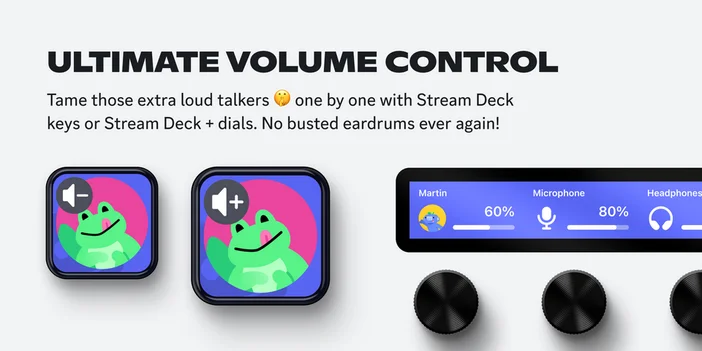
Adjust the volume of individual users directly from Stream Deck. If someone in your voice channel is too loud or too quiet, you can raise or lower their volume with a tap, or mute them entirely.
On Stream Deck + and GALLEON 100 SD, you can assign user volume to a dial and adjust levels by rotating. The dial display shows the user's avatar and current volume percentage, so you always know where levels sit.
Soundboard
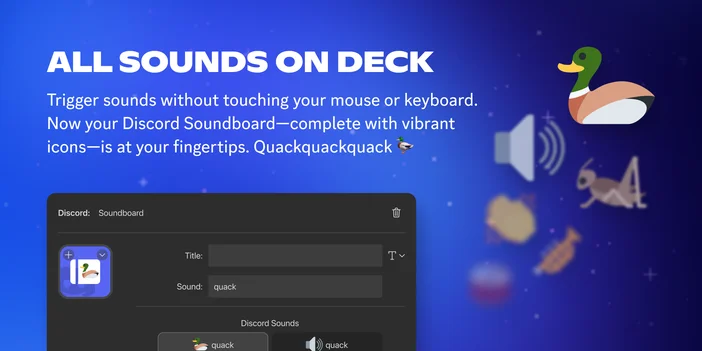
Discord's built-in soundboard sounds are directly accessible from Stream Deck. Assign your favorite server sounds to keys and trigger them during voice calls with a single tap. Each key displays the sound's icon, making it easy to find the right one.
If you want to go further and play your own sound effects through your microphone in Discord or other voice chat apps, check out our guide on how to play sounds through your mic with Stream Deck.
Voice channels
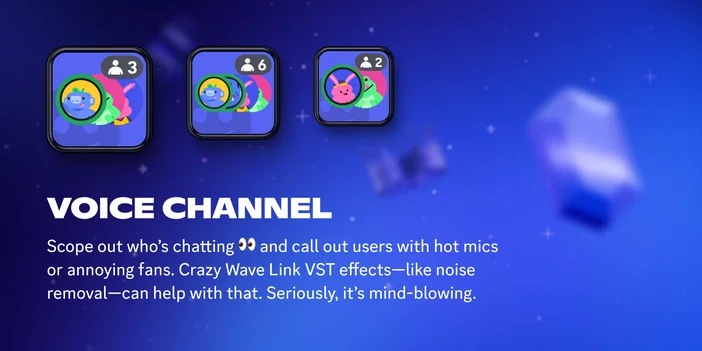
See who is in a voice channel before you join. Stream Deck keys display the channel name and active user count in real time, so you can check if your friends are already in a call with a quick glance.
Tap a key to join a voice channel instantly. You can set up keys for the channels you use most, or organize them in a folder for each server.
Server overview
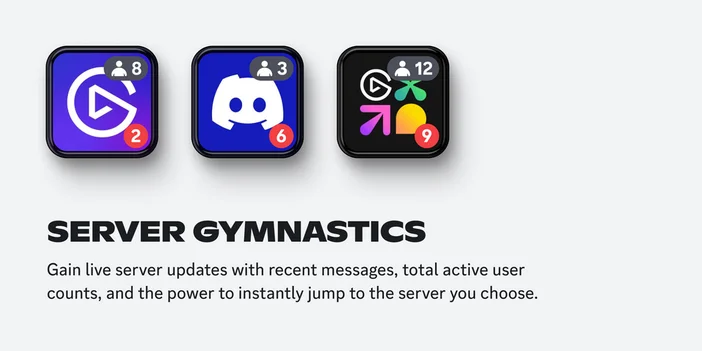
Keep tabs on your servers without opening Discord. Stream Deck keys can show live server updates, including active user counts and recent message badges. Tap a key to jump straight into any server.
This is useful if you are active in multiple communities and want to check activity at a glance before deciding where to spend your time.
Camera and screen share
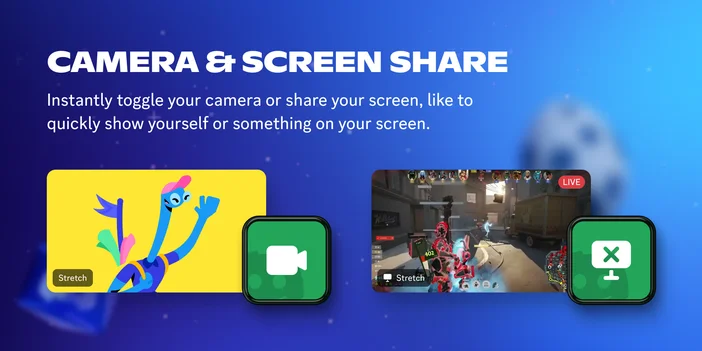
Toggle your camera or screen sharing while in a voice channel, without switching windows or navigating Discord's share menu. Useful for quickly showing yourself or something on your screen during a call or gaming session.
Additional actions
- Set Audio Device: Switch your input or output device with a single tap. Useful when you swap between headsets, speakers, or microphones depending on what you are doing.
- Toggle Notifications: Pause or resume Discord notifications from a key. Helpful during focus sessions, recordings, or when you want fewer interruptions.
Real-time status feedback
Discord plugin keys update to reflect your current state. If you are muted, the key shows it. If deafen is active, you can see it at a glance. Voice channel keys display live user counts, and server keys show message badges. This helps avoid common situations like talking while muted or missing that your friends have already joined a call.
Set up Discord plugin
You can install Discord plugin from Elgato Marketplace or directly within Stream Deck app.
From Stream Deck app:
- Open Stream Deck app.
- In the actions panel on the right, click the Plugins tab.
- Search for Discord.
- Click Get next to Discord by Elgato.
- Once installed, drag any Discord action onto a key.
- You will be prompted to connect your Discord account. Follow the authorization steps in your browser.
- Once connected, configure each action in the key settings panel.
From Elgato Marketplace:
- Go to Discord plugin on Elgato Marketplace.
- Click Install and follow the prompts to add it to Stream Deck app.
- Open Stream Deck app, then drag any Discord action onto a key.
Get started
Discord plugin is available for free on Elgato Marketplace. Install it, connect your account, and try it out during your next voice call or gaming session.