Your Stream Deck isn't just a command center for launching apps and controlling streams it can also be a sleek timepiece that keeps you on schedule throughout your workday. The Analog Clock plugin transforms any Stream Deck key into a customizable clock display, offering a convenient way to track time without breaking your focus.
Why Add a Clock to Your Stream Deck?
In today's productivity-driven world, every second counts. Whether you're managing back-to-back meetings, timing your gaming sessions, or coordinating live streams, constantly checking your phone, computer taskbar, or wristwatch can disrupt your workflow. The Analog Clock plugin solves this problem elegantly by placing a real-time clock directly on your Stream Deck, where you can see it with a quick glance.
This utility is particularly valuable for remote workers who need to stay aware of time without the distraction of checking multiple devices, streamers who want to monitor session duration, and anyone who appreciates having their schedule literally at their fingertips.
Features
Analog Clock offers flexibility for such a straightforward tool.
Display Options
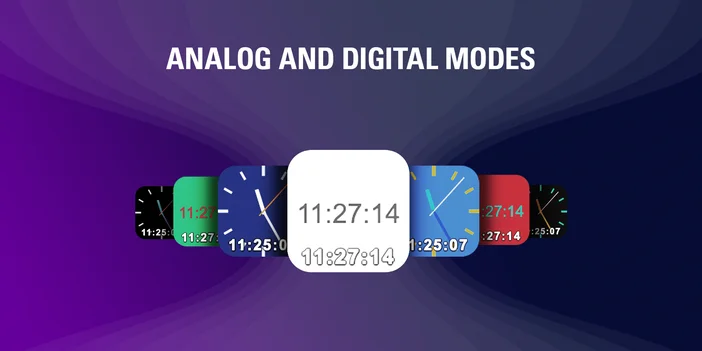
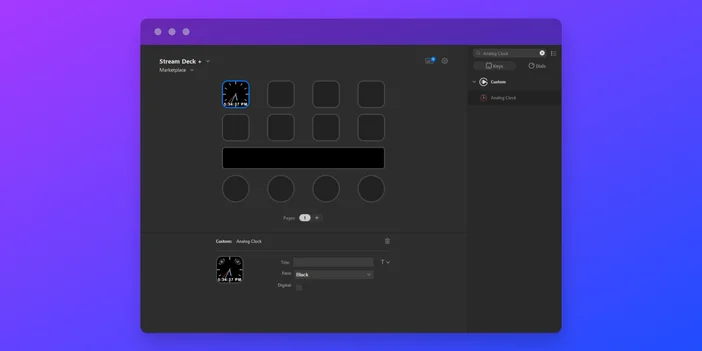
Choose between analog and digital clock modes to match your preference. The analog view provides a classic watch face, while the digital display offers instant readability with hours, minutes, and seconds.
Customizable Appearance
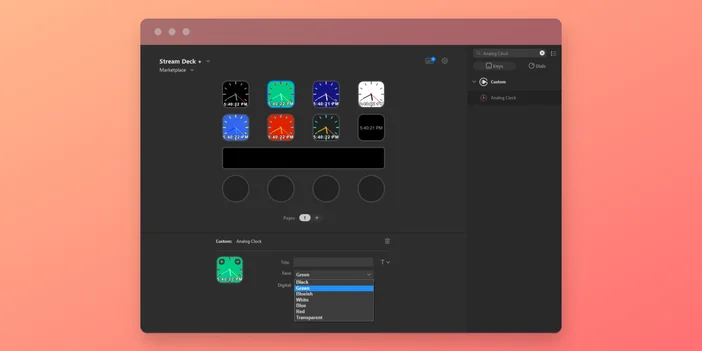
Seven background color options: black, green, blue-ish, white, blue, red, and transparent. let you coordinate the clock with your Stream Deck's overall aesthetic or use color coding for different purposes.
Real-Time Updates
The clock automatically syncs with your computer's system time, ensuring accuracy without any manual adjustments. Watch as the seconds tick by in real time.
Optional Text Labels
Add custom text labels to your clock display, perfect for noting time zones, meeting schedules, or simple reminders that update alongside the current time.
Cross-Platform Compatibility
Works seamlessly on both Windows and macOS, so you'll have consistent timekeeping regardless of your operating system.
Who Should Use This Plugin?
Simple by design, Analog Clock is useful across a wide range of Stream Deck setups:
- Remote workers who want to stay punctual for virtual meetings without constantly checking their computer's taskbar
- Content creators and streamers who need to monitor session length or track time for scheduled broadcasts
- Productivity enthusiasts who value having time visible in their peripheral vision while working
- Anyone who simply wants an elegant desk clock that doesn't require dedicated desk space
PRODUCTS IN ARTICLE