Picking a capture card can feel confusing at first. Between resolutions, frame rates, HDR, and whether you need something external or internal, it’s easy to get caught comparing specs instead of thinking about how you’ll actually use it.
Once you step back and look at what you’re trying to capture, the choice gets much simpler. Elgato’s capture cards all do the same core job, but they’re built for different setups, workflows, and budgets.
Prefer to watch instead? Here’s a quick walkthrough of the full capture card lineup.
What a capture card does
A capture card sits between your console or gaming PC and your display. It takes the video and audio coming from your source and sends a copy to your computer, where you can record or stream using apps like OBS Studio or Elgato Studio.
Thanks to passthrough, your gameplay still goes straight to your TV or monitor with no added delay. You play like normal. The capture card just records everything in the background.
Using a capture card also makes a few things easier:
- Higher-quality recordings than built-in console capture
- Overlays, alerts, and scene switching while you stream
- Footage saved directly to your computer, ready to edit
How to choose the right capture card
Before looking at individual models, it helps to think through a few basics.
What resolution are you actually capturing?
For many people, that’s still 1080p60. Others are recording 4K60 for YouTube, or pushing higher frame rates like 120fps or beyond.
Does your setup move around?
Some capture cards are meant to live on a desk forever. Others are better for travel, laptop setups, or even recording with an iPad.
And finally, what’s your source?
PlayStation 5, Xbox Series X|S, Nintendo Switch or Switch 2, or a high-refresh-rate gaming PC all place different demands on a capture card.
Once you have a rough answer to those, it’s easier to see where each card fits.
Game Capture Neo
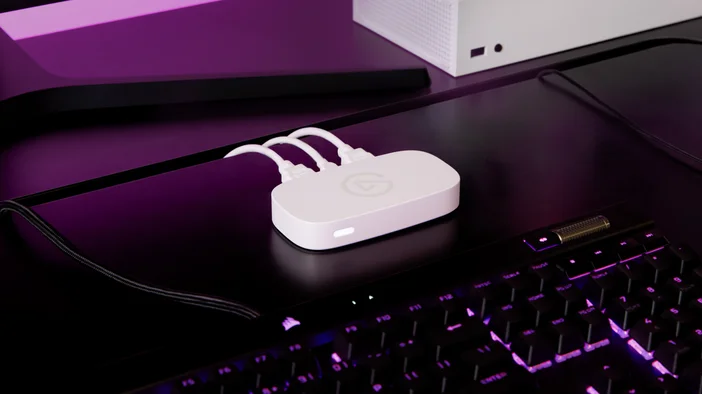
It records and streams at 1080p60 while letting you play at full resolution with HDR on your display. It’s completely plug-and-play, works on Windows, macOS, and iPad, and doesn’t require special drivers.
Game Capture Neo works well if you:
- Stream to Twitch at 1080p60
- Create short-form content like YouTube Shorts or TikTok
- Want overlays and alerts without spending much
- Prefer a compact, minimal setup
If you’re new to capture cards or keeping things simple, Neo covers the essentials without adding complexity you don’t need.
4K S
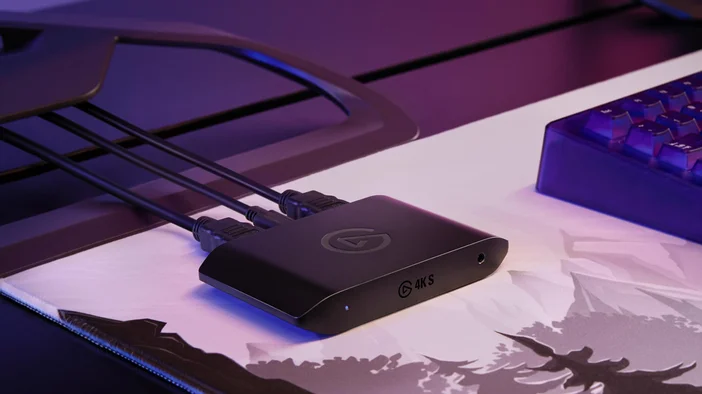
4K S sits in the middle of the lineup and makes sense for most creators.
It captures gameplay at up to 4K60 and supports HDR recording, which is ideal for YouTube. Like Neo, it’s an external USB-C capture card that works on Windows, macOS, and iPad.
One difference that matters for console creators is the built-in analog audio input. Paired with Chat Link Pro, this lets you capture game audio and party chat from consoles like PlayStation or Switch.
4K S is worth considering if you:
- Upload gameplay videos in 4K
- Stream console gameplay at higher quality
- Need analog audio input for party chat
- Want something portable for different setups
For Nintendo Switch 2, 4K S is the recommended option. The console outputs up to 4K60, which lines up perfectly with what this card captures.
4K X
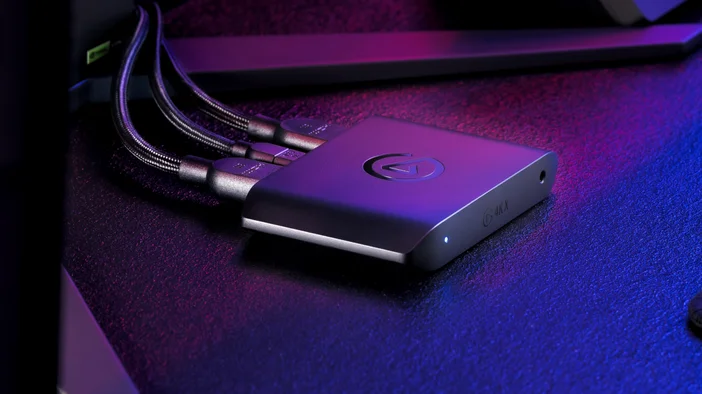
4K X is the most capable external capture card in the lineup.
It supports HDMI 2.1 and can capture up to 4K144, with passthrough for high-refresh-rate gameplay and HDR. Compared to 4K S, it uses a faster 10Gbps USB connection, which is what enables those higher frame rates.
Like 4K S, it includes an analog audio input for capturing party chat.
4K X makes sense if you:
- Capture or record above 4K60
- Play at 120Hz or higher on next-gen consoles
- Use a high-refresh-rate PC gaming monitor
- Need a powerful external card for a laptop or dual-PC setup
If your setup pushes higher frame rates, this is where the external options top out.
4K Pro
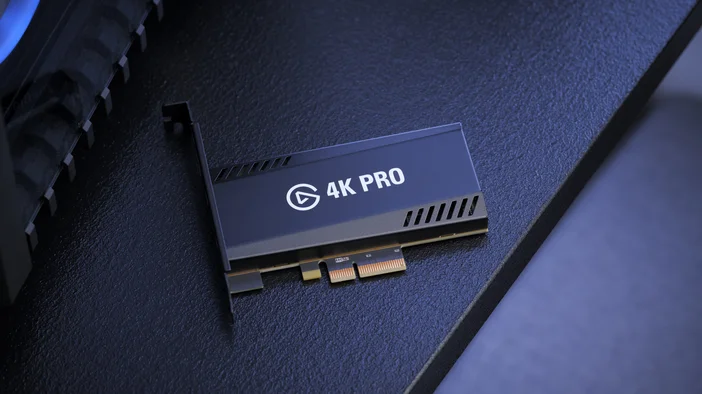
4K Pro is built for desktop setups.
Instead of connecting over USB, it installs directly into a PCIe slot inside your PC. It supports high-end passthrough, including 4K240 and 8K60 HDR, while capturing gameplay at high frame rates.
Because it’s an internal card, it isn’t portable and won’t work with laptops. You’ll also need an available PCIe x4, x8, or x16 slot.
4K Pro is a strong fit if you:
- Run a dedicated dual-PC streaming setup
- Want maximum capture quality with minimal latency
- Use high-refresh-rate monitors on a desktop PC
- Prefer an internal solution over USB devices
This is the most powerful option in the lineup, but it’s designed for fixed setups rather than flexibility.
Quick decision summary
If you just want the short version:
Streaming at 1080p60 or getting started?
- Game Capture Neo
Recording or streaming at 4K60
- 4K S
Capturing high-frame-rate gameplay above 4K60
- 4K X
Desktop-only, dual-PC, or future-focused setups
- 4K Pro
Need help deciding?
If you’re still unsure, we offer a capture card selector that recommends a model based on your setup and goals. You can also narrow it down by thinking about resolution first, then deciding whether you need portability or internal installation.
Once you know what you want to capture, the right choice usually becomes clear.
PRODUCTS IN ARTICLE