Wave Link 3.0 is faster to set up, more flexible to mix in, and free for everyone. The interface has been rebuilt from the ground up, routing is more intuitive, and the Stream Deck plugin has been redesigned alongside it. That means the upgrade is a clean install, and your existing settings won't carry over.
That's intentional. Starting fresh gives you a chance to learn the new layout properly, rather than inheriting settings you'd have to untangle.
What carries over — and what doesn't
Nothing from Wave Link 2.0 migrates to 3.0 automatically. That includes:
- Routing configuration
- Mic settings
- Audio effect chains
If you had VST or AU plugins installed on your system, those remain installed. They just need to be re-added to your inputs inside Wave Link 3.0.
Wave Link 3.0 requires Windows 11 or MacOS 15.0 or newer
How to upgrade
- Uninstall Wave Link 2.0 via your system's app manager (Add/Remove Programs on Windows, or drag to Trash on macOS).
- Download and install Wave Link 3.0 from elgato.com.
- Complete the onboarding — Wave Link will detect your hardware and walk you through initial device setup. This is only for Elgato Wave devices.
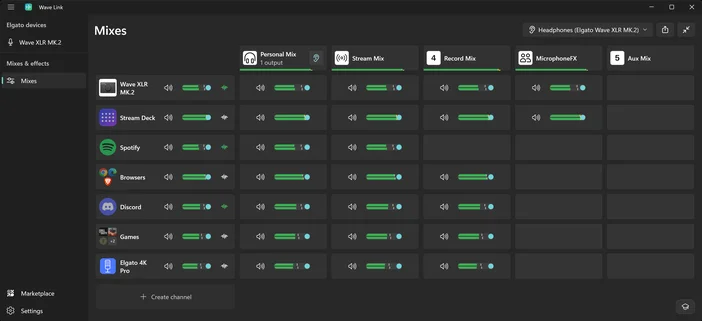
- Configure Mixes in the new mix view.
Note: If you cant hear anything, hover over a mix to reveal the ear icon — that's what controls which mix you're monitoring.
Want to go back?
If you decide Wave Link 3.0 isn't for you right now, you can return to 2.0 at any time. Uninstall Wave Link 3.0, then reinstall Wave Link 2.0. You can download Wave Link 2.0 here. We'd love to hear from you why you decided to go back. Drop us a note at elgato.com/help. Keep in mind that Wave Next devices require Wave Link 3.0.
Meet Mixes and Channels
The core functionality of Wave Link 3.0 is very similar to Wave link 2.0. There are mixes, and there are channels. To learn how to set up mixes and route channels into them, includes microphones, apps, games, capture cards and more you can watch our livestream from the timestamp below or learn about mixes and channels in our software guide.
Update your Stream Deck plugin
Wave Link 3.0 comes with an entirely new Stream Deck plugin. If you're using Stream Deck, there are a couple of things to know before you get started.
The original Wave Link plugin is still available in Marketplace but is now labelled Wave Link (Legacy). It works with Wave Link 2.0 only.
To use Stream Deck with Wave Link 3.0, you need to install the new Wave Link plugin from Elgato Marketplace. Once installed, you'll set up your Stream Deck integration from scratch — key and dial actions from the legacy plugin don't carry over.
The new plugin has been redesigned alongside Wave Link 3.0, with tighter integration and updated controls for volume, muting, and mix switching. Once you've got it set up, it's a significant step up.
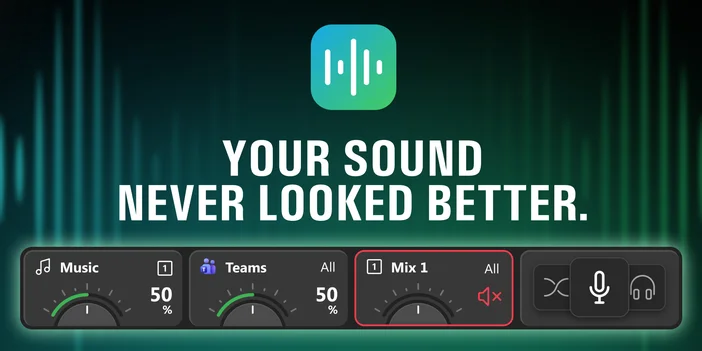
After installing the new plugin, you can uninstall the legacy version if you no longer need it.
Export to Stream Deck
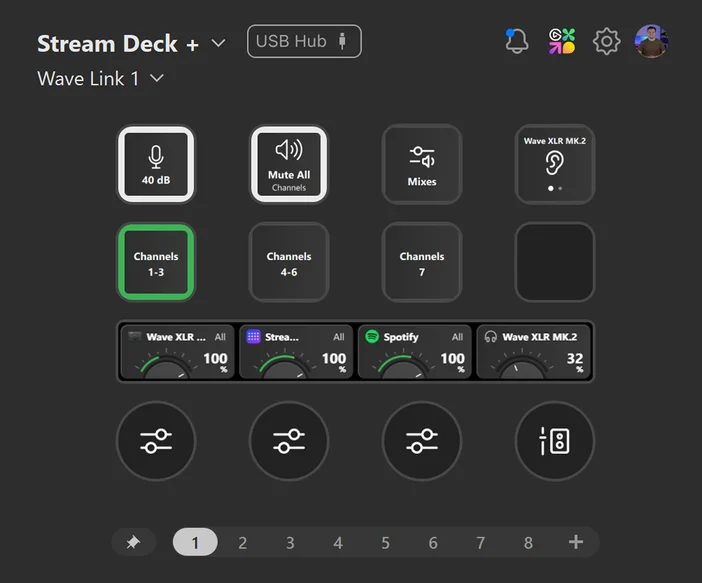
Getting set up is fast and easy, thanks to the export to Stream Deck feature. This exports a ready-made Stream Deck profile containing your customized layout to your Stream Deck device, making setup a breeze.
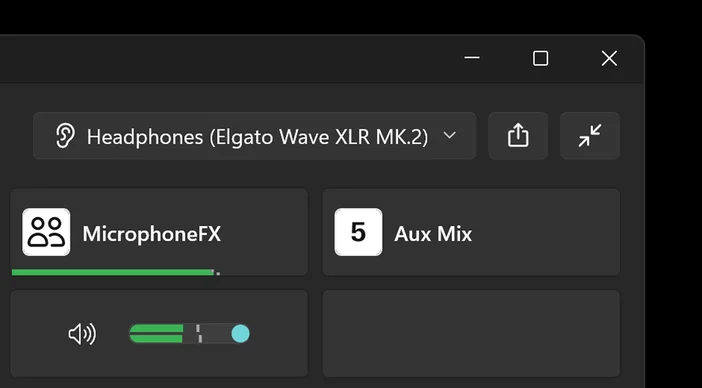
- At the top right of Wave Link 3.0, click the up arrow
- Select the Stream Deck mobile you are using and which profiles mixes you want included
- Select Start Export
Your Stream Deck app will open and prompt you to install the profile. Then you can customize and edit key and dial actions.
Recreating MicrophoneFX in Wave Link 3.0
Wave Link 2.0 had a dedicated MicFX mix — a fixed mix specifically for applying effects to your mic signal and soundboards. That concept doesn't exist as a separate, named mix in Wave Link 3.0. Instead, all mixes are user-defined, so you can recreate the same setup yourself.
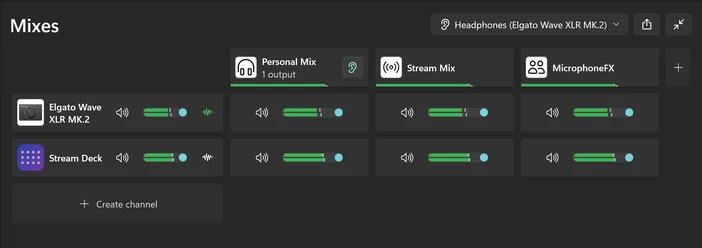
To recreate a MicFX mix in Wave Link 3.0:
- Open Wave Link 3.0 and configure effects on your microphone.
- Then head to the mix view.
- Click the + button on the right side of the mix bar to add a new mix.
- Double-click the mix name and rename it MicFX, or whatever name you want.
- Route your mic input and Stream Deck app to this mix
That's it. The result is the same dedicated effects mix — just built by you rather than preset by the app.
Once you're set up, Wave Link 3.0 opens up quickly. Spend a few minutes with the onboarding, get your inputs and mixes in order, and you'll likely find the new layout more intuitive than what you left behind. If you want to go deeper, check out our full Wave Link guide or watch the video below.