When choosing between Stream Deck + and Stream Deck + XL, you're picking between two powerful Stream Deck models built on the same core experience. Both use Stream Deck app, support the same plugins and profiles, and offer customizable keys, dials, and a touch strip.
The difference comes down to size and scale. One is designed to keep things compact. The other is built to keep more actions visible at once.
Here's how they compare.
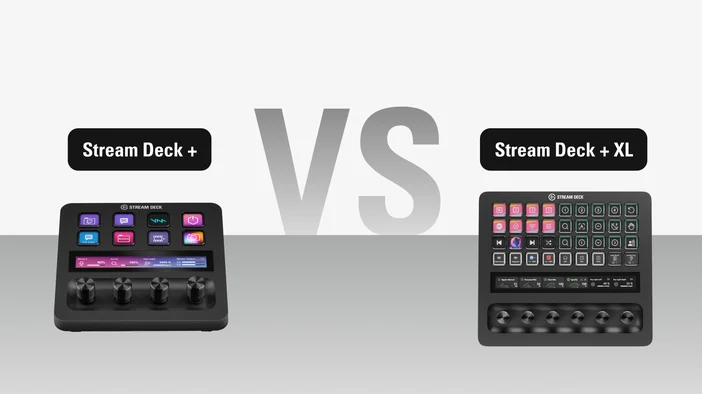
| Stream Deck + | Stream Deck + XL | |
| MSRP | 199.99 USD | 349.99 USD |
| LCD keys | 8 LCD keys | 36 LCD keys |
| Multifunction dials | 4 dials | 6 dials |
| Touch strip | Yes | Yes |
| Connection | USB-C | USB-C |
| Software | Stream Deck app (Windows, macOS), Bitfocus Companion, Bitfocus Buttons | Stream Deck app (Windows, macOS), Bitfocus Companion, Bitfocus Buttons |
| Accessories | XLR Dock, USB Hub, Network Dock | USB Hub, Network Dock |
Same Stream Deck experience
Both Stream Deck + and Stream Deck + XL run the same Stream Deck app and support the same plugins, profiles, and icons from Elgato Marketplace. Smart Profiles allow layouts to switch automatically when apps come into focus, and folders and pages help organize larger setups.
If you've used one Stream Deck, the workflow is immediately familiar on the other.
Size and layout
Stream Deck +
Stream Deck + is designed to keep essential controls within easy reach.
With 8 keys and 4 dials, it covers common actions like scene switching, audio levels, lighting, and app shortcuts without taking up much desk space. The compact layout works well alongside a keyboard, microphone, or audio interface, making it a natural fit for focused setups where you're managing one or two workflows at a time.
Stream Deck + XL
Stream Deck + XL gives you room to manage multiple workflows side by side without layering them behind folders and pages.
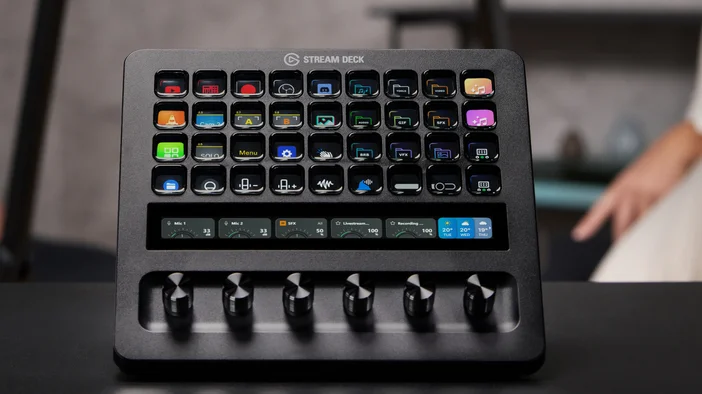
With 36 keys and 6 dials, you can dedicate entire sections of the layout to different systems. For example, one area can handle audio mixing through Wave Link, another can control OBS scenes and cameras, and a third can manage lighting or communication tools like Discord. Everything stays visible at once, so you spend less time navigating and more time working.
This makes Stream Deck + XL better suited to live production, broadcast, multi-app editing, or any setup where you're managing several tools in parallel.
Working with dials and touch strip
Both models support the same dial features, including turn and push actions, dial stacks, and visual feedback on the touch strip.
The difference is capacity. Stream Deck + gives you 4 dials, which cover core adjustments like microphone level, headphone volume, music, and one additional source. Stream Deck + XL provides 6 dials, enough to control a full audio mix or manage multiple parameters across different apps without switching views.
If you're using Wave Link to manage separate audio channels for a stream, meeting, or recording, the additional dials on Stream Deck + XL mean you can assign each source its own dial and adjust everything in real time.
Audio and Wave Link
Both models work with Wave Link, Elgato's free audio mixing software. You can install the Wave Link plugin from Elgato Marketplace to control channels, mute inputs, toggle effects, and switch mixes directly from your keys and dials.
Stream Deck + handles this well for simpler setups, giving you quick access to core audio controls alongside your other actions. Stream Deck + XL takes it further by letting you build a dedicated audio section on the device while still having room for everything else. Paired with Wave XLR Pro or any Wave device, Stream Deck + XL can function as a full control surface for your audio, with real-time visual feedback on the touch strip and no need to open software.
When to choose which
Stream Deck + fits best when you want a compact Stream Deck that covers core actions and a handful of audio or app controls without filling your desk. It pairs well with setups where you're working in one or two apps at a time and want fast access to your most-used commands.
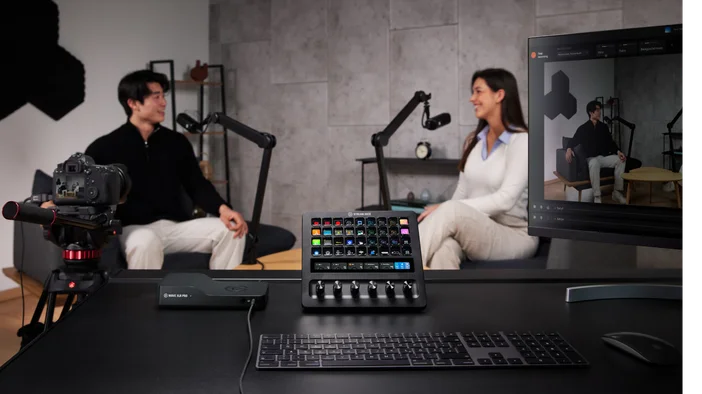
Stream Deck + XL fits best when you're running larger workflows, managing multiple tools at once, or working in environments like live production, podcasting, or broadcast, where having everything visible at a glance reduces mistakes and saves time.
Both use the same software, support the same plugins, and integrate into the same Stream Deck ecosystem. The decision is about how much you want to manage at once and how much space you're willing to give it.
Explore plugins, profiles, and icons on Elgato Marketplace.