Prompter XL
All-in-one Studio Teleprompter
Subtotal
Subtotal
Write, edit, and organize your scripts in one place
Full control over how your script looks and scrolls
Scrolling that keeps up as you speak
An extra display when you need one
Meet your viewers eye to eye
Like having your own production crew
Want to see what presenting in Studio feels like? A built-in Virtual Prompter turns any screen into a teleprompter. No hardware required.
From mirrorless cameras and camcorders to wide-angle lenses, Prompter XL supports the equipment pros use most.
11 lbs (5 kg), with camera bracket
8.7 in (22 cm) including lens, with camera bracket
160 mm, without backplate
20 mm (≈94° diagonal), with universal backplate

Ever wonder how presenters deliver scripts without missing a beat? Learn how a teleprompter works and how it could change the way you record.
/Explorer/Prompter_XL_Article_1.jpg)
Learn how Prompter XL works with DSLRs and studio cameras, plus get tips for setup and optimal performance.
/Explorer/Prompter_XL_Article_2.jpg)
See how Prompter XL meets the demands of larger setups, longer viewing ranges, and pro-level camera support compared to our original Prompter.
/Explorer/Prompter_XL_Article_3.jpg)
Set up Prompter XL with step-by-step guidance for assembly, mounting, and usage.

A quick start guide to help you set up, connect, and start using Prompter XL.

Learn how Bayer 04 Leverkusen uses Prompter XL to help players read scripts during Media Day recordings.

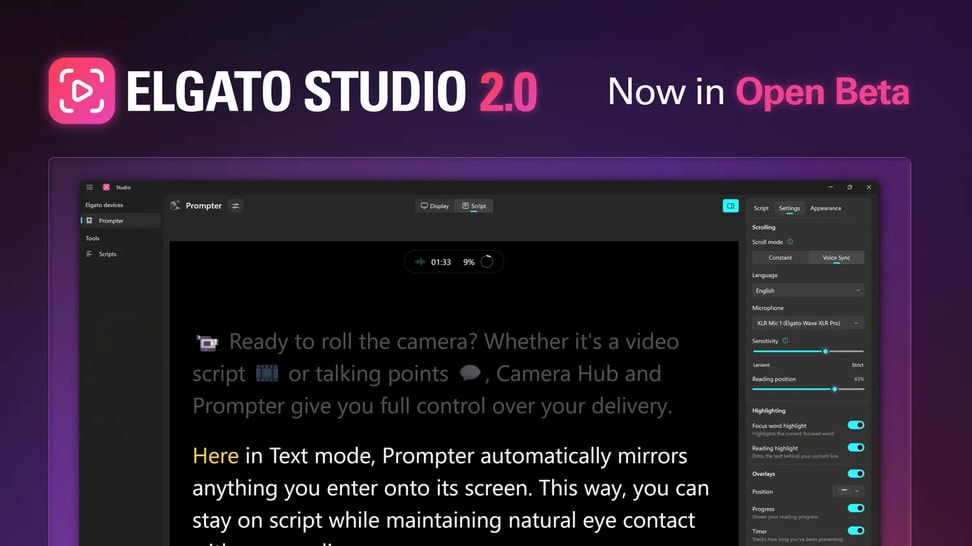
Elgato Studio 2.0 rebuilds the Prompter experience with a new script editor, Voice Sync 2.0, and full device controls. Try the beta now.
The most common ones are here.
Can’t find what you’re looking for? Our support team is here to help.
Contact supportDoes Prompter XL work with my camera or lens?
What size lenses are supported?
How far away can I be while reading comfortably?
Does it need an external power supply?
How should I mount Prompter XL?
Does it require a special USB port?
Do I need any special software?
What do I need to use Voice Sync?
Does it mirror text and windows?
Can I remove the glass after it's installed?
How do I remove the screen?
How do I adjust the brightness?
Can I remove my camera without resetting the bracket?
Why is my teleprompter's screen flickering?
/In%20The%20Box/Prompter_XL_In_the_Box_Shot_V2.png)