Plugins
Audio Switcher Plugin for Stream Deck: Switch Between Audio Devices with One Tap
Last updated:
Audio switching just got a whole lot quicker. With Stream Deck and the Audio Switcher plugin, you stay in control.
If you've ever fumbled through system settings to switch from headphones to speakers when moving from work calls to relaxation time, you’re not alone. Stream Deck makes switching between audio devices easy with one single action.
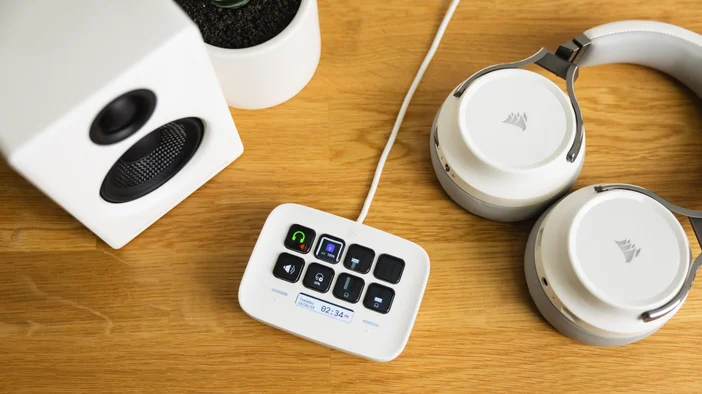
Seamless Audio Control at Your Fingertips
Go from work mode to relax mode, all with the tap of one key. When it's time to kick back and listen to music, watch a movie, or play a game, switching between your audio devices just takes arms reach. No more diving into control panels or right-clicking system tray icons, your audio setup adapts to your needs instantly.
Toggle Audio Device
Quickly switch audio devices, such as from your headphones to speakers, with one easy tap.
Set Audio Device
Instantly switch your system’s default audio input or output to a selected device with a single press.
See It in Action
Check out our short-form video or scroll down to learn more about the features and actions available.
How to Set It Up
Using Stream Deck with the Audio Switcher plugin is fast and easy.
- First, get the Audio Switcher plugin for Stream Deck, available on Elgato Marketplace.
- Once installed, you'll find the actions on the right side. Drag and drop them onto your Stream Deck keys.
- Choose which audio devices you want to switch between in the configurator.
- Now, with a single tap you can instantly change your output, whether you're moving from focused work to entertainment, or switching between different setups throughout your day.
Work Smarter, Switch Audio Faster
Whether you're work-from-home toggling between meeting headsets and desk speakers, a content creator managing multiple audio setups, or someone who simply values convenience, the Audio Switcher plugin streamlines your workflow.
This isn't just about saving clicks. It's about creating a smoother transition between the different parts of your day. From conference calls to gaming sessions, your audio follows your rhythm without missing a beat. No menus, no hassle, just instant sound exactly where you want it.
Download Audio Switcher or discover more plugins on Elgato Marketplace today.
PRODUCTS IN ARTICLE