XLR Dock and XLR Dock MK.2 both turn Stream Deck + into a complete audio station by adding an XLR mic interface to the back of the device. The original delivers clean, reliable audio with Clipguard protection and up to 75 dB of gain. XLR Dock MK.2 builds on that foundation with a redesigned signal path, onboard effects processing, and expanded headroom. Here's how they compare.
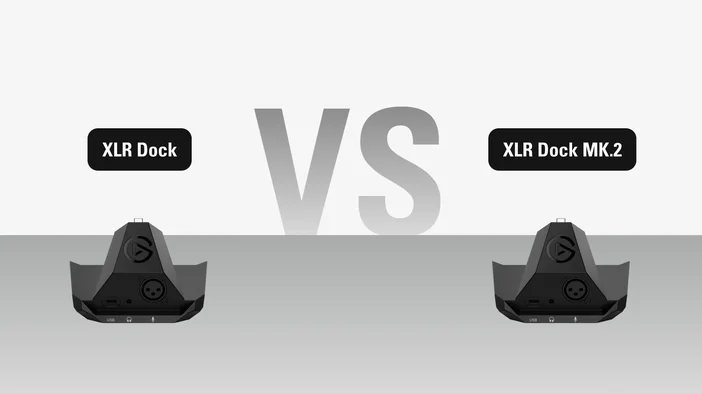
At a glance
| XLR Dock | XLR Dock MK.2 | |
| XLR Input | ✅ | ✅ |
| Phantom Power | ✅ | ✅ |
| Sample Rate | 48 kHz | 48 kHz |
| Bit depth | 24-bit | 24-bit |
| Wave FX Processor | — | ✅ |
| Clipguard | Clipguard 1.0 | Clipguard 2.0 |
| DSP (Digital Signal Processor) | — | ✅ |
| VST Insert | — | ✅ |
| Capactive Mute | — | — |
| Hardware dial | Yes (via Stream Deck + dials) | Yes (via Stream Deck + dials) |
| Headphone output | 3.5mm stereo | 3.5mm stereo |
| Headphone output power | Most studio & gaming headsets | High-impedance studio headphones |
| Works with Wave Link 3.0 | ✅ | ✅ |
| Voice Focus | ✅ | ✅ |
| Stream Deck integration | Yes (built-in) | Yes (built-in) |
| Connection | USB-C (via Stream Deck +) | USB-C (via Stream Deck +) |
Wave FX Processor
The biggest change in XLR Dock MK.2 is Wave FX Processor, an onboard audio engine developed with LEWITT Audio. It brings together three capabilities in one signal path: Clipguard 2.0 anti-distortion protection, five onboard DSP effects (Low-Cut Filter, Expander, Voice Tune, Compressor, and Equalizer), and VST Insert support for third-party audio plugins. Effects process on the hardware itself, so your voice sounds the same across every app without extra routing.
The original XLR Dock does not include Wave FX Processor. It passes a clean signal through to your computer, which works well if you prefer to handle effects in software or don't need processing at all.
To learn how Wave FX Processor works and what each effect does, check out our guide here.
Clipguard 1.0 vs Clipguard 2.0
Both versions include Clipguard, but the technology behind them is different.
Clipguard 1.0 on the original XLR Dock uses a second audio path running at a lower gain alongside the primary one. If the main signal is about to clip, the device uses the secondary audio to prevent distortion.
Clipguard 2.0 on XLR Dock MK.2 takes a layered approach with three stages of protection: stacked ADC converters capture your signal at multiple gain levels simultaneously, internal 32-bit float processing provides massive headroom so volume spikes never hit the digital limit, and digital limiters smooth out sudden peaks before they reach your system. The result is 135 dB of dynamic range compared to 100 dB on the original (120 dB with Clipguard enabled).
For a deeper look at how Clipguard 2.0 works, check out our Clipguard 2.0 overview.
More gain, more headroom
XLR Dock MK.2 provides 80 dB of clean gain, up from 75 dB on the original. That extra headroom means it can comfortably power any XLR microphone, including gain-hungry dynamics that previously needed an external booster.
Auto Gain Wizard
New to XLR Dock MK.2, Auto Gain Wizard removes the guesswork from setting your microphone level. Open Wave Link, start the wizard, and speak at your normal volume for a few seconds. It analyzes your voice and sets the gain to an optimal level, so you can get to a good starting point without adjusting levels manually.
Headphone amp
Both models include a 3.5mm headphone jack for direct monitoring. XLR Dock MK.2 upgrades the amplifier from 77 mW to 125 mW at 32Ω, giving you noticeably more headroom for louder monitoring and better performance with higher-impedance headphones.
Monitoring
Both models let you hear yourself in real time through the headphone jack, which is useful for staying aware of how you sound while streaming, recording, or on a call.
XLR Dock MK.2 gives you more control over what you hear. You can monitor your raw voice with no processing, hear it with hardware DSP effects applied at zero latency, or listen to the full signal chain including VST plugins. What you hear in your headphones is independent from what's sent to your stream or recording, so you can tailor your monitoring without affecting your output.
The original XLR Dock provides zero-latency monitoring of your raw mic signal. You can still apply and hear effects through Wave Link, but they run on your computer. Depending on your setup and the amount of effects applied, there may be some latency while hearing your voice.
What stayed the same
Both models attach to Stream Deck + the same way and require Stream Deck + to operate. Neither works as a standalone device or with other Stream Deck models. Assembly uses a Phillips screwdriver and takes a few minutes.
Both provide 48V phantom power for condenser microphones, and both connect your computer through Stream Deck +'s USB-C cable with no additional cable needed.
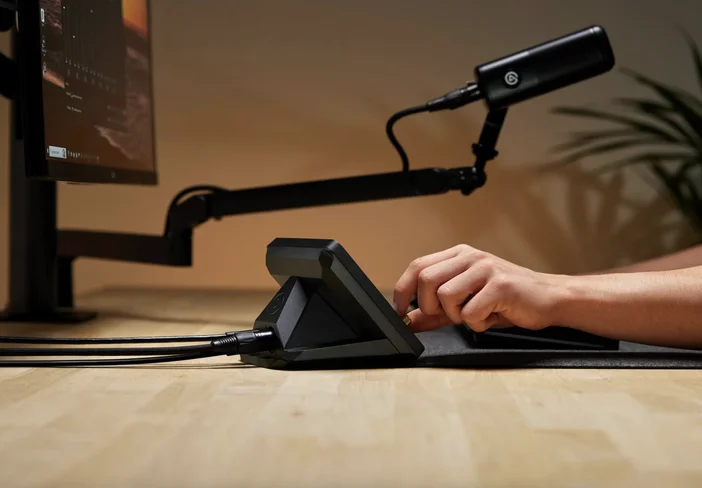
Should you upgrade?
If you're using the original XLR Dock primarily as a pass-through interface and relying on software for any processing, XLR Dock MK.2 delivers a meaningful step forward. Onboard DSP effects mean broadcast-ready sound with near-zero monitoring latency, the upgraded preamp handles any microphones, and VST Insert removes the need for virtual audio routing to use audio effects.
If you've been happy with the original and don't use any processing in your workflow, the upgrade is less immediately urgent. That said, the improved dynamic range and preamp specs are a genuine hardware improvement regardless. If you also plan to use higher-impedance studio headphones, the upgraded amplifier on XLR Dock MK.2 gives you significantly more output to work with.
PRODUCTS IN ARTICLE