If you've ever watched a Grammy presenter, a news anchor, or a YouTuber deliver a long script without a single "um" or glance at their notes, there's a good chance they were using a teleprompter.
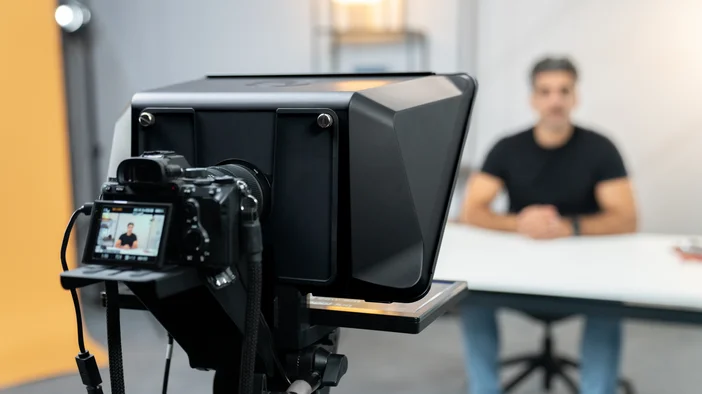
A teleprompter is a display device that shows scrolling text in front of a camera lens, positioned so that whoever is speaking can read their script while looking directly into the camera. From the viewer's side, it looks like natural eye contact. From the speaker's side, the words are right there, at the right pace, without needing to memorize anything.
How a Teleprompter Works
The key component is a piece of partially reflective glass, called a beamsplitter, mounted at an angle in front of the camera lens. A screen behind the glass displays the scrolling text. The speaker sees the words clearly. The camera, positioned behind the glass, sees straight through it, so the text never appears in the recorded footage.
The script scrolls at a controlled speed, typically adjusted to match the speaker's natural pace. Most modern teleprompters let you manage scroll speed from software on a connected computer, a remote, or a controller like Stream Deck.
Two common teleprompter setups
Most teleprompters on the market fall into one of two categories.
The first is a frame-and-glass setup that requires you to supply your own tablet as the display. Most people use an iPad. You mount it to the rig, download a third-party app, and run your script from there. The rig itself might look reasonably priced, but an iPad starts at around $329 before you even factor in a compatible app or a separate remote for scroll control. By the time you have a complete working setup, the total is often higher than it first appears. That is also a few extra things to set up, charge, and manage before every shoot.
The second is an all-in-one setup with a built-in display that connects directly to your computer. Everything you need comes in the box: the glass, the display, and the software. There is no iPad to buy, no third-party app to configure, and no separate remote to track down. These tend to cost more than a basic frame-and-glass rig on its own, but when you factor in that you are not buying a tablet on top, the total cost is often comparable or lower. You also end up with a simpler, faster setup with fewer devices to manage.
Who Uses Teleprompters
Teleprompters are not just for broadcast television. News anchors and award show presenters are the most visible examples, but the same tool is used by video creators recording tutorials and scripted content, professionals filming training videos or company announcements, presenters on video calls who want to maintain eye contact while following talking points, and streamers who want to keep an eye on live chat without looking away from their camera.
If you are recording yourself on camera and want to deliver words naturally without memorizing a script, a teleprompter is worth considering.
What a Teleprompter Actually Changes
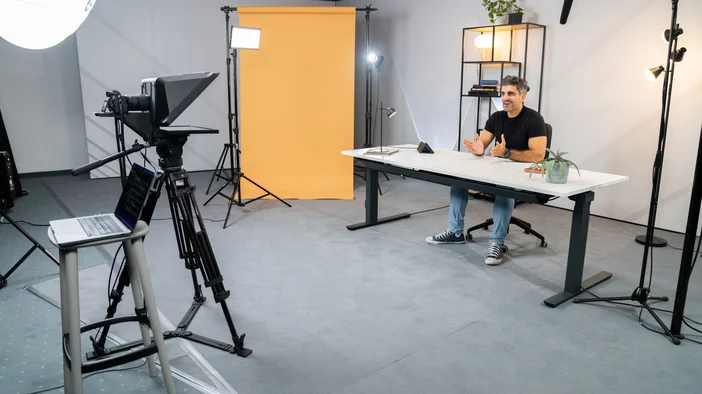
The most immediate benefit is eye contact. When you are reading from a teleprompter positioned in front of your lens, you are looking at the camera the entire time. To your audience, that reads as confidence and presence.
Beyond that, teleprompters reduce the need for multiple takes. Fewer mistakes, less editing, faster turnaround. For anyone recording regularly, that adds up quickly.
Elgato Prompter and Prompter XL
If you are ready to try one, Elgato makes two options designed specifically for desk and studio setups, with everything included out of the box.
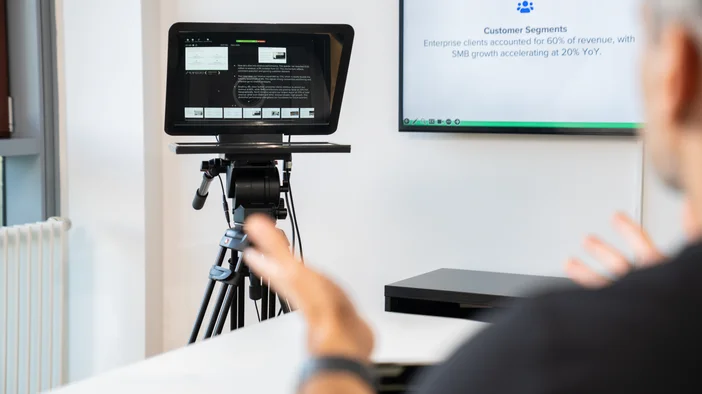
Prompter is built for desktop, webcam, mirrorless, and DSLR setups. It has a built-in 9-inch display, so there is no tablet or phone required. Connect it to your computer via a single USB-C cable and it works like an extra monitor. Drag any window onto the screen and it appears on the teleprompter glass in front of your lens, whether that is your script, Zoom, Teams, or anything else.
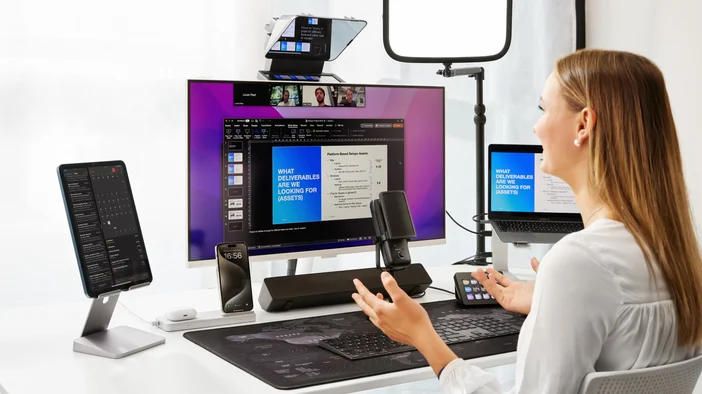
Prompter XL is built for larger setups and longer shooting distances. Its removable 15.6-inch Full HD display at 600 nits keeps text readable from further away and under studio lighting. The reinforced frame handles heavier cameras, it mounts on a tripod or C-stand, and the display detaches to work as a spare monitor when you are not shooting.
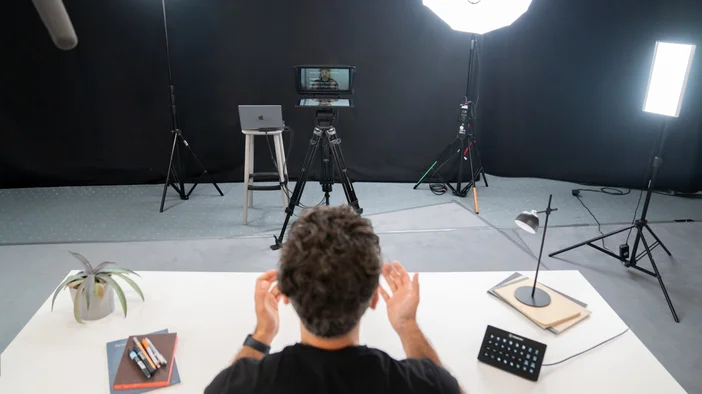
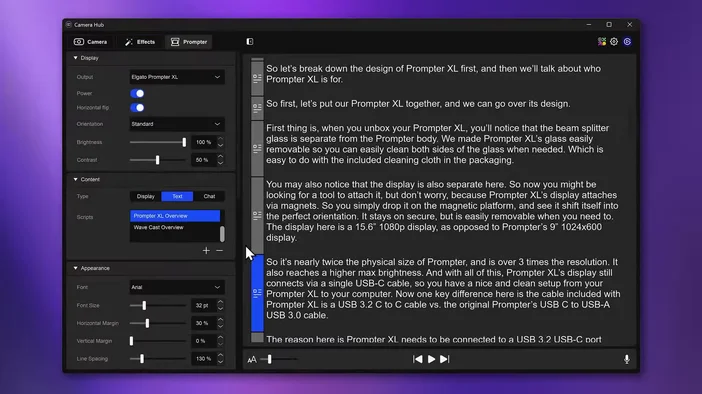
Both run through Camera Hub, Elgato's free software for PC and Mac. It handles scripting, scroll speed, camera settings, and Twitch chat display in one place. Stream Deck users can control scroll speed from their keys or dials without touching the software. Prompter XL also supports Voice Sync, which scrolls automatically as you speak (requires an NVIDIA RTX 2060 or newer, or Apple M1 or better).
Which One to Consider
Prompter works well for most desktop and streaming setups. Prompter XL is the better fit if you need a larger display, heavier camera support, or more shooting distance.
If an all-in-one setup sounds like the right fit, Prompter and Prompter XL are worth a look at elgato.com.
PRODUCTS IN ARTICLE