MANUAL | QUICK START GUIDE
Elgato Stream Deck + — Quick Start Guide
Install Stream Deck
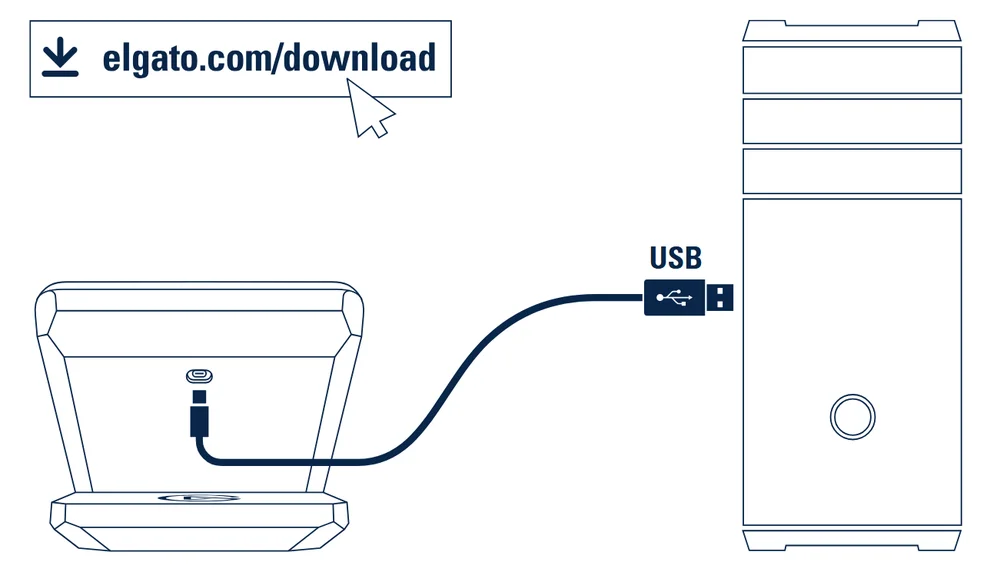
Download and install the Stream Deck app.
Connect Stream Deck + directly to a USB port on your PC or Mac.
Set Up Actions
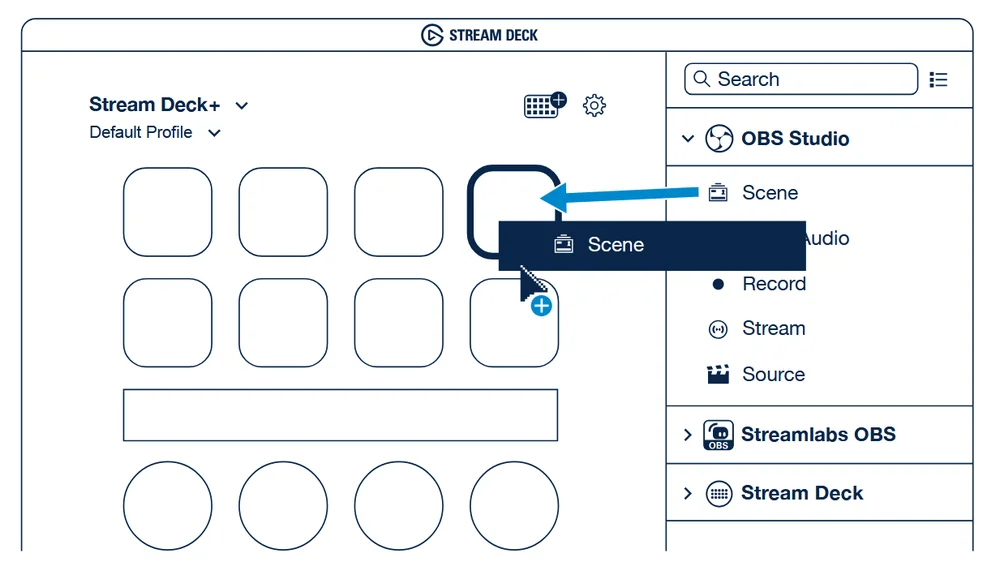
Launch the app to customize Stream Deck +. Drag actions from the right panel and drop them onto keys on the left.
Assign single or multiple actions to the touch screen and multi functions dials.
Personalize Keys
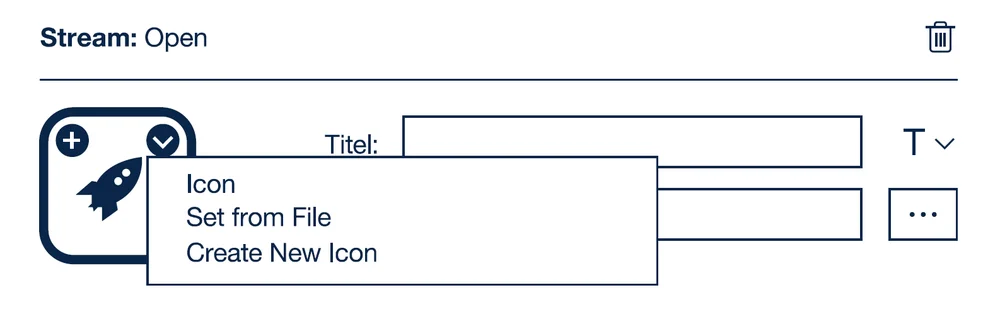
Configure your actions and personalize keys with custom icons - for best results use 144 x 144 pixels .jpg or .png files.
Create Folders
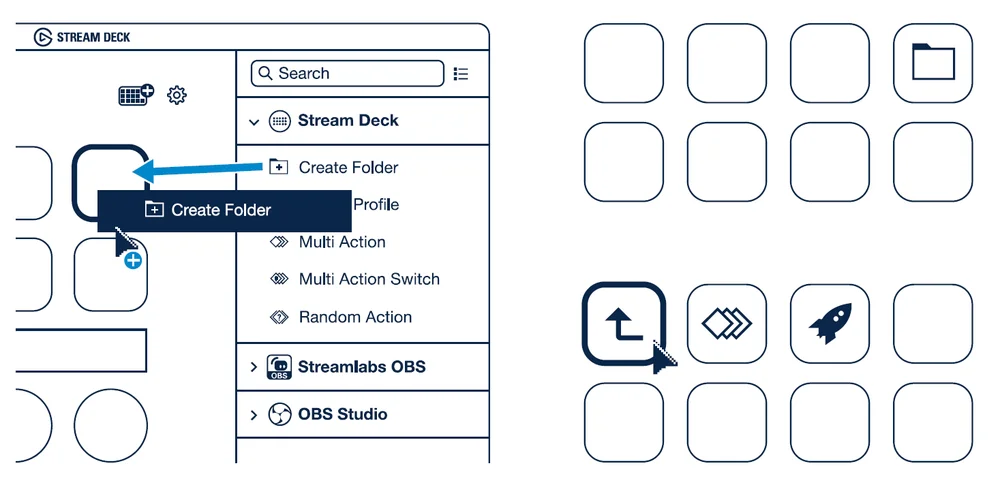
Drag and drop "Create Folder" onto a key. Then drag and drop actions into that folder. Tap the back key to exit a folder and return to your main configuration.
Edit Keys
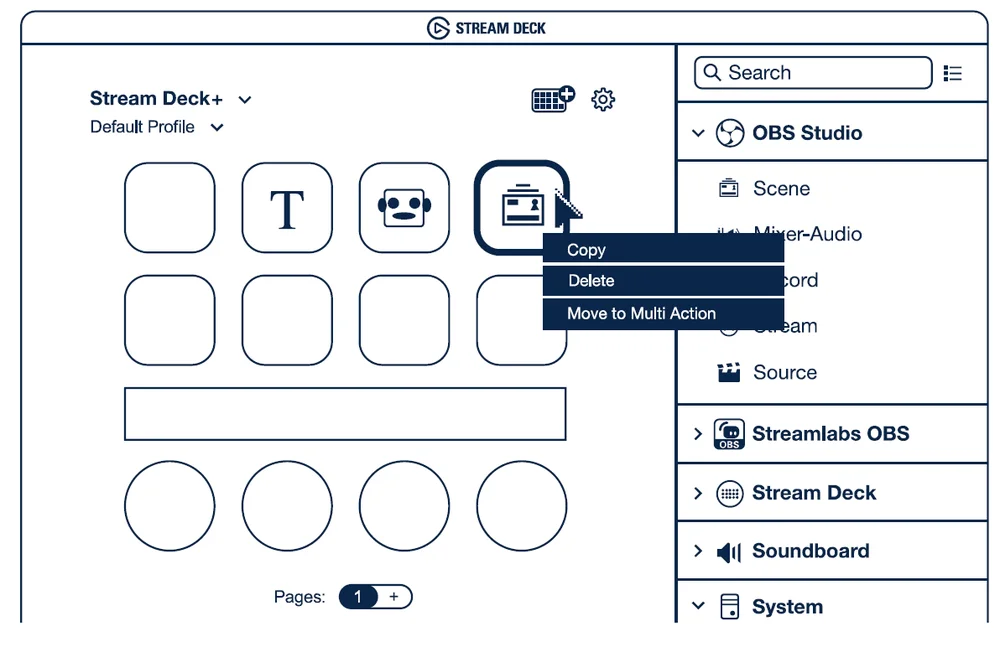
Right-click keys to copy, delete or move them.
Integrate Social Media
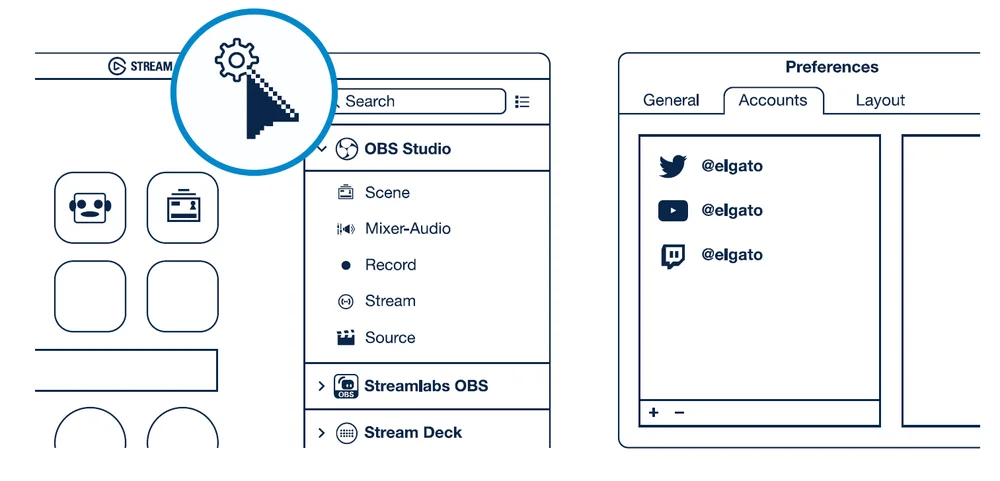
Enter your social media accounts to connect with your fans. Get tapping and unleash your creative genius.