Wave:3 MK.2 är en USB-kondensatormikrofon som är utvecklad för streamers, podcasters och alla som vill ha sändningsklart ljud utan komplicerad installation. Den kombinerar en högkvalitativ kardioidkapsel med Wave FX-processor, realtidsövervakning och Wave Link-integration, vilket gör det möjligt att hantera röstbearbetning, nivåkontroll och effekter direkt på mikrofonen.
Oavsett om du streamar, spelar in poddar eller deltar i möten levererar Wave:3 MK.2 professionellt ljud med inbyggda DSP-effekter, Clipguard 2.0-teknik mot distorsion och automatisk förstärkningskalibrering. Ingen extra utrustning. Ingen komplicerad installation. Bara fantastiskt ljud från start.
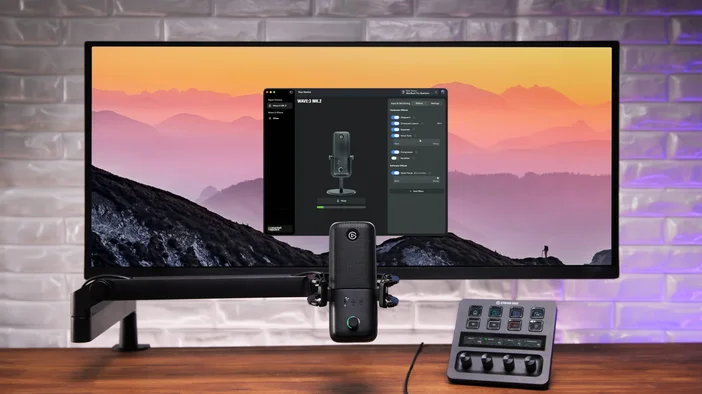
Drivs av Wave Link
Wave Link är ett gratis ljudmixningsprogram som fungerar med alla mikrofoner. När det kopplas ihop med Wave:3 MK.2 får du tillgång till mer avancerade integrationsfunktioner, inklusive direkta hårdvarukontroller, inställningar för automatisk förstärkning och inställningar för Wave FX-processorn.
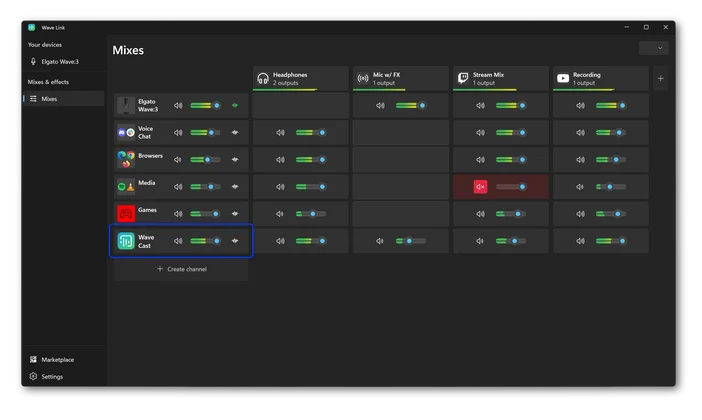
En av Wave Links mest kraftfulla funktioner är stödet för upp till 5 oberoende mixar. Skapa en personlig mix för övervakning, en streammix, en inspelningsmix och mycket mer. Varje mix får sin egen routing och sina egna nivåer. Tillämpa effekter på valfri ingångskanal för fullständig ljudkontroll.
Premium superkardioidkapsel
Wave:3 MK.2 gör din röst fyllig, klar och närvarande. Kondensatormikrofoner är vad studior använder för sång, eftersom de fångar upp den fyllighet och detaljrikedom i din röst som dynamiska mikrofoner och headset missar. Den 16 mm kondensatorkapseln, som är inställd i samarbete med LEWITT, håller fokus på din röst med ett kardioidupptagningsmönster som minskar brus från sidorna och bakom mikrofonen. Ett inbyggt popfilter hjälper till att hålla varje session ren och kontrollerad.
I kombination med inbyggda effekter som Low-Cut Filter, Expander och Voice Tune blir din röst kristallklar oavsett om du streamar, spelar in eller ringer.
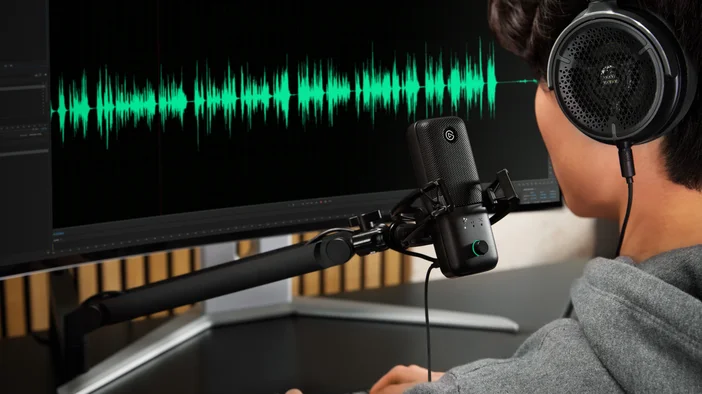
Wave:3 MK.2 kan placeras på det medföljande bordsstativet för omedelbar installation eller monteras på standardmikrofonarmar med 1/4-tumsgänga. Förpackningen innehåller även 5/8-tums- och 3/8-tumsadaptrar för kompatibilitet med andra mikrofonarmar.
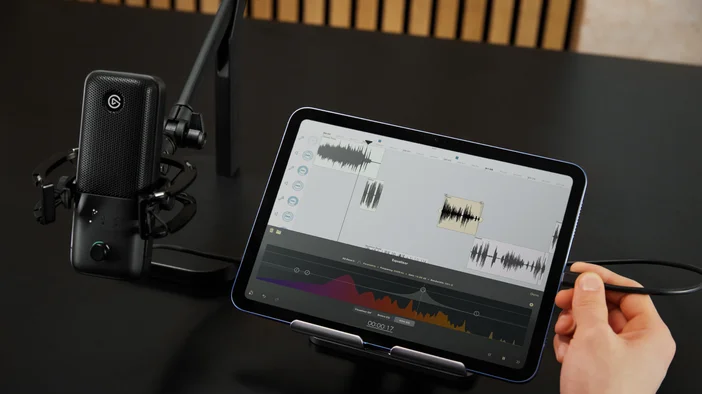
Wave FX-processorn förenar din signal
Wave FX Processor förenar tre viktiga tekniker: Clipguard 2.0, inbyggda DSP-effekter och stöd för VST Insert. Alla tre fungerar i en enhetlig signalkedja, vilket innebär att din mikrofon låter likadant i alla appar du använder.
Lägg till plugins som brusreducering eller röstförändrare, så fungerar de automatiskt överallt utan virtuella mikrofoner eller komplex routing. Ditt ljud förblir konsekvent oavsett om du streamar, är i ett möte eller spelar in.
Clipguard 2.0 förhindrar förvrängning
Klippt ljud är permanent. När signalen förstörs kan den inte repareras i efterhand. Clipguard 2.0 använder ett skiktat skyddssystem för att förhindra förvrängning innan den uppstår, så att oväntade skratt, höjda röster eller upphetsade reaktioner förblir rena. Clipguard körs på Wave FX Processor och fungerar tillsammans med alla DSP-effekter utan att lägga till latens.
Vi utsatte Clipguard för några extrema scenarier för att se hur långt det kunde gå innan det gick sönder. Det gjorde det inte.
För mer information om hur Clipguard fungerar, läs vår djupgående artikel om Clipguard 2.0.
Inbyggda DSP-effekter
Wave:3 MK.2 kör professionella ljudeffekter direkt på hårdvaran. Effekterna bearbetar din röst vid källan med övervakning utan fördröjning:
- Lågpassfilter: Avlägsnar lågfrekventa vibrationer och oönskade ljud.
- Expander: Minskar bakgrundsljud på låg nivå utan att påverka din röst.
- Voice Tune: Lägger till varm, analog kompression och övertoner som anpassas efter hur du talar.
- Kompressor: Balanserar ljudet så att tysta stunder hörs tydligt medan höga stunder förblir kontrollerade.
- 4-bands equalizer: Skulptera din röst över fyra band för att lägga till värme, minska grumlighet eller förbättra tydligheten.
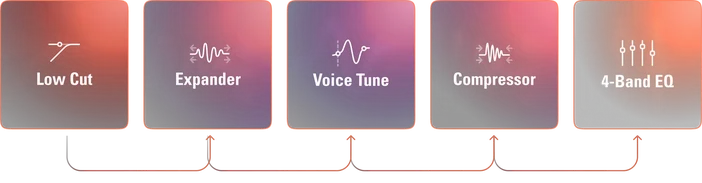
Alla fem effekter kan köras samtidigt på hårdvaran. När du lyssnar via den dedikerade hörlursutgången hör du din bearbetade röst i realtid utan någon fördröjning.
VST-insats
Wave FX Processor ansluts direkt till Wave Link via en dedikerad väg med låg latens. Ditt ljud dirigeras till Wave Link för plugin-bearbetning och infogas sedan tillbaka i hårdvarans signalkedja innan det når dina appar. Effekter som brusreducering, reverb eller röstförändrare fungerar i alla applikationer utan virtuella mikrofoner eller extra routing.
För mer information, se vår guide om VST Insert.
Observera: VST-effekter kan orsaka ytterligare fördröjning beroende på din konfiguration.
Auto Gain hjälper dig att komma igång
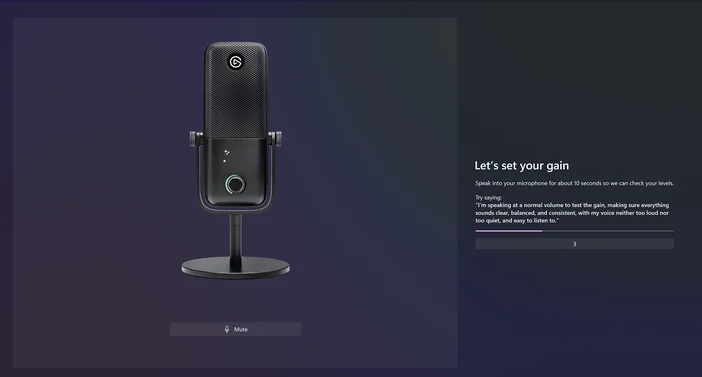
Bra ljud börjar med rätt mikrofonvolym. Auto Gain Wizard analyserar din röst och ställer automatiskt in den optimala nivån. Håll ratten intryckt i 5 sekunder, tala med normal volym, så justerar guiden förstärkningen och initialiserar DSP-effekter som Voice Tune baserat på dina röstegenskaper. När LED-ringen är helt fylld och lyser grönt är du klar.
Omedelbar kontroll med LED-ringfeedback
En multifunktionsratt på framsidan av Wave:3 MK.2 gör att du snabbt kan göra justeringar utan att behöva avbryta det du håller på med. Tryck på ratten för att bläddra mellan ingångsförstärkning, Voice Tune, hörlursvolym och monitormix. Vrid på ratten för att justera den valda parametern. Tryck på mikrofonens ovansida för att stänga av ljudet direkt.
LED-ringen runt ratten visar exakt vad som händer i varje läge. I Gain Mode visar den din aktuella nivå med realtidsmätning och visar gain-reduktion när Clipguard aktiveras. Voice Tune Mode skiftar från varm orange vid subtila inställningar till djupt rött vid maximal intensitet. Headphone och Monitor Mix-lägena visar dina aktuella nivåer och balans på ett ögonblick.
LED-färgerna och ljusstyrkan kan anpassas i Wave Link.
Hörlursövervakning
Anslut hörlurar till 3,5 mm-uttaget och hör exakt hur du låter i realtid, med dina effekter och Clipguard redan tillämpade. Det du hör stämmer överens med vad din publik hör.
Wave:3 MK.2 har en förfinad hörlursförstärkare med lägre brusnivå, så att din monitorering låter renare oavsett om du använder vanliga öronsnäckor eller studiohörlurar.
Du kan också justera din monitormix direkt från ratten på mikrofonen och blanda din röst med PC-ljudet för att hitta rätt balans. Dina inbyggda effekter hörs i realtid, så du hör exakt hur du låter.
Stream Deck-integration
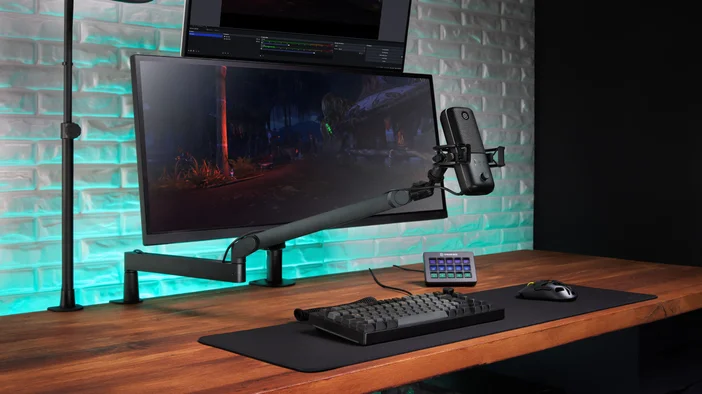
Stream Deck ansluts via vårt Wave Link-plugin. Tilldela tangenter för att styra förstärkning, växla mellan effekter, byta övervakningsläge eller justera hörlursvolymen utan att öppna programvaran.
För en fullständig genomgång, kolla in vår presentation av Wave Link-plugin.
Låter bra från början
Wave:3 MK.2 kombinerar röstbearbetning, realtidsövervakning och smarta kontroller i en USB-mikrofon. Forma ditt ljud med inbyggda effekter, skydda dig med Clipguard 2.0, utöka med ljudeffekter från Elgato Marketplace och hantera allt i Wave Link.
PRODUKTER I ARTIKEL