MANUAL | SNABBSTARTGUIDE
Elgato Green Screen XL — Quick Start Guide
Getting Started
Rotate the two feet by 90 degrees.
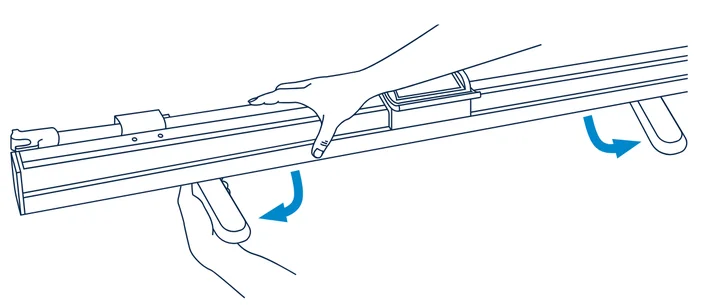
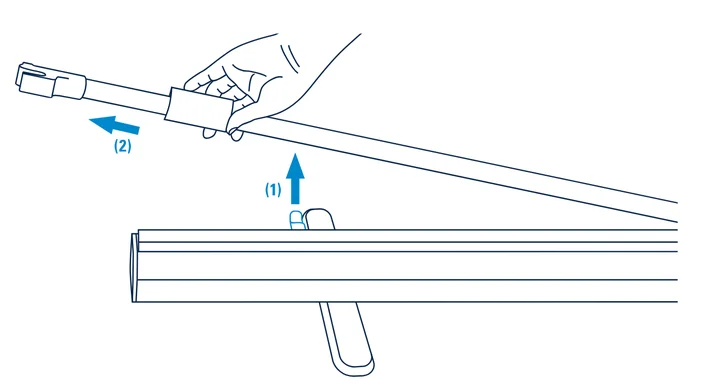
Lift the pole from its clamp and start pulling to the side.
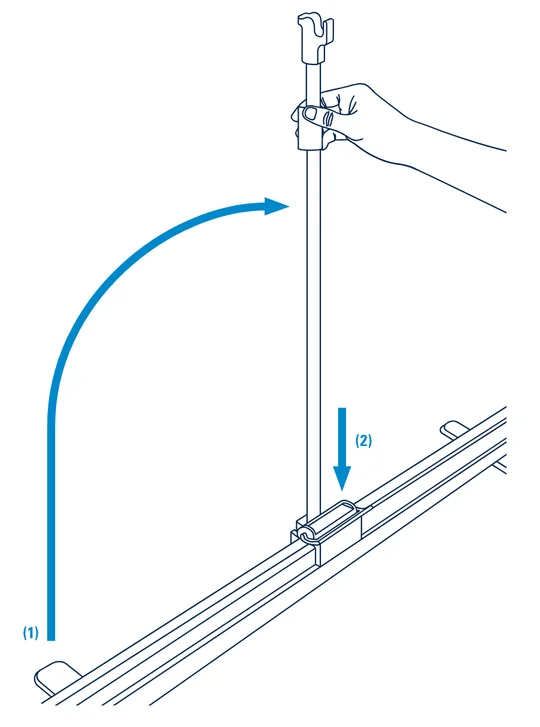
Bring the pole into a vertical position (1) and then push it down (2).
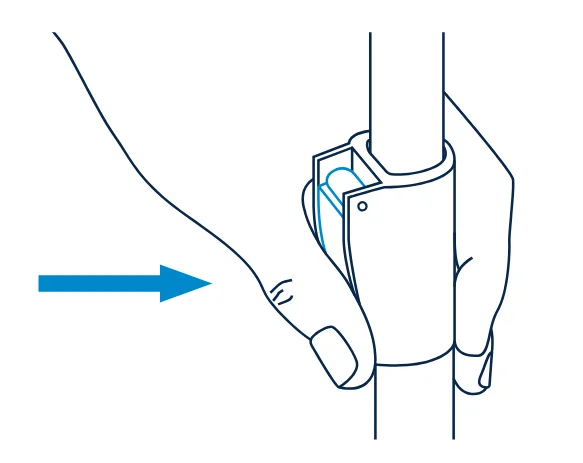
Release the locking lever (1) and extend the pole to its desired length (2).
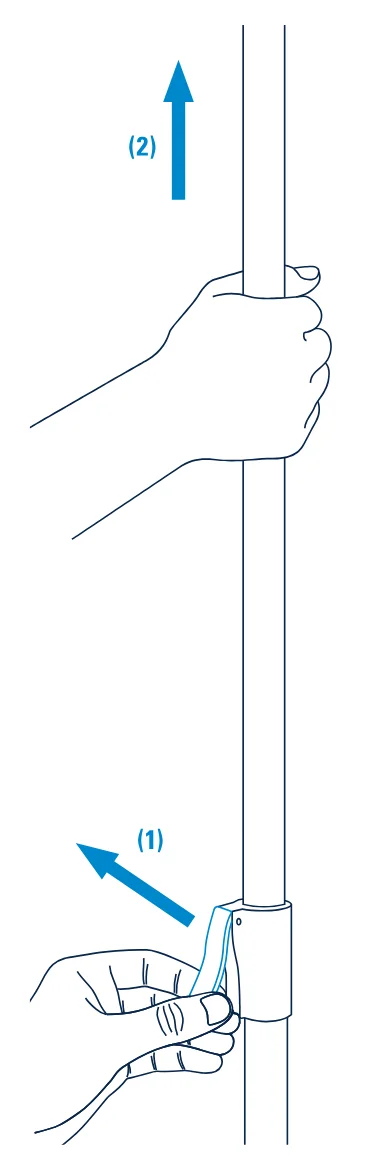
Push the lever back down to secure the pole. Ready!
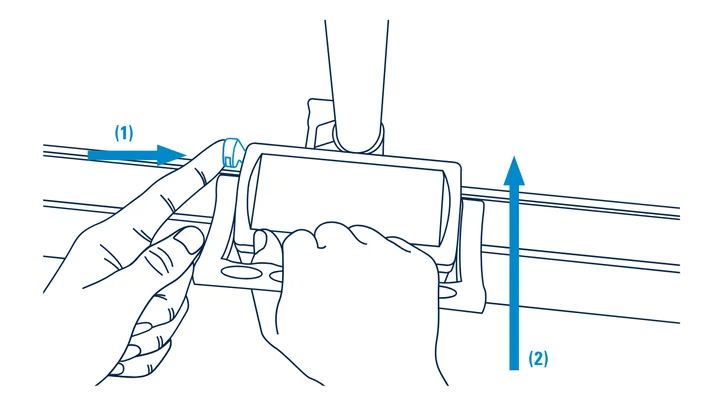
Press the locking button (1) and use the handle to raise the screen (2).
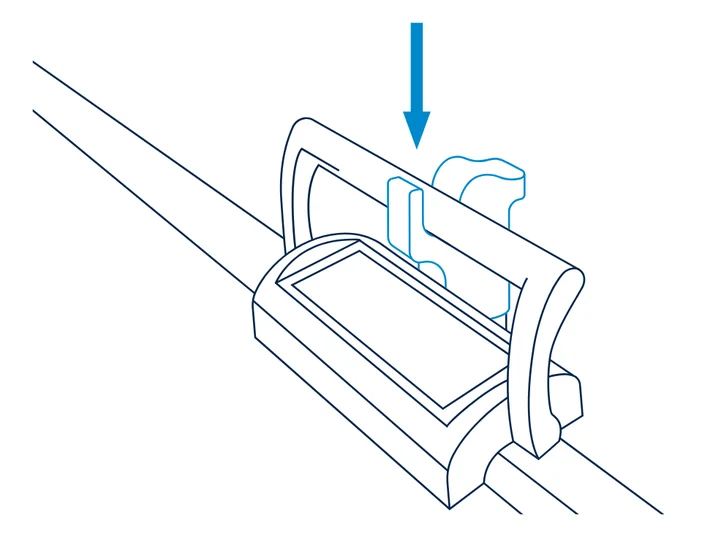
Place the handle in the holder.
Caution:
- Use the main handle to extend or retract the screen. Avoid touching the fabric.
- Only use the main handle as moving parts can pinch fingers.
- Always position the screen on a flat, stable surface. Uneven or unstable surfaces may cause tipping and result in damage or personal injury.
- Be especially careful when setting up near children.
- When not in use and retracted, lay the screen horizontally on its feet. Standing the screen on either end poses the risk of tipping and should be avoided.
- Do not attach any items to the screen.
- Do not leave the screen exposed to direct sunlight.
- Do not set up in areas susceptible to strong air currents. Drafts and breezes may cause screen movement and subsequently compromise image quality.
- Keep the screen free from dirt and dust. If it becomes dirty, wipe lightly with a soft cloth moistened with water and a mild, neutral detergent. Benzene, thinner, and other volatile agents can cause permanent damage and should never be used for cleaning.
- Do not iron the fabric. Small wrinkles will smooth out after a while.