Whatever microphone you're using right now, it works with Wave Link. USB mics, XLR mics through an audio interface, headsets, and capture cards. If your computer recognizes it, you can add it to Wave Link.
That includes popular mics like the Blue Yeti, HyperX QuadCast, Razer Seiren, Shure SM7B, Rode NT-USB, and Audio-Technica AT2020. Third-party interfaces like the Focusrite Scarlett and MOTU M2 work too. No special drivers, no Elgato hardware required.
Wave Link is free on Windows and macOS. No subscriptions, no trials.
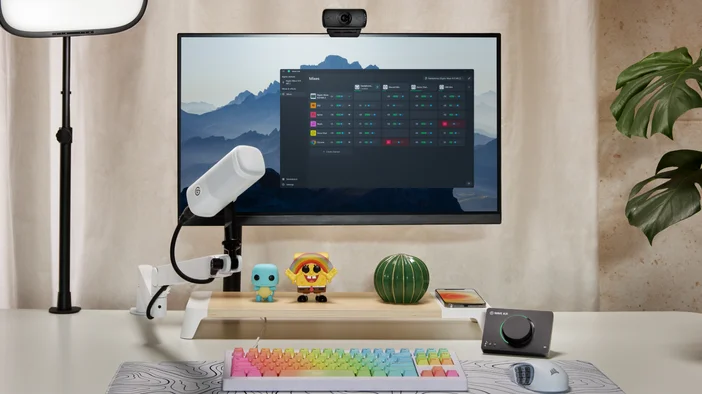
What Wave Link actually does for your setup
Wave Link gives you control over every audio source on your system from one place. You can set up to 8 software channels (for apps like Discord, Spotify, your game, browser) and up to 4 hardware inputs (mics, interfaces, capture cards), then route any of them into up to five independent mixes. Each mix gets its own volume levels and destination. One for your stream, one for your headphones, one for a recording without music. You can even group multiple apps into a single channel to keep things clean.
For a full walkthrough, check out our Wave Link software overview.
Works for how you work
Streaming or recording
You want your audience to hear your mic, game audio, and alerts at the right levels, but you need your own headphone mix to sound different. Maybe you want Discord louder in your ears but quieter on stream, or music in your headphones that doesn't reach your broadcast at all. Wave Link lets you build separate mixes for your stream output and your personal monitoring, each with independent volume controls for every source.
For a deeper look at stream-specific setups, see our guide on using Wave Link for live streaming.
Meetings and remote work
Back-to-back calls are easier when you can control what you hear and what others hear from you. Route your mic to Teams or Zoom in one mix, keep Slack notifications and email alerts in a separate channel you can mute during presentations, and monitor everything through your headphones without surprises.
See our full guide on using Wave Link for productivity and meetings for more setup tips.
Gaming
Keep your game loud, Discord clear, and music at the right level in the background. With Wave Link, each of those sources gets its own volume control. Mute Discord during clutch moments, lower the music when callouts matter, or set your levels before you launch and let it run.
For more on gaming-specific setups, check out our guide on using Wave Link for gaming.
Podcasting
Create a dedicated mix for your recording, a separate one for your guest's monitoring feed, and a third for your own headphones. Route guest audio from Zoom or Riverside into its own channel so you can apply effects to your mic independently.
Make your mic sound better with effects
Wave Link supports VST3 plugins on Windows and Audio Unit (AU) plugins on macOS. Add compression, EQ, noise gates, or any other effect to any channel. Effects work on non-mic sources too.
Elgato Marketplace has a growing collection of effect, from compressors and de-essers to voice changers and reverb. You're also free to bring third-party plugins.
For a step-by-step walkthrough, see our guide on how to download and use audio effects.
Control your mix with Stream Deck
If you use a Stream Deck, our Wave Link plugin gives you physical control over your entire audio setup. Adjust volume levels, mute individual channels, toggle effects, and switch between mixes, all without clicking away from what you're doing.
The plugin auto-generates layouts based on your Wave Link setup, and dials and touch controls give you precise, tactile adjustments.
To learn more about our Wave Link plugin, check out our plugin spotlight.
Go further with Elgato Wave audio hardware
Wave Link works great with whatever mic you already own. But if you use an Elgato Wave device, Wave Link unlocks additional controls you won't get with third-party hardware. Depending on your device, that includes a dedicated settings panel, Auto Gain, monitoring modes, and LED customization.
If you have a Wave FX Processor device, you also get onboard DSP effects, Clipguard 2.0, and VST Insert technology built into the hardware signal chain.
Start mixing with the mic you already have
Wave Link is free to download on Windows and macOS. It works with any microphone or audio interface your computer recognizes, so you don't need specific hardware to get started.
Download Wave Link at elgato.com and start routing your audio today.