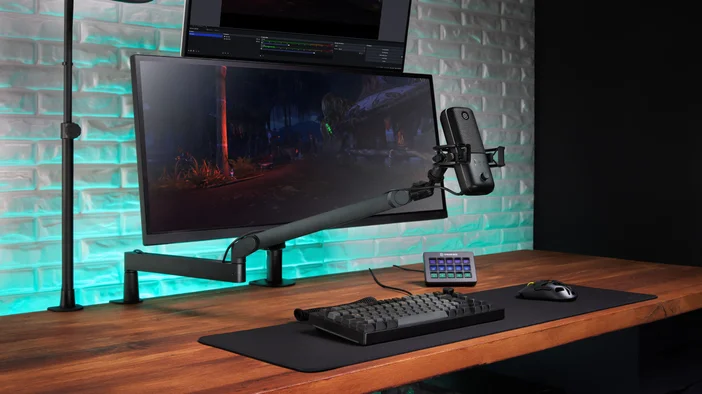
Wave:3 MK.2 is a USB condenser microphone built for streamers, podcasters, and anyone who wants broadcast-ready sound without complex setup. It combines a premium cardioid capsule with Wave FX Processor, real-time monitoring, and Wave Link integration, handling voice processing, level control, and effects directly on the mic.
Whether you're streaming, recording podcasts, or joining meetings, Wave:3 MK.2 delivers professional sound with onboard DSP effects, Clipguard 2.0 anti-distortion technology, and Auto Gain calibration. No extra gear. No complicated setup. Just great sound from the start.
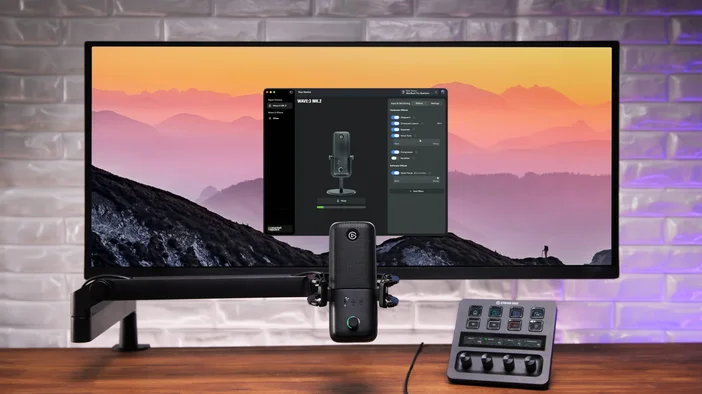
Powered by Wave Link
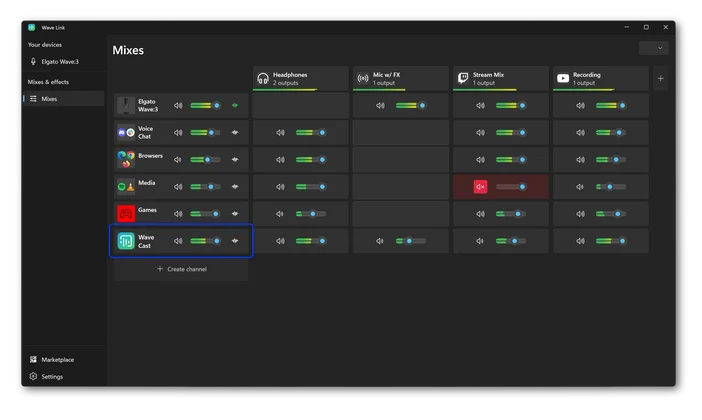
Wave Link is free audio mixing software that works with any microphone. When paired with Wave:3 MK.2, it unlocks deeper integration, including direct hardware controls, Auto Gain setup, and Wave FX Processor settings.
One of Wave Link's most powerful features is its support for up to 5 independent mixes. Create a personal mix for monitoring, a stream mix, a recording mix, and more. Each mix gets its own routing and levels. Apply effects to any input channel for complete sound control.
Premium supercardioid capsule
Wave:3 MK.2 makes your voice sound full, clear, and present. Condenser microphones are what studios use for vocals because they pick up the richness and detail in your voice that dynamic mics and headsets miss. The 16 mm condenser capsule, tuned in partnership with LEWITT, keeps the focus on your voice with a cardioid pickup pattern that reduces noise from the sides and behind the mic. A built-in pop filter helps keep every session clean and controlled.
Combined with onboard effects like Low-Cut Filter, Expander, and Voice Tune, your voice comes through polished whether you're streaming, recording, or on a call.
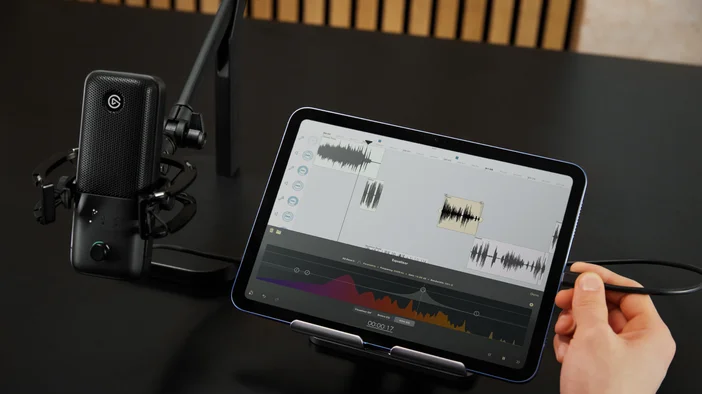
Wave:3 MK.2 sits on the included desk stand for immediate setup, or mounts to standard mic arms with 1/4" threading. The box also includes 5/8" and 3/8" adapters for compatibility with other mic arms.
Wave FX Processor Unifies Your Signal
Wave FX Processor brings together three key technologies: Clipguard 2.0, onboard DSP effects, and VST Insert support. All three work in one unified signal chain, which means your mic sounds the same across every app you use.
Add plugins like noise suppression or voice changers, and they automatically work everywhere without virtual microphones or complex routing. Your audio stays consistent whether you're streaming, in a meeting, or recording.
Clipguard 2.0 Prevents Distortion
Clipped audio is permanent. Once your signal distorts, it cannot be fixed in post. Clipguard 2.0 uses a layered protection system to prevent distortion before it happens, so unexpected laughs, raised voices, or excited reactions stay clean. Clipguard runs on Wave FX Processor and works alongside all DSP effects without adding latency.
We pushed Clipguard into some extreme scenarios to see how far it could go before breaking. It didn't.
To learn more about how Clipguard works, check out our deep dive on Clipguard 2.0.
Onboard DSP Effects
Wave:3 MK.2 runs professional audio effects directly on the hardware. Effects process your voice at the source with zero-latency monitoring:
- Low-Cut Filter: Removes low-frequency rumble from vibrations and unwanted noise
- Expander: Reduces low-level background noise while leaving your voice untouched
- Voice Tune: Adds warm, analog-style compression and harmonics that adapt as you speak
- Compressor: Balances audio so quiet moments come through clearly while loud moments stay controlled
- 4-Band Equalizer: Sculpts your voice across four bands to add warmth, reduce muddiness, or improve clarity
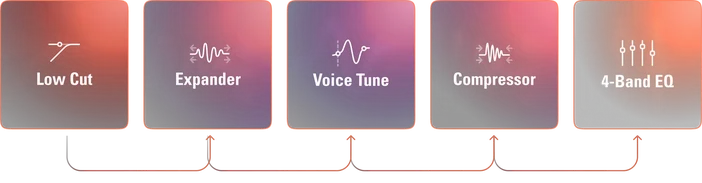
All five effects can run simultaneously on the hardware. When monitoring through the dedicated headphone output, you hear your processed voice in real time with zero latency.
VST Insert
Wave FX Processor connects directly to Wave Link through a dedicated low-latency path. Your audio routes to Wave Link for plugin processing, then gets inserted back into the hardware signal chain before reaching your apps. Effects like noise suppression, reverb, or voice changers work in every application without virtual microphones or extra routing.
To learn more, check out our guide on VST Insert
Note: VST effects may introduce additional latency depending on your setup.
Auto Gain Gets You Started
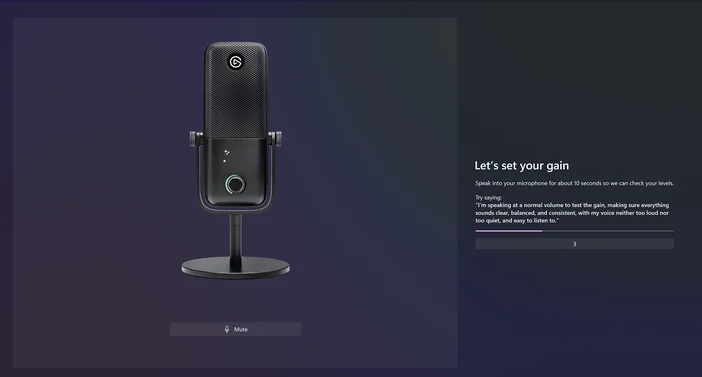
Great audio starts with the correct microphone volume. Auto Gain Wizard analyzes your voice and automatically sets the optimal level. Press and hold the dial for 5 seconds, speak at your normal volume, and the wizard adjusts gain and initializes DSP effects like Voice Tune based on your voice characteristics. When the LED ring fills completely and glows green, you're set.
Instant Control with LED Ring Feedback
A multifunction dial on the front of Wave:3 MK.2 gives you quick adjustments without leaving what you're doing. Press the dial to cycle through input gain, Voice Tune, headphone volume, and monitor mix. Turn it to adjust the selected parameter. Tap the top of the mic to mute instantly.
The LED ring around the dial shows exactly what's happening in each mode. In Gain Mode, it displays your current level with real-time metering and shows gain reduction when Clipguard activates. Voice Tune Mode shifts from warm orange at subtle settings to deep red at maximum intensity. Headphone and Monitor Mix modes show your current levels and balance at a glance.
The LED colors and brightness can be customized in Wave Link.
Headphone Monitoring
Plug headphones into the 3.5 mm jack and hear exactly how you sound in real time, with your effects and Clipguard already applied. What you hear matches what your audience hears.
Wave:3 MK.2 features a refined headphone amplifier with a lower noise floor, so your monitoring sounds cleaner whether you're using everyday earbuds or studio headphones.
You can also adjust your monitor mix directly from the dial on the mic, blending your voice with PC audio to find the right balance. Your onboard effects come through in real time, so you hear exactly how you sound.
Stream Deck Integration
Stream Deck connects through our Wave Link plugin. Assign keys to control gain, toggle effects, switch monitoring modes, or adjust headphone volume without opening software.
For a full walkthrough, check out our Wave Link plugin spotlight.
Sound Great from the Start
Wave:3 MK.2 puts voice processing, real-time monitoring, and smart controls into one USB microphone. Shape your sound with onboard effects, stay protected with Clipguard 2.0, expand with audio effects from Elgato Marketplace, and manage it all in Wave Link.