BLOG
Wave XLR MK.2: Which XLR Microphones Work With It
Most people just want to plug in their microphone and have it work. Wave XLR MK.2 keeps it that simple. If you have an XLR mic, it will work.
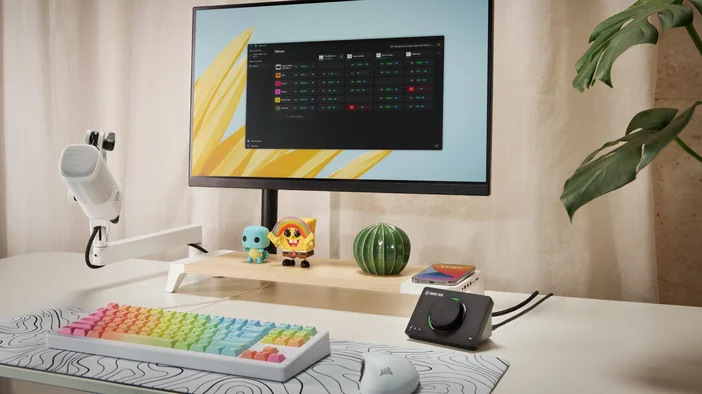
Wave XLR MK.2 is a USB mic interface with built-in controls, onboard effects, and enough gain for even the most demanding dynamic microphones. It provides phantom power for condensers and protects your signal with Clipguard 2.0 so your audio stays clean no matter how loud things get.
Whether you already own a favorite mic or plan to upgrade down the road, you will not need to change your interface to keep up.
Use the Mic You Already Have
Wave XLR MK.2 handles the full range of XLR microphones without compromise. Use a dynamic for streaming, a condenser for voiceover, or try something completely different next week. Auto Gain Wizard makes switching easy. Press and hold the dial, speak at your normal volume, and Wave XLR MK.2 sets the ideal gain level for whatever microphone you connect.
Dynamic Microphones
Dynamic mics are a go-to for streaming, podcasting, and meetings. They tend to pick up less room noise than condensers, making them forgiving in untreated spaces.
The tradeoff is that many of them need higher gain to reach usable levels. With 80 dB of clean gain, Wave XLR MK.2 drives even the most demanding dynamics directly, without a cloudlifter in the chain.
Popular dynamic microphones that work well include:
- Shure SM7B
- Shure MV7 (XLR mode)
- Electro-Voice RE20
- Rode Procaster
- Audio-Technica BP40
Condenser Microphones
Condenser mics are known for detail and sensitivity, making them a common choice for voiceover, music, and studio-style recording. They require 48V phantom power to operate, and Wave XLR MK.2 provides it through Wave Link.
Phantom power is disabled by default, which protects dynamic and passive ribbon microphones from accidental damage.
Popular condenser microphones include:
- Rode NT1
- Audio-Technica AT2020
- Audio-Technica AT2035
- Lewitt LCT 440 PURE
- Neumann TLM 102
Once connected, you can shape your sound with onboard DSP effects and add third-party plugins through VST Insert. To learn more about adding effects, check out our guide on how to add audio effects in Wave Link.
Sound Great with Any Mic
Regardless of which microphone you use, every signal runs through Wave FX Processor, developed in partnership with LEWITT Audio. Your voice, effects, and monitoring stay in one continuous signal path with no routing complexity.
Clipguard 2.0 automatically prevents distortion, so you do not have to ride your levels. Onboard DSP effects including Voice Tune, Compressor, EQ, Expander, and Low Cut shape your voice in real time with zero latency. And VST Insert lets you add third-party plugins directly into the signal chain. Browse and install effects from Elgato Marketplace right into Wave Link.
Every app that uses your mic gets the same polished signal.
For a deeper look, check out our guide on what Wave FX Processor.
Control Your Sound
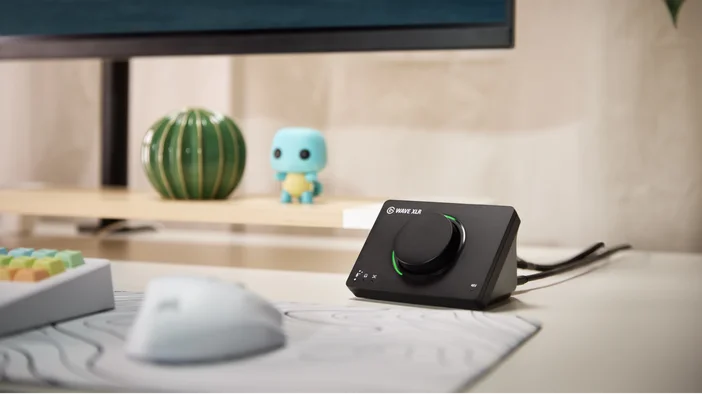
Wave XLR MK.2 puts hands-on control right on the device. The multifunction dial cycles between gain, Voice Tune, headphone volume, and monitor mix with a press, then adjusts each with a turn. The LED ring gives you real-time visual feedback for levels, metering, and Clipguard activity so you always know where your signal sits.
Tap the top to mute your mic instantly and silently, which is especially useful during live sessions or calls.
If you use Stream Deck, the Wave Link plugin lets you assign volume, muting, effects, and mix controls to keys and dials for even more flexibility.
Get Started
Wave XLR MK.2 gives you 80 dB of clean gain, 48V phantom power, and Clipguard 2.0, so any XLR mic you plug in sounds its best. Pair that with onboard effects and built-in controls, and your setup is ready for whatever comes next.