MANUAL | GUIA DE INÍCIO RÁPIDO
Elgato Facecam — Quick Start Guide
1080p60 Full HD Webcam, Ultra Low-Latency Streaming, Pro Low-Light Performance, HDR-Enabled, Lifelike Colors, DSLR-Style App Control – For Zoom/Teams Calls, YouTube, PC/Mac Compatible
Installation
1) Download and install the Elgato camera app.
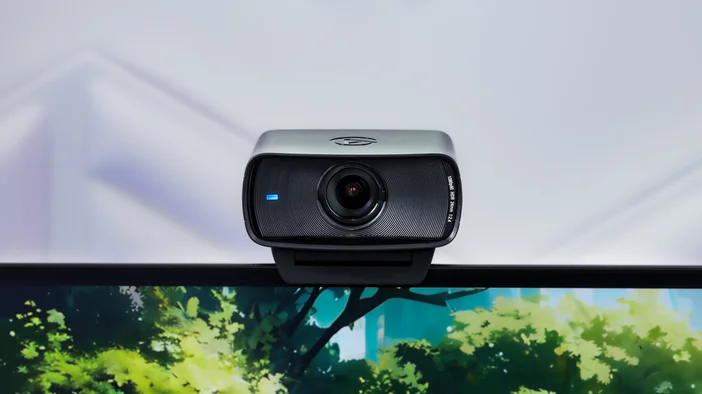
2) Mount Facecam on your monitor.
3) Alternatively, secure Facecam to your Elgato Multi Mount system via the 1/4-inch thread.
4) Open the privacy shutter.
5) Connect Facecam directly to a USB 3.0 (or better) port on your PC or Mac – do not use a USB hub.
⚠️ Only use the supplied USB 3.0 cable (or equivalent/better).
6) Clean the lens with a microfiber cloth. Do not use paper towels or detergents.
7) Enjoy using Facecam with your favorite streaming and video conferencing apps:
Zoom, Skype, MS Teams, Slack, OBS, Google Meet, FaceTime
or any other application supporting the UVC standard.
Technical specifications
- Supported Resolutions (uncompressed): SDR & HDR: 1080p60, 1080p30, 720p60, 720p30, 540p60, 540p30
- Optics: Elgato Prime Lens
- Focus Range: 30 - 120 cm | 11.8 - 47.2 in
- Aperture: f/2.4
- Focal Length: 24 mm (full-frame equivalent)
- Field of View: 84° (diagonal)
- Sensor: SONY® STARVIS™ CMOS
- Connection: USB 3.0 (or better), Type C
- Dimensions: W 84 x H 38 x D 61 mm | 3.3 x 1.5 x 2.4 in (without mount)
- Weight: 90 g | 0.2 lb (without mount)