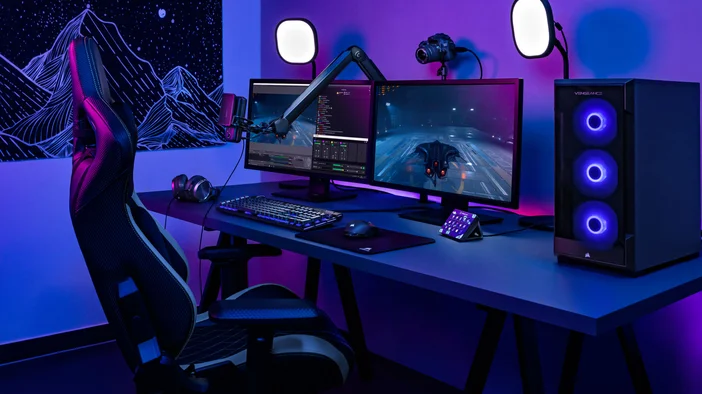
Whether you’re just starting your streaming journey or getting into a full production environment, choosing the right streaming software can make or break your workflow. Each platform caters to different types of creators, ranging from casual gamers and podcasters to esports broadcasters and professional studios. Whatever one you choose, you can rest assured, as there is Stream Deck integration for all. Here's a breakdown of the most popular options, their strengths, and who they’re best suited for.
OBS Studio
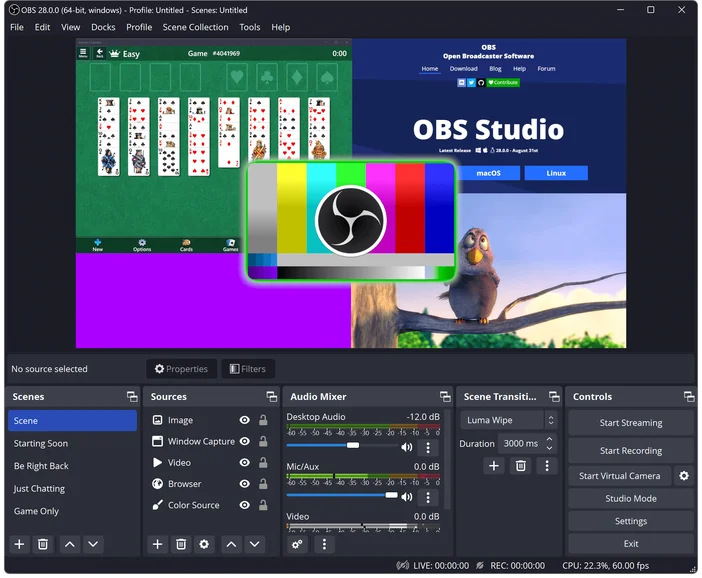
OBS Studio is the most widely used streaming software thanks to its flexibility, performance, and huge plugin community. It’s completely free and supports advanced scene building, robust audio routing, and deep customization. If you want complete control over your production or plan to grow into more complex workflows, OBS is the best long-term choice. The learning curve is higher than beginner tools, but the possibilities are virtually unlimited.
- Ideal for: Gamers, VTubers, streamers who want complete control
- Platforms: Windows, macOS, Linux
- Price: Free
Pros: Free, flexible, low CPU usage, huge plugin community
Cons: Learning curve, basic/limited UI
Get the Stream Deck Plugin
Streamlabs Desktop
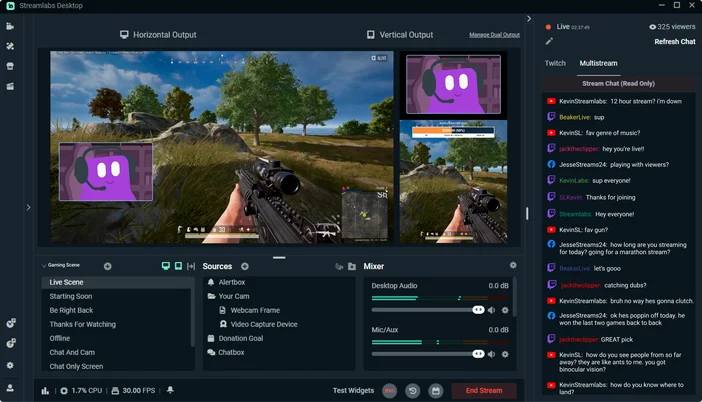
Streamlabs Desktop builds upon OBS foundations, adding a streamlined interface with built-in overlays, alerts, themes, and widgets. It’s perfect for new creators who want polished visuals without spending hours configuring scenes. While it uses more system resources and encourages premium upgrades, its ease of use makes it one of the fastest ways to set up a professional-looking stream.
- Ideal for: New streamers who want fast results
- Platforms: Windows, macOS
- Price: Free (Paid upgrades available)
Pros: Easy onboarding, integrated alerts and themes
Cons: Higher CPU usage, upsells to premium features
Get the Stream Deck Plugin
XSplit Broadcaster
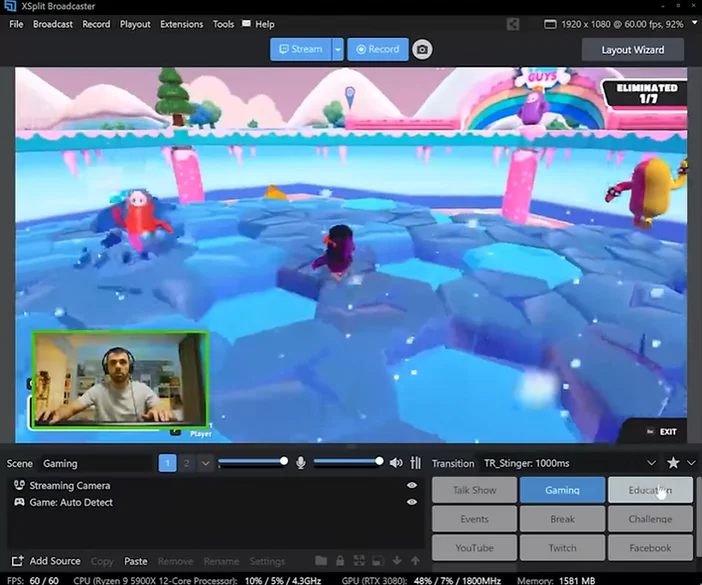
XSplit offers a cleaner, more refined interface compared to OBS, making it popular with business presenters, educators, and creators who want reliability and ease of use. Built-in tools like VCam and presentation modes help streamline production. It’s a paid, Windows-only platform, but it delivers a very stable, user-friendly experience.
- Ideal for: Corporate presenters, educators, creators who want a cleaner UI
- Platforms: Windows
- Price: Limited free version, or paid subscription
Pros: Polished UI, strong support, built-in tools
Cons: Subscription-based, Windows-only
Get the Stream Deck Plugin
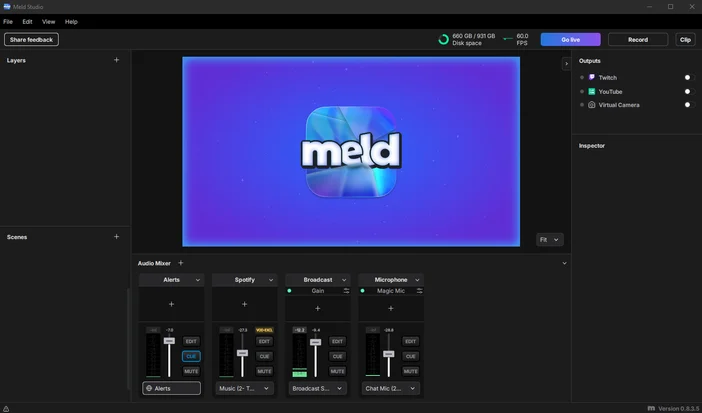
Meld Studio
Meld Studio provides a polished, beginner-friendly streaming experience with built-in multi-streaming and seamless portrait mode support for TikTok and mobile platforms. It’s simple to set up, visually clean, and powerful enough for most creator-focused streams without needing plugins or upgrades.
- Ideal for: Creators who want an easy, modern interface with multistreaming and vertical support
- Platforms: Windows, macOS
- Cost: Free
Pros: Built-in multistreaming, vertical and horizontal formats, modern UI
Cons: Less customization than others, poor multicam support
Get the Stream Deck Plugin
vMix
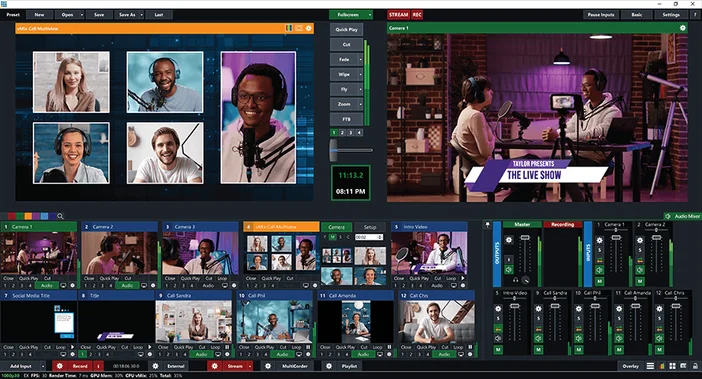
vMix is designed for multi-camera events, esports shows, churches, and professional studios. It supports high-end features like NDI routing, virtual sets, instant replay, and multi-view switching, all with exceptional stability. It takes time to learn and only runs on Windows, but for large productions, it offers unparalleled capability in software form.
- Ideal for: Esports events, conferences, professional studios
- Platforms: Windows
- Price: 60-day free trial with paid subscription after
Pros: Broadcast-grade features, replay engine, NDI excellence
Cons: Expensive, steep learning curve
Get the Stream Deck Plugin
What are you waiting for?
Choosing the right streaming software comes down to your goals and the level of hands-on involvement you prefer. Beginners may prefer simple, guided tools like Streamlabs Desktop or Meld Studio, while creators who want complete control often gravitate toward OBS Studio or vMix. Whatever you choose, the best software is the one that fits your workflow and helps you create confidently. No matter which platform you land on, Elgato hardware like Stream Deck, Wave microphones, Facecams, and Elgato capture cards integrates seamlessly across all major streaming applications, ensuring a smooth, reliable, and intuitive setup every time.