AT A GLANCE
Create at
Superspeed
Drag & Drop
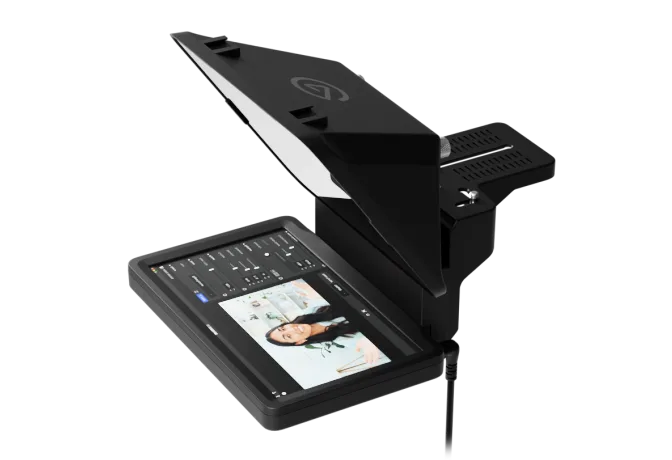
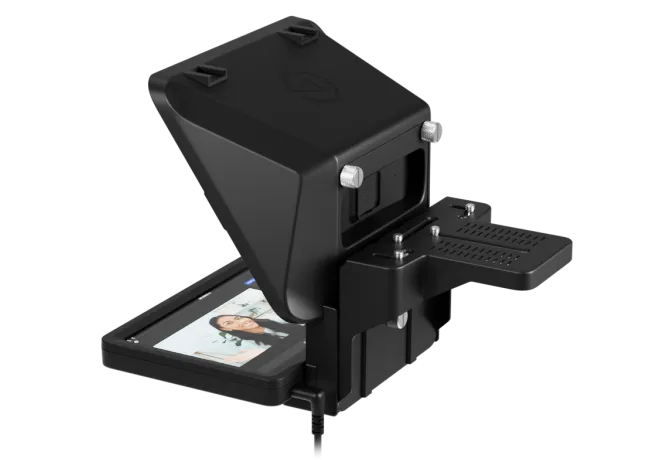
Built-in display
Works with Stream Deck
Ultra-Compatible
Meet
Eye-to-eye
CREATE AT SUPERSPEED
MAKE MEETINGS MORE HUMAN
POWERED BY STUDIO
A REAL SCRIPT EDITOR
Write, edit, and organize your scripts in one place
PRESENT LIKE A PRO
Full control over how your script looks and scrolls
VOICE SYNC
Scrolling that keeps up as you speak
PUT ANYTHING ON IT
An extra display when you need one
HEY, CHAT
Meet your viewers eye to eye
STREAM DECK CONTROL
Like having your own production crew
TRY BEFORE YOU BUY
Want to see what presenting in Studio feels like? A built-in Virtual Prompter turns any screen into a teleprompter. No hardware required.
ULTRA-COMPATIBLE
MADE LIKE NO OTHER
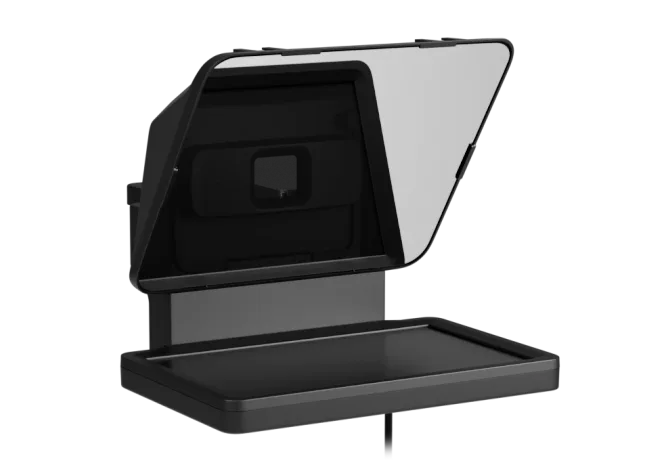
Beamsplitter glass
Part reflective, part transparent, it's specially crafted to deliver crystal-clear picture.
DREAM SETUP.REAL SAVINGS.
keyLightMk2Configurator|Preview
DIVE DEEP
What is a teleprompter?
Which Prompter Fits Your Setup?
Elgato Studio 2.0 — The Prompter Experience, Rebuilt
COMPARE
Basic info
Display
Hardware
Compatibility
Software
System requirements
FAQ
FAQ
The most common ones are here.
Can’t find what you’re looking for? Our support team is here to help.
Contact supportDoes Prompter work with my camera or lens?
Can I use my phone as a camera?
How far away can I read from?
Do I need a phone or tablet?
Does it need an external power supply?
Does it require special software?
What do I need to use Voice Sync?
Can others see what's on my screen?
Does it mirror text and windows?
Does it affect video quality?
Tech specs
Specifications
Weight
Interface
Display
Step-up rings
Dimensions
In The Box

Conscious Packaging
System requirements
Requirements
OS
Connection
Voice Sync
Software
Requirements
OS
Connection
Voice Sync
Software
DisplayLink (installs automatically at setup)