


WE THINK WEBCAMS SHOULD DO MORE


Look your Best In Full HD
LOOK SMOOTH, EVEN IN MOTION
Look True-To-Life In Vivid Color
LOOK HIGH-FIDELITY IN LOW LIGHT
LOOK CLEAR IN THE HARSHEST CONDITIONS
UNCOMPRESSED VIDEO, SO WHAT?
Facecam
Other Webcams
Behind the build
Precision capture
A custom prime lens and state-of-the-art Sony® sensor work together to capture more light, creating an image that's as detailed as it is true-to-color. It's a powerful duo that keeps you looking clear, even in dim conditions.
The Lens Effect
DREAM SETUP.REAL SAVINGS.
keyLightMk2Configurator|Preview
Compare
Basic info
Hardware
11.8 – 47.2 in
11.8 – 47.2 in
Software
Compatibility
DIVE DEEP
/Facecam-_General_---Explorer---Article-4.jpg)
Use Your Webcam with Nintendo Switch
Learn how to connect and set up your Elgato webcam for live reactions, video calls, and streaming directly from your Nintendo Switch.
/Facecam-_General_---Explorer---Article-1.jpg)
Bring Out Every Detail
Learn how to balance highlights and shadows with Camera Hub's Dynamic Range control for crisp, detailed video in any lighting.
/Facecam-_General_---Explorer---Article-2-.jpg)
Sharper Image, Less Grain
Learn how to reduce image grain with Camera Hub's Noise Reduction feature for cleaner, sharper video.
/Facecam-_General_---Explorer---Article-3-.jpg)
Shine in Any Light
See how Camera Hub's Low Light Mode automatically adjusts your Facecam settings to deliver bright, detailed video — even after dark.

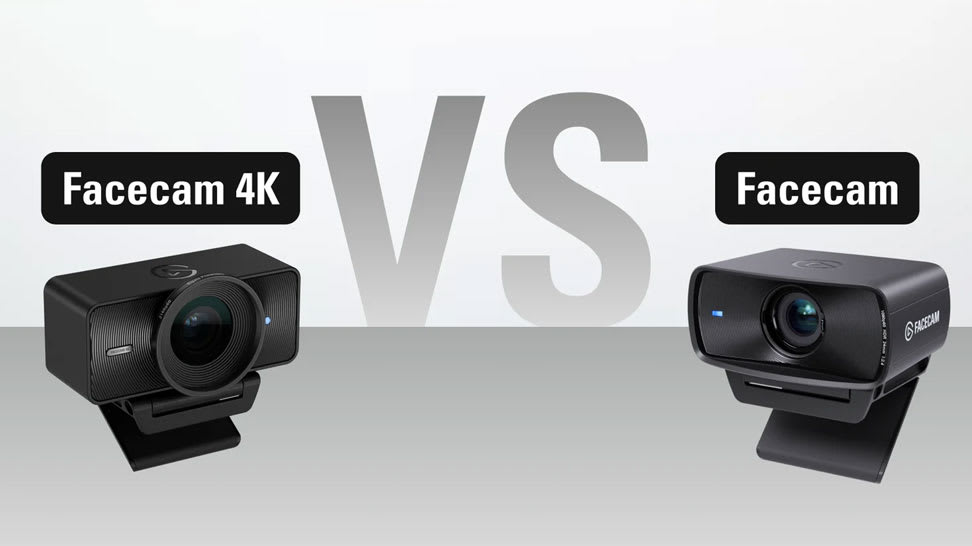
What’s the difference between Facecam 4K and Facecam
Learn how Facecam 4K and Facecam differ in specs, performance, and price — helping you choose the perfect camera for your setup.
/Explorer/Conferencing_Kit_Article_07b.jpg)
Best Elgato Webcams for Meetings
Compare Elgato Facecam Neo, Facecam MK.2, and Facecam 4K for video calls. See which webcam fits your meeting setup, plus the all-in-one Conferencing Kit +.
FAQ
FAQ
The most common ones are here.
Can’t find what you’re looking for? Our support team is here to help.
Contact supportWhat’s the difference between Facecam and Facecam MK.2?
Is it fixed focus or autofocus?
Can I adjust the field of view?
Is there a built-in microphone?
Does it work with USB 2.0?
Do I need any special software?
Do my settings stay saved?
Does it work with the Switch 2?
Does it support Windows Hello?
Tech specs
Specifications
Supported resolutions (uncompressed*)
Optics
Focus range
Aperture
Focal length
Field of view
Sensor
Connection
Mounting point
USB video class
Dimensions
Weight
*When connected by USB 3.0, otherwise MJPEG
In The Box
SKU: 10WAC9901

Conscious Packaging
System requirements
Requirements
OS
Connectivity
USB 2.0 Type C, USB 2.0 Type A (with adapter, not included)
Software
Requirements
OS
Connectivity
USB 2.0 Type C, USB 2.0 Type A (with adapter, not included)