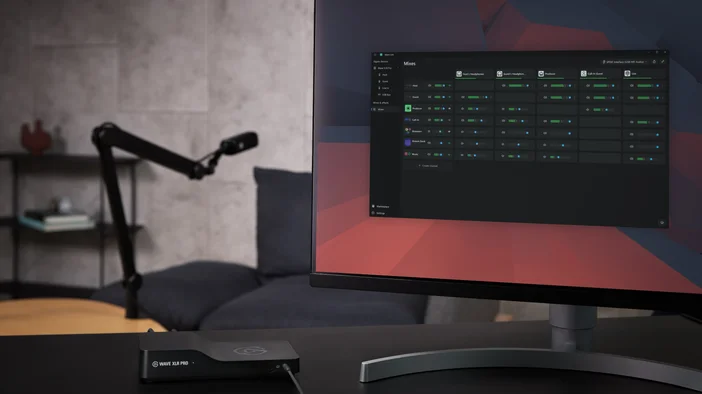
Wave XLR este modul în care am introdus microfoanele XLR în ecosistemul Wave. Wave XLR Pro duce această bază mai departe cu două preamplificatoare XLR independente, efecte integrate, cinci mixuri hardware și rutare avansată, toate alimentate de procesorul Wave FX.
Podcasturi cu două persoane, streaming pe două PC-uri, producție cu ieșiri multiple. Wave XLR Pro păstrează totul într-un singur lanț de semnal. Toate setările sunt gestionate prin Wave Link, iar asocierea cu Stream Deck adaugă control manual.
Realizat de Wave Link
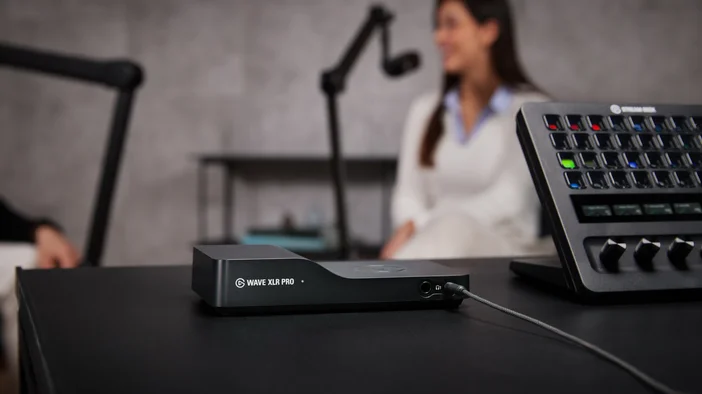
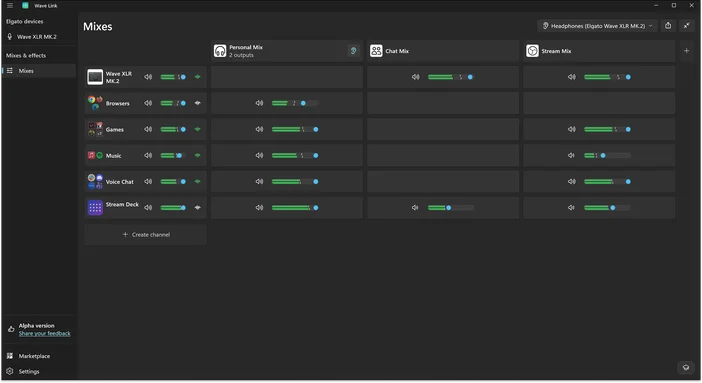
Wave XLR Pro necesită Wave Link 3.0 sau o versiune mai recentă, un software gratuit de rutare și mixare audio pentru macOS și Windows. Wave Link este locul în care configurați mixurile, aplicați efecte, gestionați rutarea și controlați fiecare setare a hardware-ului. Atunci când este asociat cu Wave XLR Pro, acesta deblochează accesul direct la toate comenzile dispozitivului și la setările procesorului Wave FX.
Wave Link este disponibil la elgato.com/downloads.
Procesor Wave FX
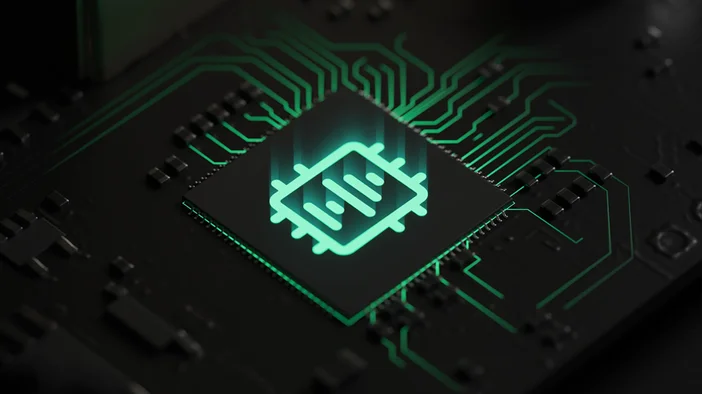
Procesor Wave FX, dezvoltat în colaborare cu LEWITT Audio, reunește trei tehnologii cheie într-un singur lanț de semnal unificat: Clipguard 2.0, efecte DSP integrate și suport VST Insert. Microfonul dvs. sună la fel în toate aplicațiile, deoarece procesarea are loc la nivel de hardware înainte ca semnalul să ajungă la sistemul dvs.
Clipguard 2.0 previne distorsiunea
Audio-ul decupat este permanent. Odată ce semnalul se distorsionează, acesta nu poate fi reparat ulterior. Clipguard 2.0 utilizează o arhitectură hardware stratificată pentru a preveni distorsiunea înainte ca aceasta să apară, păstrând curate râsetele neașteptate, vocile ridicate și reacțiile entuziaste. Activați-l o singură dată în Wave Link și nu vă mai faceți griji.
Pentru a afla mai multe despre modul în care funcționează Clipguard, consultați ghidul nostru despre Clipguard 2.0.
Efecte DSP integrate
Wave XLR Pro rulează efecte audio profesionale direct pe hardware, cu monitorizare fără latență:
- Filtrul Low-Cut elimină zgomotul de joasă frecvență provenit de la vibrațiile biroului și zgomotul ambiental.
- Expander reduce ușor zgomotul de fond, fără a afecta vocea.
- Voice Tune adaugă căldură și prezență printr-un amestec de compresie și saturație armonică. Pentru mai multe informații, consultați ghidul nostru despre Voice Tune.
- Compresorul echilibrează sunetul, astfel încât momentele liniștite să fie audibile, iar momentele zgomotoase să rămână sub control.
- Egalizatorul modelează vocea pe patru benzi pentru a adăuga claritate, a reduce neclaritatea sau a modela tonul.
- Funcția Ducking reduce automat sunetul de fundal atunci când vorbești, aplicată pentru fiecare mix, astfel încât fluxul tău să fie redus, în timp ce mixul căștilor rămâne la volum maxim.
- Mix Maximizer crește intensitatea sunetului, prevenind în același timp distorsiunile, aplicându-se independent fiecăruia dintre cele cinci mixuri de ieșire pentru un impact la nivel de difuzare.
- Channel Booster amplifică orice intrare cu până la +12 dB peste limita standard atunci când sursa este prea slabă, activat pe canal.
Toate cele opt efecte pot rula simultan pe hardware. Când monitorizați prin ieșirile dedicate pentru căști, auziți vocea procesată în timp real, fără latență.
Inserare VST
Procesorul Wave FX se conectează direct la Wave Link printr-o cale dedicată cu latență redusă. Semnalul audio este redirecționat către Wave Link pentru procesarea pluginului, apoi este reintrodus în lanțul de semnal hardware înainte de a ajunge la aplicațiile dvs. Efectele precum suprimarea zgomotului, reverberația sau modificarea vocii funcționează în toate aplicațiile fără microfoane virtuale sau redirecționare suplimentară.
Pentru mai multe informații, consultați ghidul nostru despre VST Insert sau găsiți efecte audio suplimentare pe Elgato Marketplace.
Pentru informații detaliate despre Wave FX, consultați ghidul nostru.
Notă: Efectele VST pot introduce o latență suplimentară, în funcție de configurația dvs.
Alimentează două microfoane XLR cu un câștig de 80 dB
Wave XLR Pro oferă un câștig de 80 dB cu zgomot ultra-redus pe intrare, suficient pentru a alimenta chiar și cele mai silențioase microfoane dinamice, precum Shure SM7B, Electro-Voice RE20 și Rode PodMic, fără a fi nevoie de amplificatoare externe sau cloudlifters.
Ambele intrări includ alimentare fantomă de 48 V pentru microfoane condensator, precum Audio-Technica AT2020, Rode NT1 și AKG C214. Activați alimentarea fantomă pentru fiecare intrare prin Wave Link. Aceasta rămâne dezactivată în mod implicit pentru a proteja microfoanele dinamice.
Asistentul de câștig automat
Dacă nu sunteți sigur unde să setați amplificarea, Auto Gain Wizard analizează vocea dvs. și setează automat nivelul optim. Vorbiți la volumul normal timp de aproximativ cinci secunde prin Wave Link, iar sistemul ajustează amplificarea și inițializează efectele DSP în funcție de caracteristicile vocii dvs.
USB-C dublu pentru configurări cu mai multe dispozitive
Wave XLR Pro are două porturi USB-C care îndeplinesc funcții diferite.
- USB-C Host se conectează la computerul principal. Un singur cablu asigură alimentarea și transmisia audio.
- USB-C Aux conectează un al doilea PC, consolă de jocuri sau telefon cu simplitatea plug-and-play și fără a fi necesare drivere. Ambele porturi funcționează în același timp, iar USB-C Aux poate alimenta Wave XLR Pro în modul autonom atunci când PC-ul principal este oprit.
Cinci mixuri hardware independente
Wave XLR Pro rulează simultan până la cinci mixuri independente, toate procesate pe hardware. Fiecare mix poate primi o combinație diferită de intrări la niveluri diferite, cu rutare diferită a efectelor. Rulează simultan un mix de monitorizare personal în căști, un mix de streaming cu ducking aplicat și un mix de înregistrare separat pentru post-producție.
Monitorizează ceea ce contează
Wave XLR Pro include două ieșiri pentru căști, fiecare cu mufe de 6,3 mm și 3,5 mm alăturate, facilitând monitorizarea independentă de către două persoane.
Deoarece procesarea efectelor se realizează pe hardware, auziți vocea complet procesată în timp real. În Wave Link, FX Select vă permite să alegeți ce aude fiecare ascultător, de la audio brut neprocesat până la lanțul complet de efecte, inclusiv pluginurile VST. Fiecare ieșire pentru căști poate primi un mix diferit.
Modul autonom
Odată ce configurați mixurile, efectele și rutarea în Wave Link, Wave XLR Pro salvează aceste setări pe hardware. Alimentați-l prin USB-C Aux printr-o consolă sau un încărcător USB, iar acesta va continua să funcționeze cu configurația salvată și efectele DSP active. Util pentru sesiunile de jocuri pe consolă în care PC-ul este oprit.
I/O analogic
Wave XLR Pro include intrare stereo și ieșire stereo pe mufe TRS de 3,5 mm. Intrarea stereo aduce sunetul de la echipamente externe, cum ar fi înregistratoare de teren, mixere sau camere video, în Wave Link ca sursă rutabilă. Ieșirea stereo trimite mixul procesat către dispozitive externe pentru înregistrare, transmisii video sau monitoare suplimentare.
Integrare Stream Deck
Pentru un control practic, asocierea Wave XLR Pro cu Stream Deck vă oferă acces tactil la întregul lanț de semnal. Reglați nivelurile de volum, dezactivați intrările individuale, declanșați efecte și comutați între mixuri în timp real. Wave Link se ocupă de rutare și mixare, Wave FX Processor se ocupă de procesarea audio, iar Stream Deck vă oferă control fizic asupra tuturor acestor funcții.
Începeți
Intrări duale XLR cu amplificare de 80 dB, DSP integrat și VST Insert alimentat de procesorul Wave FX, protecție Clipguard 2.0 și până la cinci mixuri hardware independente într-un dispozitiv care încape în palma ta.
Wave XLR Pro va fi disponibil în trimestrul al doilea pe elgato.com. Între timp, descărcați gratuit Wave Link de pe elgato.com/downloads și explorați efectele audio pe Elgato Marketplace.