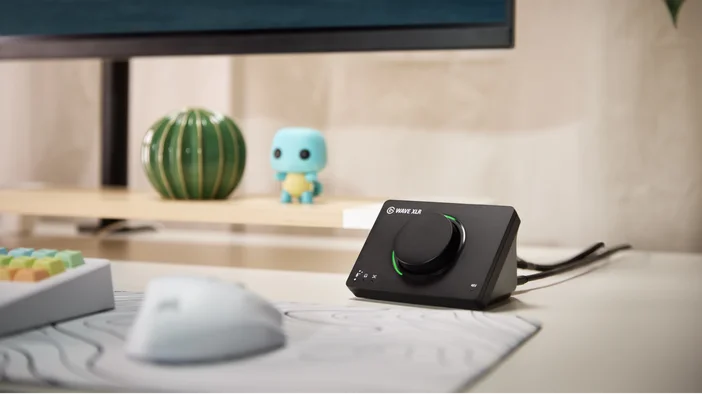
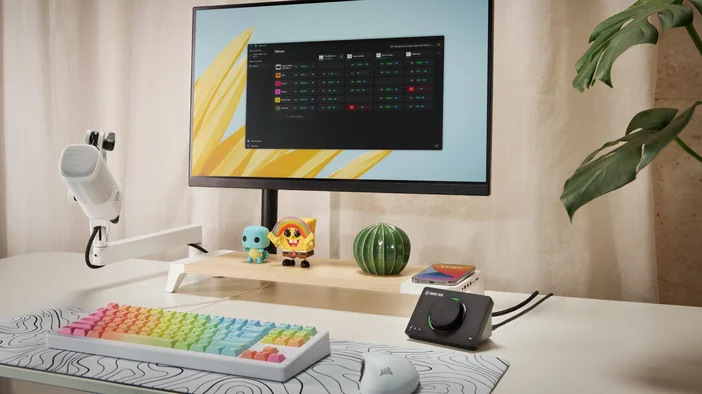
De originele Wave XLR bracht XLR-microfoons naar het Wave-ecosysteem. Wave XLR MK.2 gaat nog een stap verder met Wave FX Processor, met ingebouwde DSP-effecten, Clipguard 2.0 en VST Insert-ondersteuning direct op de hardware.
Het ondersteunt elke XLR-microfoon met 80 dB versterking, verwerkt je stem met ingebouwde DSP-effecten die in realtime worden uitgevoerd en geeft je directe hardwarecontrole over monitoring en mixen. Of je nu aan het opnemen bent, streamt of vergadert, Wave XLR MK.2 biedt je geluid dat klaar is voor uitzending, zonder de complexiteit. De Wave FX-processor, ontwikkeld in samenwerking met LEWITT Audio, stuurt het hele signaalpad aan.
Aangedreven door Wave Link
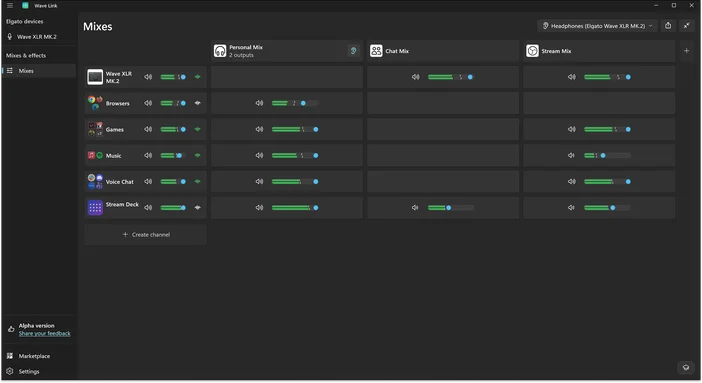
Wave Link is gratis audiomixsoftware die met elke microfoon werkt. In combinatie met Wave XLR MK.2 biedt het nog meer integratiemogelijkheden, waaronder directe hardwarebediening, automatische versterkingsinstellingen en Wave FX Processor-instellingen.
Een van de krachtigste functies van Wave Link is de ondersteuning voor maximaal 5 onafhankelijke mixen. Creëer een persoonlijke mix voor monitoring, een streammix, een opnamemix en meer. Elke mix krijgt zijn eigen routing en niveaus. Pas effecten toe op elk invoerkanaal voor volledige geluidscontrole.
Voorzie elke XLR-microfoon van stroom
Wave XLR MK.2 levert 80 dB aan ultralage ruisversterking. Dat is voldoende vermogen voor dynamische microfoons zoals de Shure SM7B, zonder dat een Cloudlifter nodig is. Als u 48 V fantoomvoeding nodig hebt, kunt u deze inschakelen via Wave Link.
Het werkt ook met populaire microfoons, waaronder Shure MV7 X, RØDE PodMic, RØDE Procaster, Electro-Voice RE20, Audio-Technica AT2020 en RØDE NT1.
Wave FX-processor verenigt uw signaal
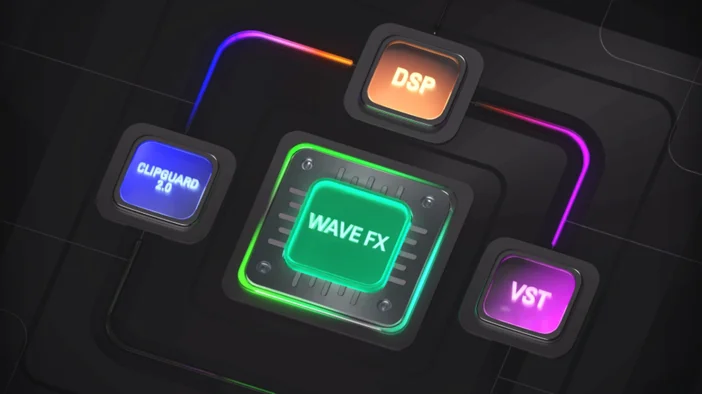
De Wave FX Processor combineert drie belangrijke technologieën: Clipguard 2.0, ingebouwde DSP-effecten en ondersteuning voor VST Insert. Alle drie werken ze in één geïntegreerde signaalketen, wat betekent dat je microfoon in elke app die je gebruikt hetzelfde klinkt.
Voeg plug-ins toe zoals ruisonderdrukking of stemvervormers, en ze werken automatisch overal zonder virtuele microfoons of complexe routing. Je audio blijft consistent, of je nu aan het streamen bent, in een vergadering zit of aan het opnemen bent.
Clipguard 2.0 voorkomt vervorming
Geknipte audio is permanent. Als uw signaal eenmaal vervormd is, kan dit achteraf niet meer worden hersteld. Clipguard 2.0 maakt gebruik van een drielaagse bescherming om vervorming te voorkomen voordat deze optreedt, zodat onverwachte lachjes, luide stemmen of opgewonden reacties helder blijven. Clipguard draait op Wave FX Processor en werkt samen met alle DSP-effecten zonder extra latentie.
We hebben Clipguard aan een aantal extreme scenario's onderworpen om te zien hoe ver het kon gaan voordat het kapot ging. Dat gebeurde niet.
Voor meer informatie over hoe Clipguard werkt, bekijk onze uitgebreide beschrijving van Clipguard 2.0.
Ingebouwde DSP-effecten
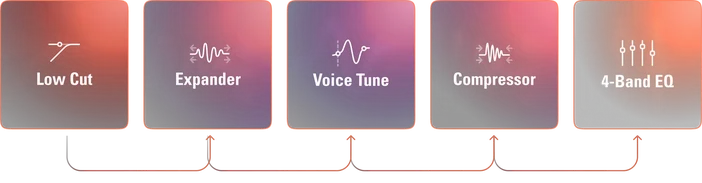
Wave XLR MK.2 voert professionele audio-effecten rechtstreeks op de hardware uit. Effecten verwerken je stem bij de bron met monitoring zonder vertraging:
- Laagafsnijfilter: verwijdert laagfrequente bromgeluiden van trillingen en ongewenste ruis
- Expander: vermindert achtergrondruis op laag niveau zonder uw stem te beïnvloeden
- Voice Tune: voegt warme, analoge compressie en harmonischen toe die zich aanpassen terwijl je spreekt
- Compressor: Brengt audio in balans, zodat stille momenten duidelijk doorkomen terwijl luide momenten onder controle blijven.
- Equalizer: bewerkt je stem over vier banden om warmte toe te voegen, modderigheid te verminderen of de helderheid te verbeteren]
Alle vijf effecten kunnen tegelijkertijd op de hardware worden uitgevoerd. Wanneer u via de speciale hoofdtelefoonuitgangen luistert, hoort u uw bewerkte stem in realtime zonder enige vertraging.
VST-insert
De Wave FX Processor maakt rechtstreeks verbinding met Wave Link via een speciaal pad met lage latentie. Je audio wordt naar Wave Link gestuurd voor plug-inverwerking en vervolgens weer in de hardwaresignaalketen ingevoegd voordat het je apps bereikt. Effecten zoals ruisonderdrukking, galm of stemvervormers werken in elke toepassing zonder virtuele microfoons of extra routing.
Voor meer informatie kun je onze handleiding over VST Insert raadplegen of extra audio-effecten zoeken op Elgato Marketplace.
Voor meer informatie over Wave FX kunt u onze handleiding raadplegen.
Opmerking: VST-effecten kunnen extra latentie veroorzaken, afhankelijk van uw instellingen.
Auto Gain helpt u op weg
Geweldige audio begint met het juiste microfoonvolume. Auto Gain Wizard analyseert uw stem en stelt automatisch het optimale niveau in. Spreek op uw normale volume en de wizard past de versterking aan en initialiseert DSP-effecten zoals Voice Tune op basis van uw stemkenmerken.
Dit neemt het giswerk weg, vooral als je nog niet bekend bent met XLR-microfoons.
Beheer uw audio
De bedieningsknop schakelt tussen vier modi: microfoonversterking, Voice Tune, hoofdtelefoonvolume en microfoon/pc-mix. De LED-ring geeft realtime metingen weer en past de kleuren aan op basis van de huidige modus. Je kunt de LED-kleuren voor elke modus aanpassen in Wave Link.
Tik op het achterpaneel om je microfoon direct te dempen.
High Power-modus
De High Power-modus levert tot 170 mW voor het aansturen van hoofdtelefoons met een hoge impedantie of een lagere gevoeligheid. Schakel deze modus in Wave Link in wanneer u extra volume nodig hebt.
Stream Deck-integratie
Stream Deck maakt verbinding via de Wave Link-plug-in. Wijs toetsen toe om de versterking te regelen, effecten in of uit te schakelen, van monitoringmodus te wisselen of het volume van de hoofdtelefoon aan te passen zonder de software te openen.
Eén apparaat, volledige audiocontrole
Wave XLR MK.2 brengt professionele audio naar elke XLR-microfoon zonder de complexiteit. Je microfoon, je effecten en je audioverwerking werken allemaal samen. Sluit je microfoon aan en begin vandaag nog met het vormgeven van je geluid.
Koop Wave XLR MK.2.
- Resolution: 24-bit
- Sample rate: 48 kHz
- Dynamic range (XLR input): 135 dB
- Equivalent Input Noise (EIN, A-weighted): –130 dB
- Maximum input level: 6 dBV
- Gain: 80 dB
- Frequency response (XLR input): 20 Hz – 20 kHz
- Frequency response (Headphone output, 32 Ω): 20 Hz – 20 kHz
- Microphone input: XLR (mono)
- Headphone output: 3.5 mm stereo
- Host connection: USB-C
- Power consumption: up to 900 mA
- Dimensions: 93 × 118 × 73 mm
- Weight: 320 g
System Requirements
- Windows 11 or newer (x64 or ARM)
- macOS Sonoma 15.0 or newer
- USB-C port
In the Box
- Wave XLR MK.2
- USB-C to USB-C cable (150 cm / 59 in)
- Quick Start Guide