HANDLEIDING | SNELSTARTGIDS
Elgato Facecam 4K — Quick Start Guide
Quick Start Guide
Setup steps
Step 1
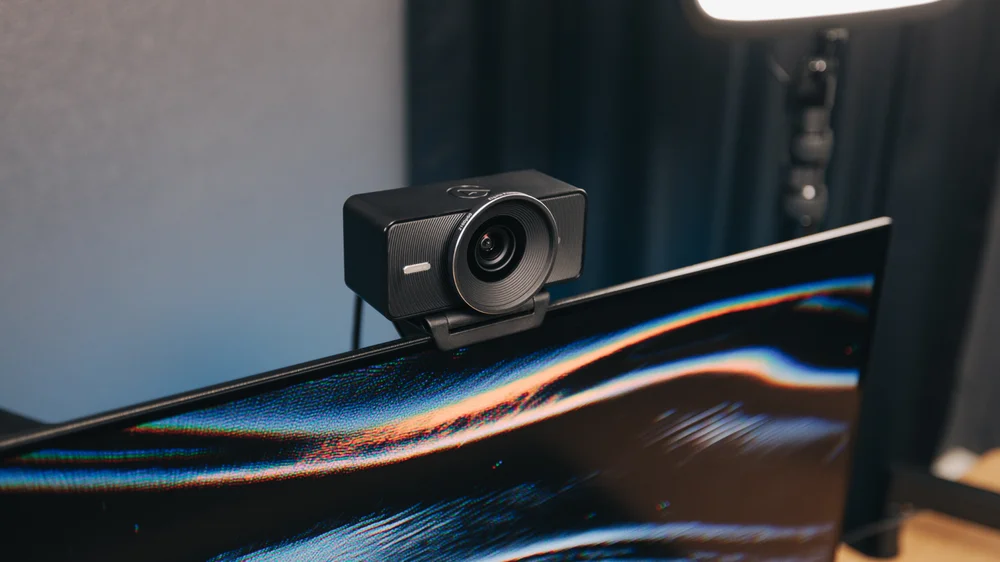
Align the thread underneath Facecam 4K with the monitor mount's screw, then turn the D-ring below to tighten and secure.
Step 2
Alternatively, screw Facecam 4K onto a desk stand, tripod, or other mount using its 1/4-inch thread.
Step 3
For best performance, connect Facecam 4K to a USB 3.0 (or later) port on your computer—not a USB hub—using a USB 3.0 (or later) cable, like the one in your box.
Facecam 4K can connect via USB 2.0, but video is limited to 1080p and uses MJPG compression.
Step 4
Download the free Camera Hub app for PC or Mac to get the most out of Facecam 4K. Its DSLR-style controls and cinematic effects give you powerful options to fine-tune your image.
Step 5
With a fixed-focus lens optimized for desk use, Facecam 4K keeps you perfectly sharp at all times with zero focus-hunting. For best performance, avoid moving outside of its optimized range—from your keyboard up to 1.2 m (4 ft) away.
Step 6
Facecam 4K works best in professional setups with good lighting. Avoid dim or poorly-lit spaces, where possible.
Step 7
Color grade with cinematic LUTs directly in the Camera Hub app. Choose from a selection of preset looks, or explore additional LUT styles on Elgato Marketplace.
Step 8
To attach a 49-mm filter, align the threads and gently screw onto Facecam 4K's lens cone.
Step 9
To clean your lens, use a microfiber cloth—not paper towels or detergents.
Step 10
Works with OBS Studio, Microsoft Teams, Zoom, Discord, or anywhere else you can use a webcam.
Tech specs
- Image Sensor: SONY® STARVIS™ 2 CMOS
- Optics: Elgato Prime Lens
- Aperture: f/4.0
- Focus Type: Fixed
- Focal Length: 21 mm
- Focus Range: 30 – 120 cm | 11.8 – 47.2 in (at 4K resolution)
- Field of View: 90°
- Video Encoding: YUY2, NV12, MJPG (when connected by USB 3.0, otherwise MJPEG only)
- Video resolutions (USB 3.0): 2160p60 (MJPG only), 2160p30 (NV12/MJPG only), 1440p60 (NV12/MJPG only), 1440p30, 1080p60, 1080p30, 720p60, 720p30, 540p60, 540p30
- Video resolutions (USB 2.0): 1080p60, 1080p30, 720p60, 720p30, 540p60, 540p30
- Dimensions: 104 x 54 x 52 mm | 4.1 x 2.1 x 2.0 in (without mount)
- Weight: 112 g | 0.25 lb (without mount and cable)
- Supported Filters: 49 mm
- Connection: USB Type-C
Federal Communication Commission Interference Statement
This device complies with Part 15 of the FCC Rules. Operation is subject to the following two conditions: (1) This
device may not cause harmful interference, and (2) this device must accept any interference received, including
interference that may cause undesired operation.
This equipment has been tested and found to comply with the limits for a Class B digital device, pursuant to Part 15
of the FCC Rules. These limits are designed to provide reasonable protection against harmful interference in a
residential installation. This equipment generates, uses and can radiate radio frequency energy and, if not installed
and used in accordance with the instructions, may cause harmful interference to radio communications. However,
there is no guarantee that interference will not occur in a particular installation. If this equipment does cause
harmful interference to radio or television reception, which can be determined by turning the equipment off and on,
the user is encouraged to try to correct the interference by one of the following measures:
- Reorient or relocate the receiving antenna.
- Increase the separation between the equipment and receiver.
- Connect the equipment into an outlet on a circuit different from that to which the receiver is connected.
- Consult the dealer or an experienced radio/TV technician for help.
FCC Caution: Any changes or modifications not expressly approved by the party responsible for compliance could
void the user's authority to operate this equipment. This equipment complies with FCC radiation exposure limits set
forth for an uncontrolled environment. This equipment should be installed and operated with a minimum distance of
20 cm between the radiator and a human body.
For questions about Elgato product compliance with FCC regulations, please contact: Compliance Officer, Corsair
Memory Inc., 115 North McCarthy Blvd, Milpitas, CA 95035, USA
This device complies with Industry Canada license-exempt RSS standard(s).
Operation is subject to the following two conditions: (1) this device may not cause interference, and (2) this device
must accept any interference, including interference that may cause undesired operation of the device.
Le present appareil est conforme aux CNR d'Industrie Canada applicables aux appareils radio exempts de licence.
R-R-CSI-20WAF9901
Applicant Name (): Corsair Memory, Inc.
Product Name (): Elgato Facecam 4K
Model No. (): 20WAF9901
Manufactured Year & Month (): Please refer to gift box sticker
Manufacturer & Origin ( ): Corsair Memory, Inc./Please refer to gift box sticker
A/S : (), 1522-1460
Elgato, a division of:
Corsair Memory Inc., 115 North McCarthy Blvd, Milpitas, CA 95035, USA
Corsair Components Limited, 1020 Eskdale Road, Winnersh Triangle, Wokingham, RG41 5TS, UK
Corsair Memory BV, Wormerweg 8, 1311 XB, Almere, Netherlands
Copyright 2024 Corsair Memory Inc. All rights reserved. Elgato and the Elgato logo are trademarks of Corsair
Memory Inc., registered in the U.S. and other countries. SONY and STARVIS are registered trademarks of Sony
Corporation. All other trademarks belong to their respective owner.
Part: 51WAF9901