Product Manuals & Quick Start Guides

Browse ELGATO products manuals and quick start guides. Search by name or product code / SKU in the field below.

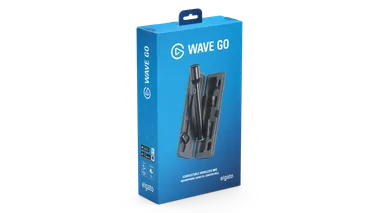
Wave Go - User Manual

„ELGATO WAVE GO“ — VARTOTOJO VADOVAS

Pradėkite naudotis „Elgato Wave Go“. Susipažinkite su valdymo elementais, LED indikatoriais, garso nustatymais, „Smart Handle“ įkrovimu, suporavimu ir „Wave Link“ naudojimu.

Key Light Air MK.2 - Quick Start Guide

„ELGATO KEY LIGHT AIR MK.2“ — GREITOJO PALEIDIMO VADOVAS

„Elgato Key Light Air MK.2“ nustatymo ir naudojimo greitojo pradžios vadovas.

Conferencing Kit Plus - Lifestyle

KAIP NUSTATYTI „ELGATO CONFERENCING KIT PLUS“

„Elgato Conferencing Kit +“ įrenginį galima surinkti per kelias minutes. Žingsnis po žingsnio vadovas, kaip surinkti „Prompter“, „Facecam MK.2“, „Wave Desk Stand“ ir „Airtime Camera“.

Elgato Studio

„ELGATO STUDIO“ — PROGRAMINĖS ĮRANGOS APŽVALGA

Sužinokite, kaip nustatyti ir naudoti „Elgato Studio“, kad galėtumėte peržiūrėti, įrašyti ir fiksuoti žaidimo vaizdą „Windows“ ir „macOS“ sistemose.

Green Screen - Lifestyle

„ELGATO GREEN SCREEN“ — GREITOJO PALEIDIMO VADOVAS

„Green Screen“ nustatymo ir naudojimo greitojo pradžios vadovas.

Green Screen XL - Lifestyle

„ELGATO GREEN SCREEN XL“ — GREITOJO PALEIDIMO VADOVAS

„Green Screen XL“ įrengimo ir naudojimo greitojo paleidimo vadovas.

Wave Neo - QSG

„ELGATO WAVE NEO“ — GREITOJO PALEIDIMO VADOVAS

„Wave Neo“ nustatymo ir naudojimo greitojo paleidimo vadovas.

Wave Panels Starter Set - QSG

„WAVE PANELS“ PRADEDANČIŲJŲ RINKINYS — GREITOJO PALEIDIMO VADOVAS

„Wave Panels Starter Set“ įrengimo ir naudojimo greitojo paleidimo vadovas

Wave Panels Starter Set - QSG

„WAVE PANELS“ PLĖTINIŲ RINKINYS — GREITOJO PALEIDIMO VADOVAS

„Wave Panels“ plėtinių rinkinio įrengimo ir naudojimo greitojo pradžios vadovas

Light Remote - Lifestyle

„ELGATO LIGHT REMOTE“ — GREITOJO PALEIDIMO VADOVAS

„Elgato Light Remote“ nustatymo ir naudojimo greitojo paleidimo vadovas.

Cold Shoe - Lifestyle

„ELGATO COLD SHOE“ — GREITOJO PALEIDIMO VADOVAS

„Elgato Cold Shoe“ nustatymo ir naudojimo greitojo paleidimo vadovas.

Video Capture - Lifestyle

„ELGATO VIDEO CAPTURE“ — GREITOJO PALEIDIMO VADOVAS

„Elgato Video Capture“ nustatymo ir naudojimo greitojo paleidimo vadovas.

Wave Desk Plate - Lifestyle

„ELGATO WAVE“ STALO PLOKŠTĖ — GREITOJO PALEIDIMO VADOVAS

„Wave Desk Plate“ įrengimo ir naudojimo greitojo paleidimo vadovas.

Wave Pop Filter - Lifestyle

„ELGATO WAVE“ POP FILTRAS — GREITOJO PALEIDIMO VADOVAS

„Wave Pop Filter“ nustatymo ir naudojimo greitojo pradžios vadovas.

Wave Shock Mount - Lifestyle

„ELGATO WAVE“ AMORTIZUOJANTIS LAIKIKLIS — GREITOJO PALEIDIMO VADOVAS

„Wave Shock Mount“ įrengimo ir naudojimo greitojo paleidimo vadovas.

Prompter - Lifestyle

„ELGATO PROMPTER“ — GREITOJO PALEIDIMO VADOVAS

„Elgato Prompter“ nustatymo ir naudojimo greitojo paleidimo vadovas.

Wave XLR Pro - Lifestyle

„ELGATO WAVE XLR PRO“ — GREITOJO PALEIDIMO VADOVAS

„Wave XLR Pro“ įrengimo ir naudojimo greitojo paleidimo vadovas.

Light Strip Pro - Lifestyle

„ELGATO LIGHT STRIP PRO“ — GREITOJO PALEIDIMO VADOVAS

„Elgato Light Strip Pro“ įrengimo ir naudojimo greitojo paleidimo vadovas.

Wave Mic Arm MK.2 - QSG

„ELGATO WAVE MIC ARM MK.2“ — GREITOJO PALEIDIMO VADOVAS

„Elgato Wave Mic Arm MK.2“ įrengimo ir naudojimo greitojo paleidimo vadovas

Wave Mic Arm Pro - QSG

„ELGATO WAVE MIC ARM PRO“ — GREITOJO PALEIDIMO VADOVAS

„Wave Mic Arm Pro“ įrengimo ir naudojimo greitojo paleidimo vadovas.

Wall Mount - Lifestyle

„ELGATO“ SIENINIS LAIKIKLIS — GREITOJO PALEIDIMO VADOVAS

„Wall Mount“ įrengimo ir naudojimo greitojo paleidimo vadovas.

Stand for Key Light Neo - Lifestyle

„STAND FOR KEY LIGHT NEO“ — GREITOJO PALEIDIMO VADOVAS

„Stand for Key Light Neo“ įrengimo ir naudojimo greitojo paleidimo vadovas.

Solid Arm - Lifestyle

„ELGATO SOLID ARM“ — GREITOJO PALEIDIMO VADOVAS

„Solid Arm“ nustatymo ir naudojimo greitojo paleidimo vadovas.

Master Mount L - Lifestyle

„ELGATO MASTER MOUNT L“ — GREITOJO PALEIDIMO VADOVAS

„Master Mount L“ įrengimo ir naudojimo greitojo paleidimo vadovas