РЪКОВОДСТВО | РЪКОВОДСТВО ЗА БЪРЗ СТАРТ
Elgato Embrace — Quick Start Guide
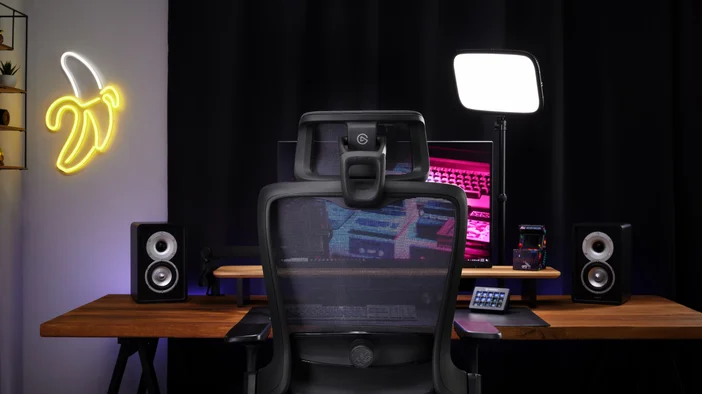
Ergonomic Studio Chair with Waterfall Edge, Mesh Back, 4D Armrests, Discreet Logo, Adjustable Height, Tilt and Lock Mechanism, Rolling Base, Easy Assembly
Английската версия е достъпна тук - English
Ако имате други проблеми, моля свържете се поддръжка на клиенти
HEIGHT
To raise chair height, lift your weight off the seat while pulling up on the lever. To lower, stay seated while pulling the lever up. For best posture, your feet should rest flat on the floor, with your knees bent at a 90-degree angle.
ARMS
Your chair's arms move up or down, forward or back, and pivot in or out. Adjust them so your elbows rest comfortably, keeping your shoulders relaxed.
SEAT DEPTH
To adjust depth, press and hold the lever, then slide your seat forward or backward. For ideal leg support, allow for 2–4 in (5–10 cm) of space behind your knees.
BACK STOP
Control how far your chair reclines. Push the paddle down for more recline, or pull up for less. Adjust to your comfort.
TILT TENSION
Control how easily your chair reclines. Turn the knob forward for more tension, or turn backward for less. Adjust to your comfort.
HEADREST
An optional headrest moves up or down, as well as forward or back. Adjust to your comfort.
What's in the Box
Your Embrace chair includes the following parts
- Backrest
- Seat (Arms Attached)
- Gas Cylinder
- Headrest
- 5x Casters
- Base
- 4x Screws (Plus 2x Spares)
- Allen Wrench
Assembling Your Chair
- Turn base upside down and insert casters into sockets until you hear them click
- Flip base over and insert gas cylinder, making sure the narrow end faces up
- Place seat on gas cylinder, pressing down firmly to lock into place
- Slide backrest onto brackets behind seat, securing tightly with 2 screws and Allen wrench
- Insert optional headrest into backrest slot, securing tightly with 2 screws and Allen wrench