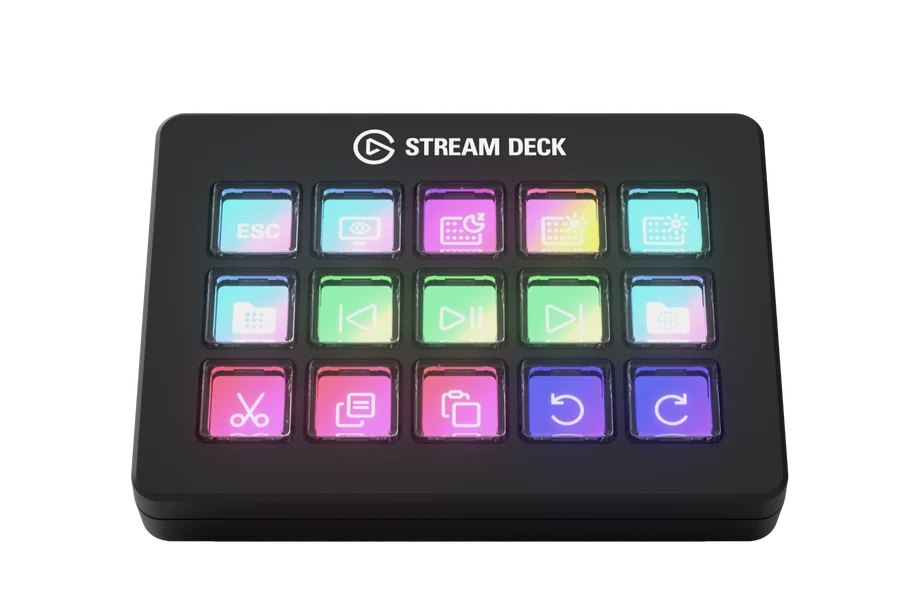


Since 2017, Stream Deck has helped millions cut through digital clutter, triggering actions, speeding up tasks, and putting total control right at your fingertips. It’s become a go-to tool for streamers, editors, developers, and anyone looking to simplify their workflow. Now, there’s a new way to experience it.
Scissor Keys replace the traditional membrane design with shorter, faster key travel, similar to what you’d expect from a premium laptop keyboard. The result is a crisp, consistent feel and quicker input, no matter where you press.

That slight change makes a big difference. You can move faster, hit macros more confidently, and use Stream Deck in ways that start to feel more like a compact keyboard or control pad.
Want to see how it compares to Stream Deck MK.2? Check out our full side-by-side breakdown.
With the addition of a built-in 1/4-inch mounting thread, it’s also more versatile. Attach it to a Multi Mount, Heavy Clamp, or Flex Arm, and position it wherever it makes sense in your setup. It's especially useful for sim rigs, creator stations, or clutter-free workspaces.
You still get the full Stream Deck experience—the same software, profiles, and functionality. That includes access to 400+ plugins on the Elgato Marketplace, as well as pre-made profiles, icon packs, and more.

If you like how Stream Deck works but want something that feels more like a keyboard under your fingers, this version makes a real difference. Scissor Keys keeps everything that makes Stream Deck great, just with a new kind of feedback that makes tapping feel faster and more satisfying.
Whether you’re building macros, editing media, or just streamlining your day-to-day, this is a solid pick.
Stream Deck Scissor Keys is available now at elgato.com.
