MANUAL | QUICK START GUIDE
Elgato Stream Deck + XL — Quick Start Guide
Customizable Control Platform With Macro Keys, Multifunction Dials, Touch Strip for Professional Systems & Production – USB-C for PC and Mac
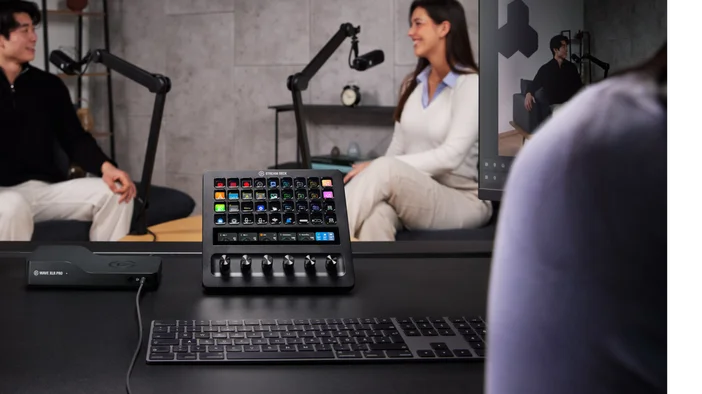
Connect Your Device
Using the cable included, connect Stream Deck + XL directly to a USB 3 port on your computer. Do not use a USB hub, as this can impact performance.
Get The App
Download and install the Elgato Stream Deck software, free for PC and Mac. Once ready, open the app to get started.
Setting Up Actions
Your available key and dial actions are stored in the right-side panel. Move an action onto your canvas, then configure its settings in the area just below.
Organize Folders
Store and group actions inside folders for easy navigation. Assign a folder onto any key then access it with a quick tap.
Navigate Pages
Expand your abilities with up to 10 pages of additional actions. Then switch between them with a tap, turn, or swipe.
Create Profiles
Make custom layouts for each of your apps, games, or workflows. Switch profiles manually with one touch, or automatically whenever an app is in the foreground.
Customize Appearance
Style your Stream Deck + XL with digital designs. Choose from a library of icons and backgrounds, or upload your own.
Elgato Marketplace
Discover new ways to control your apps and hardware on Marketplace. Create an account to get started, then sign in via the Stream Deck app.
Expand Your Abilities
Back on Marketplace, browse community plugins, profiles, icons, and more. Then install directly to your Stream Deck app with just a few clicks.
Advanced Key Functions
Work smarter with Key Logic—assign unique actions for a press, double-press, or press-and-hold. For complex workflows, use Multi Actions to trigger a sequence of actions with just one touch.
Advanced Dial Functions
Access multiple actions per dial with Dial Stacks—push to switch, turn to control. Or use an Action Wheel to cycle through functions, then push to select.
Changing Dials
Dials can be swapped out for different colors and styles. To remove a dial, grip and pull straight out with steady pressure. To insert a dial, align the keyed notch on both dial and stem, then push down firmly.
Connect and expand
Extend your setup with optional accessories like Network Dock for remote placement or USB Hub for additional ports. Sold separately.
Federal Communication Commission Interference Statement
This device complies with Part 15 of the FCC Rules. Operation is subject to the following two conditions: (1) This device may not cause harmful interference, and (2) this device must accept any interference received, including interference that may cause undesired operation.
This equipment has been tested and found to comply with the limits for a Class B digital device, pursuant to Part 15 of the FCC Rules. These limits are designed to provide reasonable protection against harmful interference in a residential installation. This equipment generates, uses and can radiate radio frequency energy and, if not installed and used in accordance with the instructions, may cause harmful interference to radio communications. However, there is no guarantee that interference will not occur in a particular installation. If this equipment does cause harmful interference to radio or television reception, which can be determined by turning the equipment off and on, the user is encouraged to try to correct the interference by one of the following measures:
- Reorient or relocate the receiving antenna.
- Increase the separation between the equipment and receiver.
- Connect the equipment into an outlet on a circuit different from that to which the receiver is connected.
- Consult the dealer or an experienced radio/TV technician for help.
FCC Caution: Any changes or modifications not expressly approved by the party responsible for compliance could void the user's authority to operate this equipment
For questions about Elgato product compliance with FCC regulations, please contact: Compliance Officer, Corsair Memory Inc., 115 North McCarthy Blvd, Milpitas, CA 95035, USA
The declaration of conformity for Elgato products is available at www.elgato.com/doc
Rating: 5V, 900 mAh
<KC Logo> + R-R-CSI-20GBX9901
Applicant Name (상호명): Corsair Memory, Inc.
Product Name (제품명칭): Stream Deck + XL
Model No.(모델명): 20GBX9901
Manufactured Year & Month (제조연월): Please refer to gift box sticker
Manufacturer & Origin (제조자 및 제조국가): Corsair Memory, Inc./ Made in Taiwan
A/S : (주)컴스빌, 1522-1460